Garmin G2000 Pilot’s Guide for the Cessna T240
190-01263-01 Rev. A
386
Hazard avoidance
SYSTeM
overvieW
FLiGHT
inSTrUMenTS
eiS
aUdio & cnS
FLiGHT
ManaGeMenT
Hazard
avoidance
aFcS
addiTionaL
FeaTUreS
aPPendiceSindeX
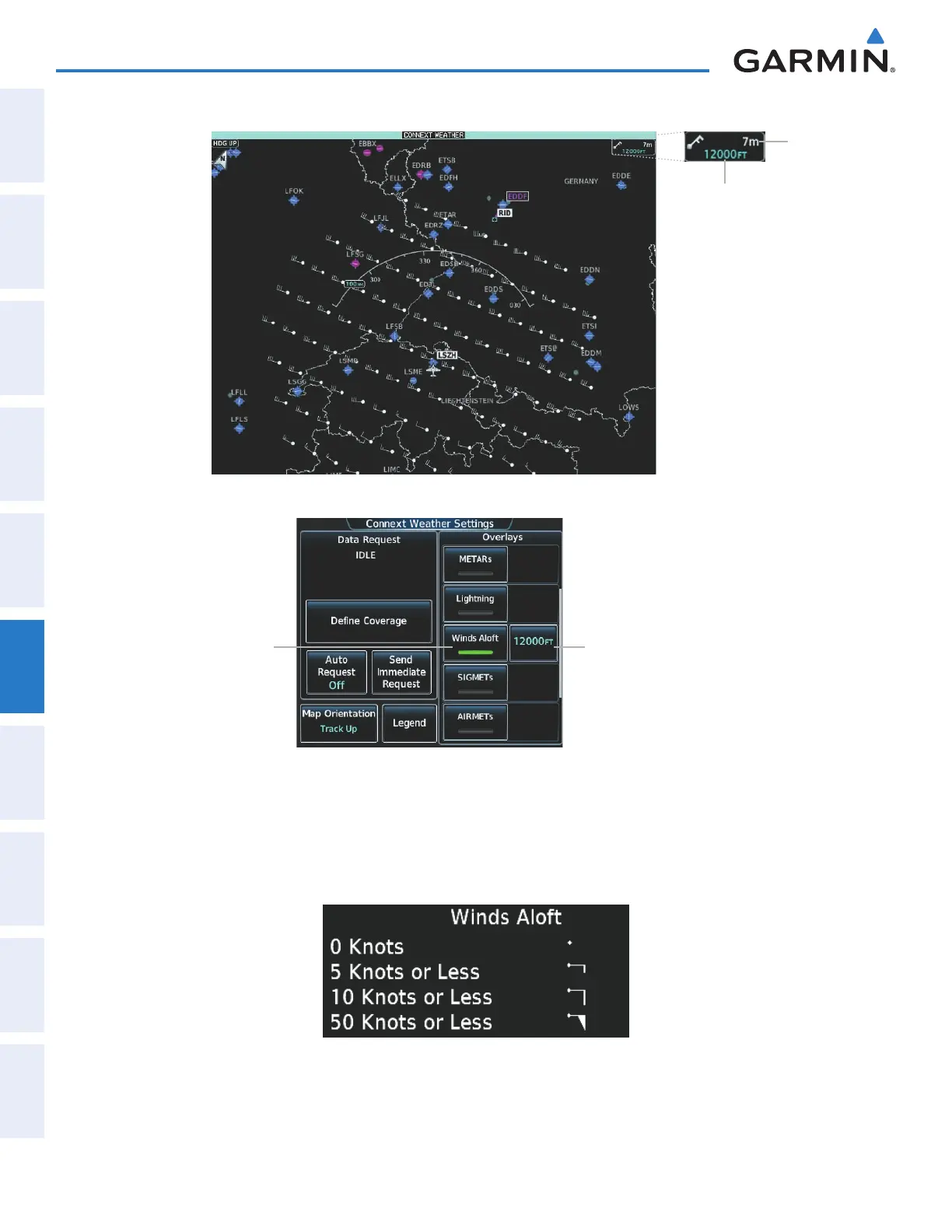
Winds Aloft Overlay at 12,000 Feet
Selected Winds
Aloft Altitude
Touch to Enable/
Disable Winds
Aloft Overlay
Selected Winds
Aloft Altitude
Connext Weather Settings Screen
Figure 6-66 Displaying Winds Aloft Forecast
Winds
Aloft Data
Age
To display the Winds Aloft legend (Figure 6-62), touch the Legend Button on the Connext Weather
Settings Screen when the Winds Aloft weather product is enabled. Scroll as needed to view the legend
information, then touch Back or Home.
Figure 6-67 Winds Aloft Legend
This manual downloaded from http://www.manualowl.com



 To Next Page