Garmin G2000 Pilot’s Guide for the Cessna T240
190-01263-01 Rev. A
390
Hazard avoidance
SYSTeM
overvieW
FLiGHT
inSTrUMenTS
eiS
aUdio & cnS
FLiGHT
ManaGeMenT
Hazard
avoidance
aFcS
addiTionaL
FeaTUreS
aPPendiceSindeX
the system is only intended to supplement TFR information obtained from official sources including Flight
Service Stations (FSS), and air traffic control.
The system does not display the age TFR product was assembled on the ground by the data provider is not
shown; however, if TFR product is not available or has expired, the system displays ‘TFR N/A’ in the upper-
right corner of maps on which the display of TFR information is enabled.
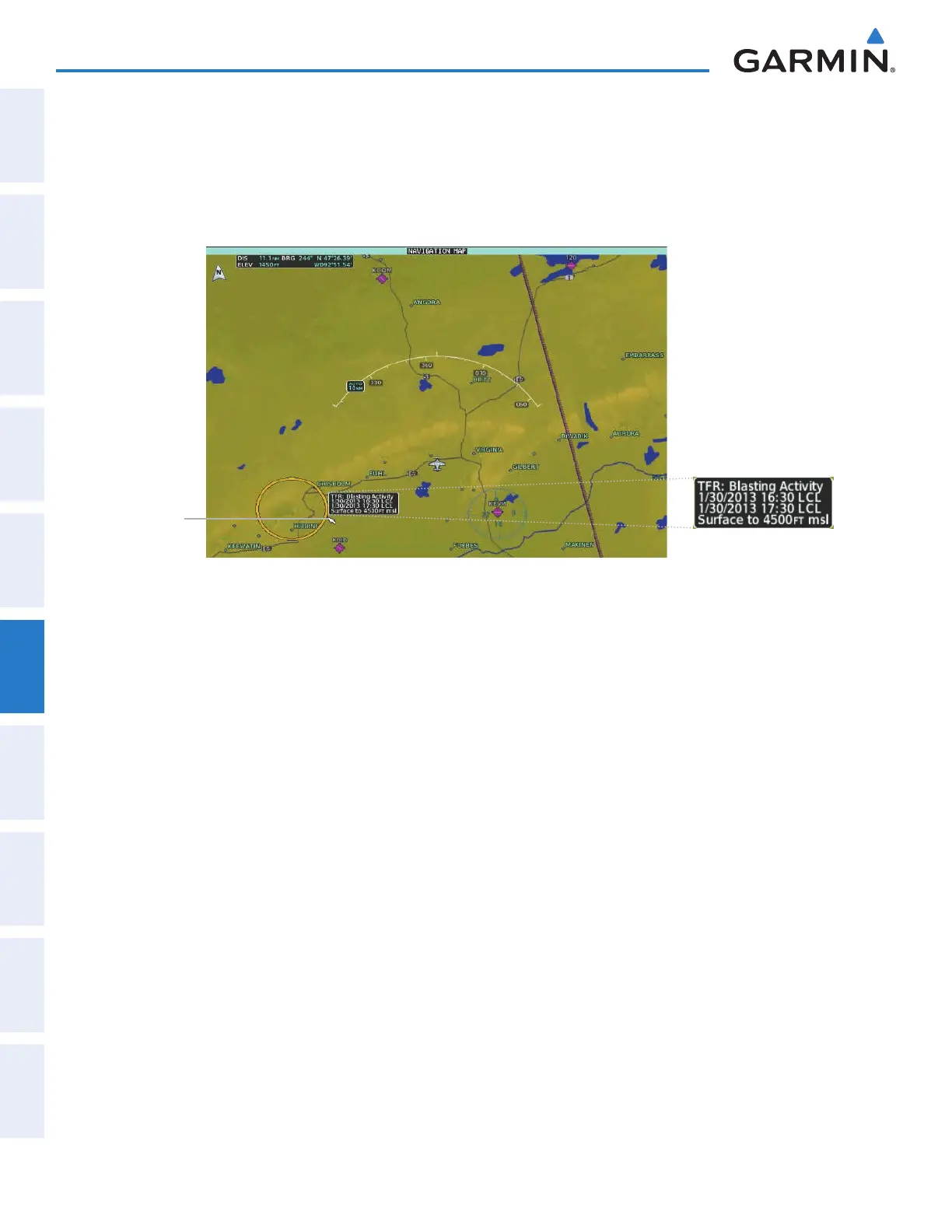
Figure 6-73 TFR Text for TFR Selected with Map Pointer
TFR
Selected
with Map
Pointer
Enabling/Disabling TFR information (SiriusXM Weather Pane):
1) From Home, touch Weather > Weather Selection > Connext Weather > Connext Settings.
2) Scroll in the Overlays Window as needed and touch the TFRs Button.
3) To view TFR text, push the Joystick to activate the map pointer and move the pointer with the Joystick until
the selected TFR border is highlighted, then touch- view the TFR near the pointer.
4) When finished, push the Joystick, or touch Back or Home.
The Map Settings Screen provides controls for enabling/disabling the display of TFR information on navigation
maps, in addition to selecting the maximum map range for the system to display TFR information. If the pilot
selects a map range above this setting, the system removes TFR information from the selected Display Pane.
Maps other than the Navigation Map Pane use settings based on those selected on the Map Settings Screen.
Setting up and customizing TFR data for maps on which TFR data can be displayed:
1) From Home, touch Map > Map Settings.
2) If necessary, touch the Aviation tab.
3) Touch the Airspaces Settings Button.
4) Touch the TFR Range button (displays current range setting or ‘Off’)
5) Scroll as necessary and touch the maximum navigation map range to display TFR information, or touch the Off
Button to disable the display of TFR information on navigation maps.
This manual downloaded from http://www.manualowl.com



 To Next Page