Garmin G2000 Pilot’s Guide for the Cessna T240
190-01263-01 Rev. A
420
Hazard avoidance
SYSTeM
overvieW
FLiGHT
inSTrUMenTS
eiS
aUdio & cnS
FLiGHT
ManaGeMenT
Hazard
avoidance
aFcS
addiTionaL
FeaTUreS
aPPendiceSindeX
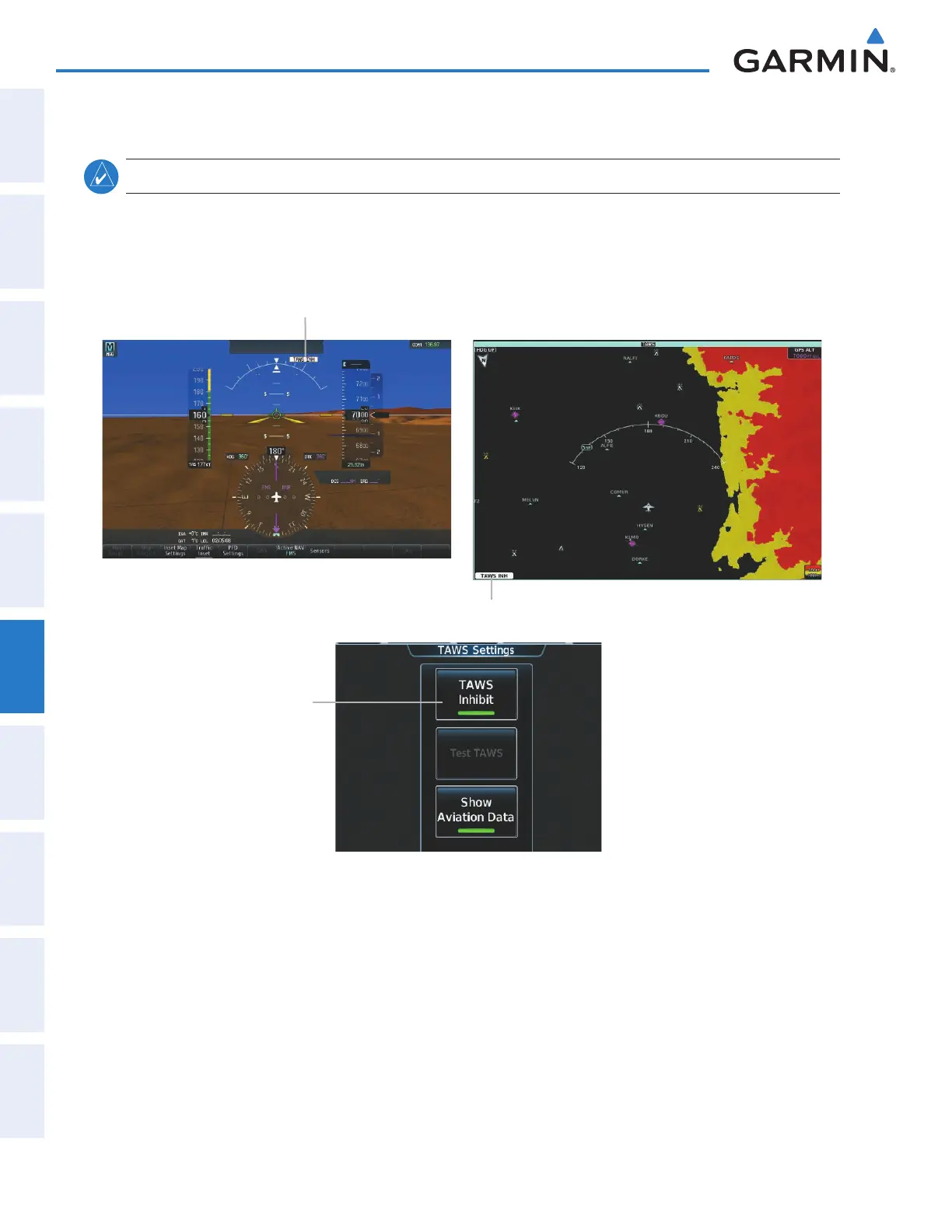
INHIBITING FLTA AND PDA ALERTS
NOTE: The TAWS Inhibit function only inhibits FLTA and PDA alerts.
FLTA and PDA alerting can be manually inhibited. Discretion should be used when inhibiting alerts and
the system should be enabled when appropriate. When PDA and FLTA alerts are inhibited, the system
displays the ‘TAWS INH’ status annunciation on the PFD and on the TAWS Pane.
TAWS Alerting Inhibited
Annunciation (PFD)
Figure 6-97 Inhibiting TAWS FLTA and PDA Alerting
TAWS Alerting
Inhibited Selected
TAWS Alerting Inhibited Annunciation
(TAWS Pane)
Inhibiting/enabling TAWS FLTA and PDA alerting:
1) From Home, touch TAWS > TAWS Settings.
2) Touch the TAWS Inhibit Button. When the button annunciator on the button is green, alerting is inhibited.
When the button annunciator is gray, TAWS alerting is enabled.
Or:
1)
From Home, touch Map > Map Settings.
2) If necessary, touch the Sensor Tab.
3) Touch the Relative Terrain Settings Button.
This manual downloaded from http://www.manualowl.com



 To Next Page