Garmin G2000 Pilot’s Guide for the Cessna T240
190-01263-01 Rev. A
434
Hazard avoidance
SYSTeM
overvieW
FLiGHT
inSTrUMenTS
eiS
aUdio & cnS
FLiGHT
ManaGeMenT
Hazard
avoidance
aFcS
addiTionaL
FeaTUreS
aPPendiceSindeX
4) Touch the Map Settings Button.
5) Touch the Labels Button to enable/disable the display of labels on traffic (such as relative altitude).
6) To change the map range above which the system removes traffic symbols from the map, touch the Symbols
Range Button, then scroll to and touch to select a map range above which the system will remove the traffic
symbols.
7) To change the map range at which the system removes traffic labels from the map, touch the Labels Range
button, then scroll to and touch to select a map range above which the system removes traffic labels from the
map.
8) When finished, touch the Back or Home.
SYSTEM STATUS
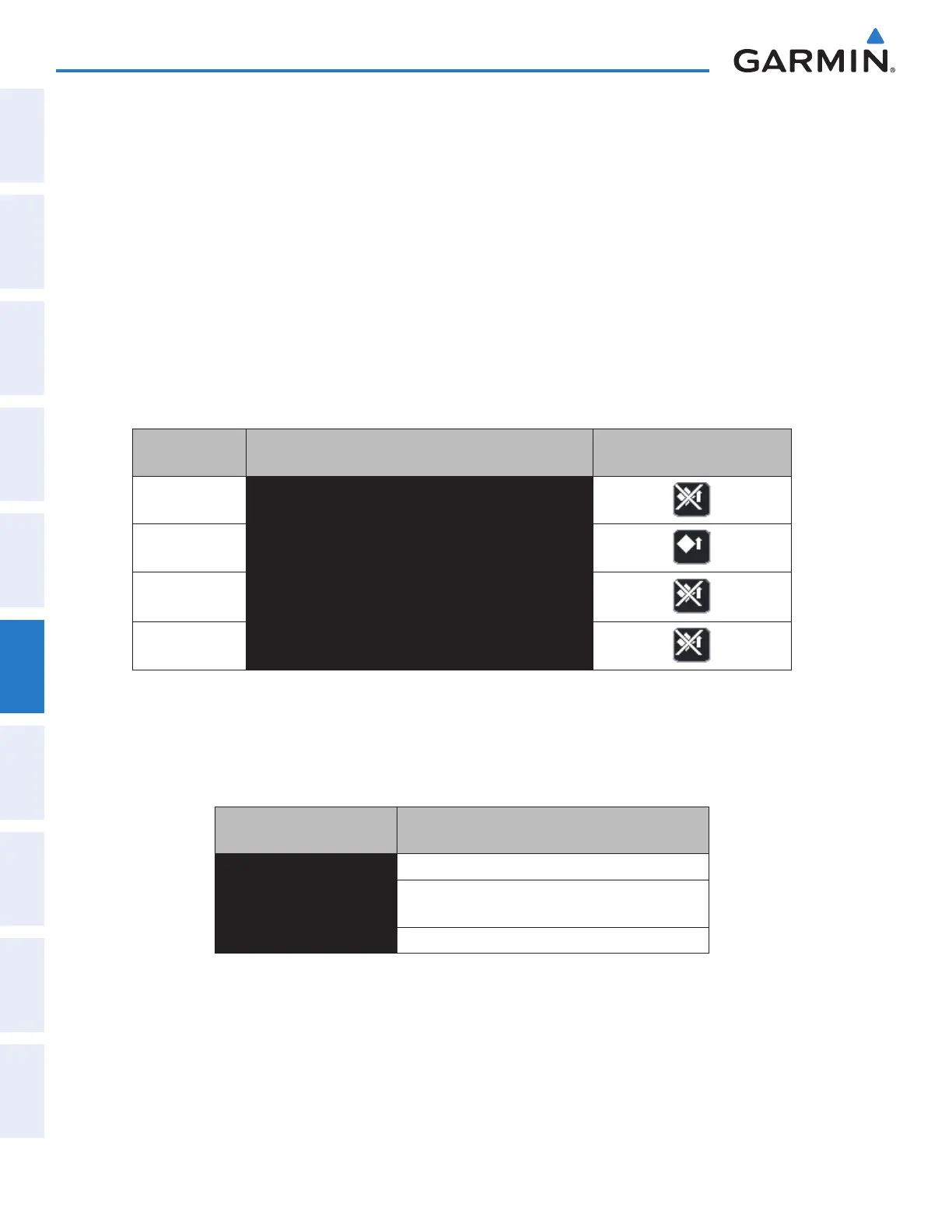
The traffic mode appears in the upper right corner of the Traffic Map Pane.
Mode
Traffic Mode Annunciation
(Traffic Map Pane)
Traffic Display Status Icon
(Other Maps)
TAS System Test
Initiated
TEST
(TEST MODE shown in top center of Traffic Map display)
TAS Operating OPERATING
TAS Standby
STANDBY
(also shown in center of Traffic Map display)
TAS Failed* FAIL
* See Table 6-26 for additional failure annunciations
Table 6-25 Traffic Modes
If the traffic unit fails, the system shows an annunciation as to the cause of the failure in the center of the
Traffic Map Pane. During a failure condition, the Operating Mode is not available.
Traffic Map Page Center
Annunciation
Description
NO DATA System is not receiving any data from the TAS unit.
DATA FAILED
System is receiving data from the TAS unit, but the
unit is reporting a failure.
FAILED The TAS unit is sending invalid data to the system.
Table 6-26 Traffic Failure Annunciations
This manual downloaded from http://www.manualowl.com



 To Next Page