Garmin G2000 Pilot’s Guide for the Cessna T240
190-01263-01 Rev. A536
AdditionAl FeAtures
sYsteM
oVerVieW
FliGHt
instruMents
eis
Audio PAnel
& Cns
FliGHt
MAnAGeMent
HAZArd
AVoidAnCe
AFCs
AdditionAl
FeAtures
APPendiCesindeX
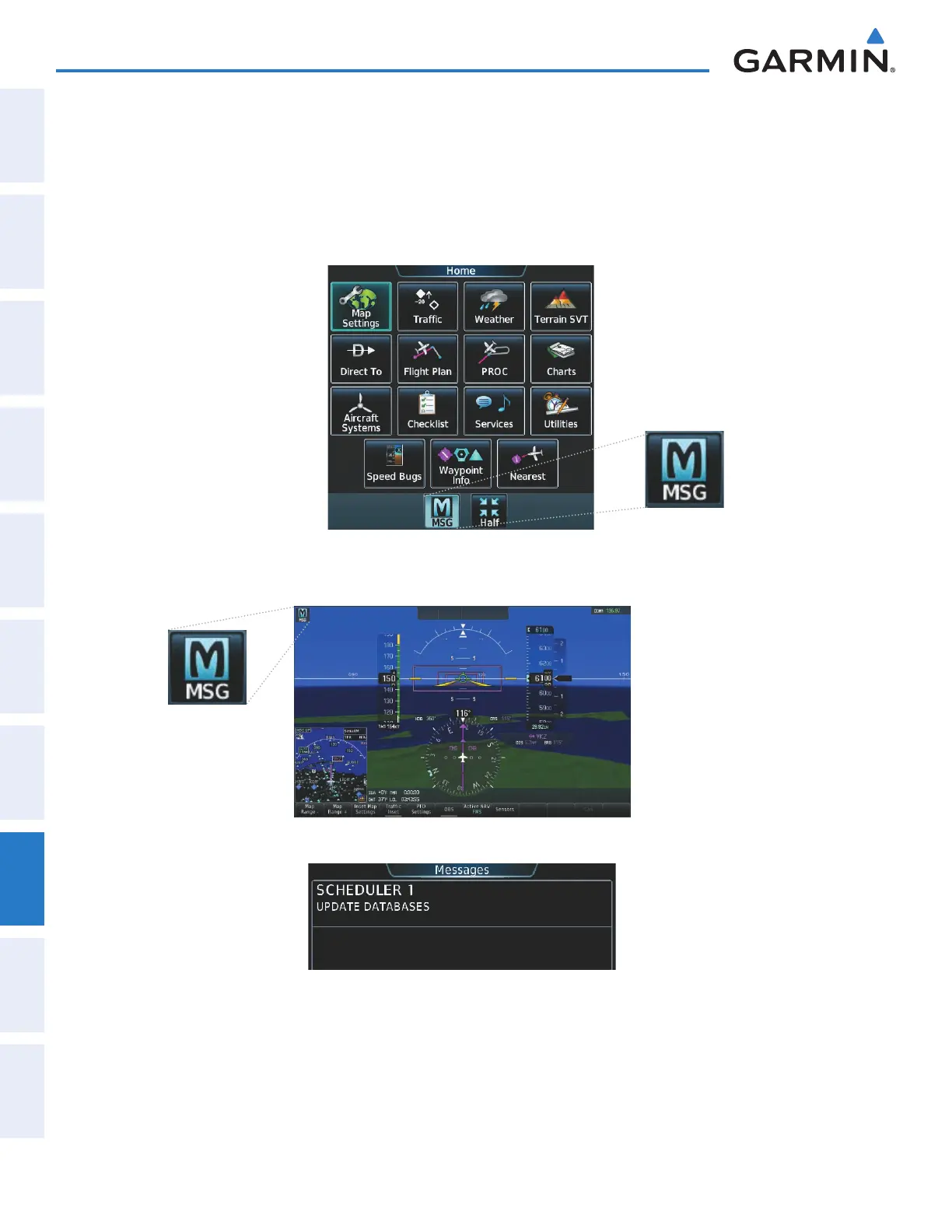
When a scheduled message is activated, the MSG Button flashes inverse video (Figure 8-102) and
‘MESSAGE - See GTC’ flashes inverse video on the PFD (Figure 8-103). Touching the MSG Button on the
Touchscreen Controller opens the Messages Screen (Figure 8-104) and acknowledges the message, indicated by
the removal of the message annunciation on the PFD and the MSG Button ceasing to flash. Touching the MSG
Button again removes the Messages Screen from view, and the scheduled message is deleted from the message
queue.
Figure 8-102 Message Annunciation on Touchscreen Controller
Figure 8-103 Message Annunciation on PFD
Figure 8-104 Scheduled Message Example
This manual downloaded from http://www.manualowl.com



 To Next Page