190-01263-01 Rev. A
Garmin G2000 Pilot’s Guide for the Cessna T240
541
AdditionAl FeAtures
sYsteM
oVerVieW
FliGHt
instruMents
eis
Audio PAnel
& Cns
FliGHt
MAnAGeMent
HAZArd
AVoidAnCe
AFCs
AdditionAl
FeAtures
APPendiCes indeX
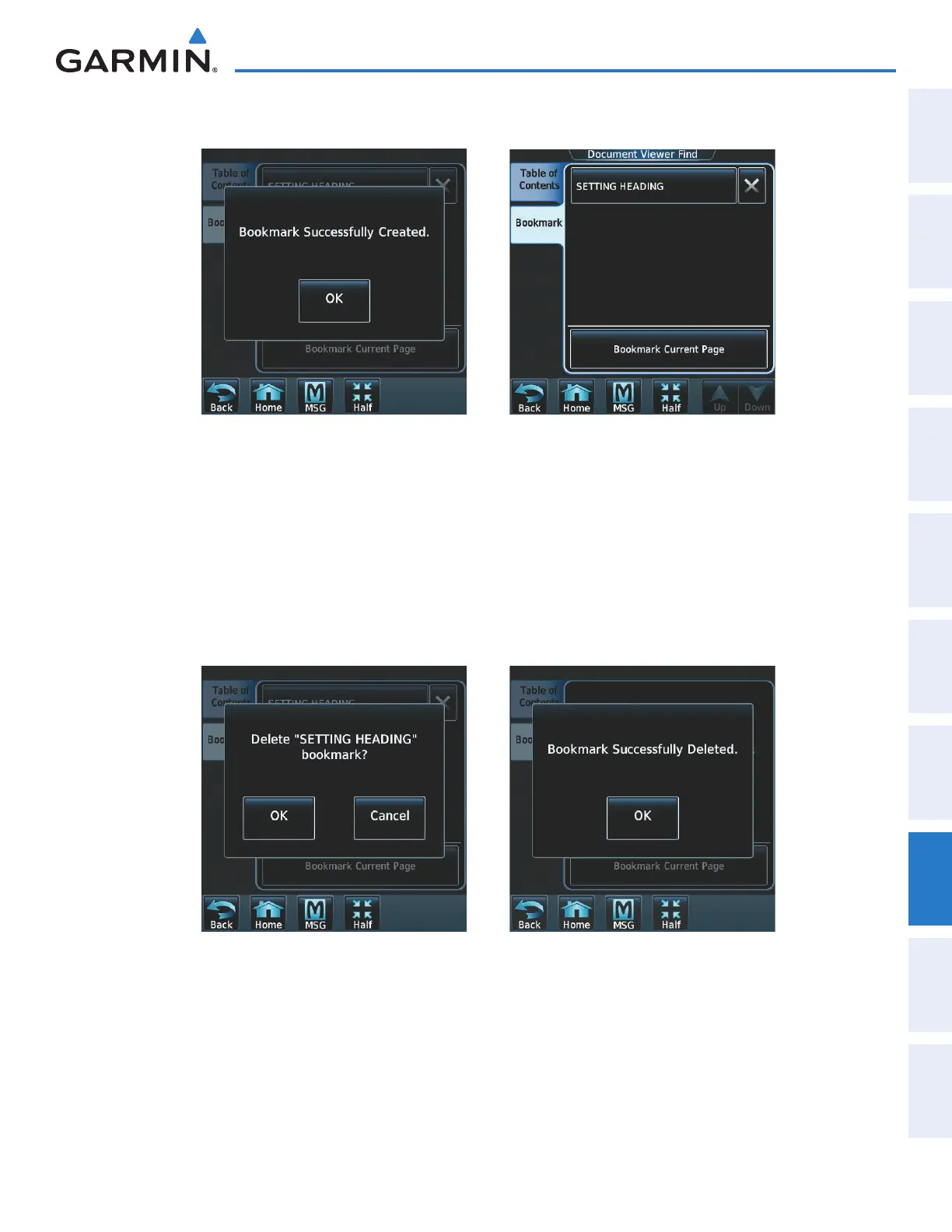
4) Touch Enter. A confirmation screen is displayed as seen in Figure 8-117.
Figure 8-118 Bookmark CreatedFigure 8-117 Bookmark Created
5) Touch OK. The newly created bookmark is displayed as in Figure 8-118.
Deleting document bookmarks:
1) With the desired document displayed, touch the Find Button (Figure 8-111) to display the Document Viewer
Find Screen.
2) Touch the Bookmark Tab to display the Bookmark Window.
3) Touch the X Button next to the bookmark to be deleted (Figure 8-119).
Figure 8-120 Bookmark DeletedFigure 8-119 Delete Bookmark
4) Touch OK on the confirmation screen as in Figure 8-120.
5) Again, touch OK.
This manual downloaded from http://www.manualowl.com



 To Next Page