Garmin G2000 Pilot’s Guide for the Cessna T240
190-01263-01 Rev. A540
AdditionAl FeAtures
sYsteM
oVerVieW
FliGHt
instruMents
eis
Audio PAnel
& Cns
FliGHt
MAnAGeMent
HAZArd
AVoidAnCe
AFCs
AdditionAl
FeAtures
APPendiCesindeX
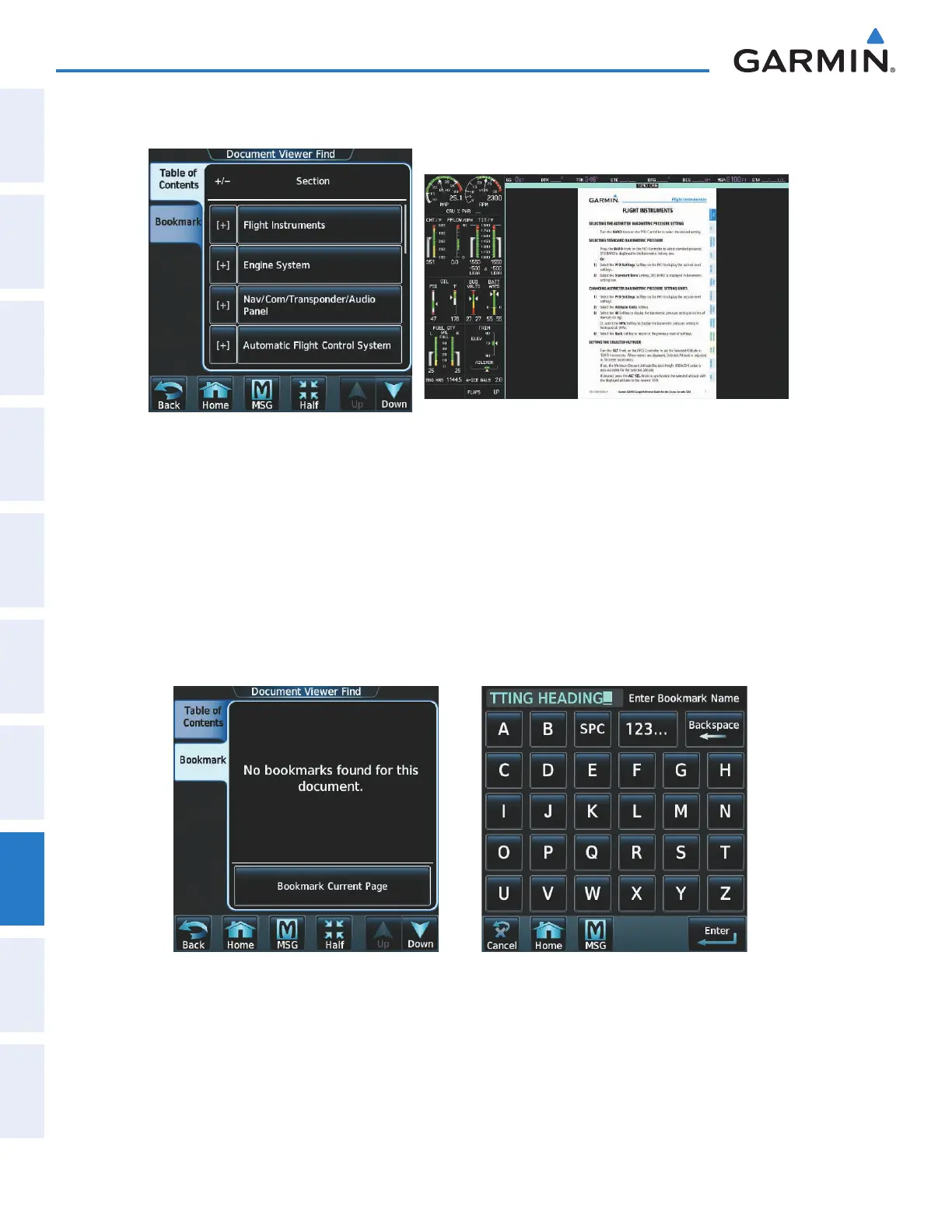
3) Touch the Find Button to display the Document Viewer Find screen as shown in Figure 8-113.
Figure 8-114 Flight Instruments Section DisplayedFigure 8-113 Table of Contents
4) If necessary, touch the Table of Contents Tab to display the document Table of Contents (Figure 8-113).
5) Touch [+] to expand a topic. Touch [–] to return to the collapsed view of the topic.
6) Touch the desired topic to jump to that portion of the document. In this example, Flight Instruments is selected
and the Flight Instruments section is displayed (Figure 8-114).
Creating bookmarks in the document:
1) While viewing the page to bookmark, touch the Find Button on the appropriate Touchscreen Controller.
2) Touch the Bookmark Tab to display the Bookmark Window as in Figure 8-115.
Figure 8-116 Enter Bookmark NameFigure 8-115 Select Bookmark Tab
3) Touch the Bookmark Current Page Button. The Enter Bookmark Name Screen is displayed as shown in
Figure 8-116.
This manual downloaded from http://www.manualowl.com



 To Next Page