190-01263-01 Rev. A
Garmin G2000 Pilot’s Guide for the Cessna T240
545
AdditionAl FeAtures
sYsteM
oVerVieW
FliGHt
instruMents
eis
Audio PAnel
& Cns
FliGHt
MAnAGeMent
HAZArd
AVoidAnCe
AFCs
AdditionAl
FeAtures
APPendiCes indeX
4) Turn either the large or small right knob on the Touchscreen Controller to select checklist items. The selected
checklist item is indicated with a surrounding white box.
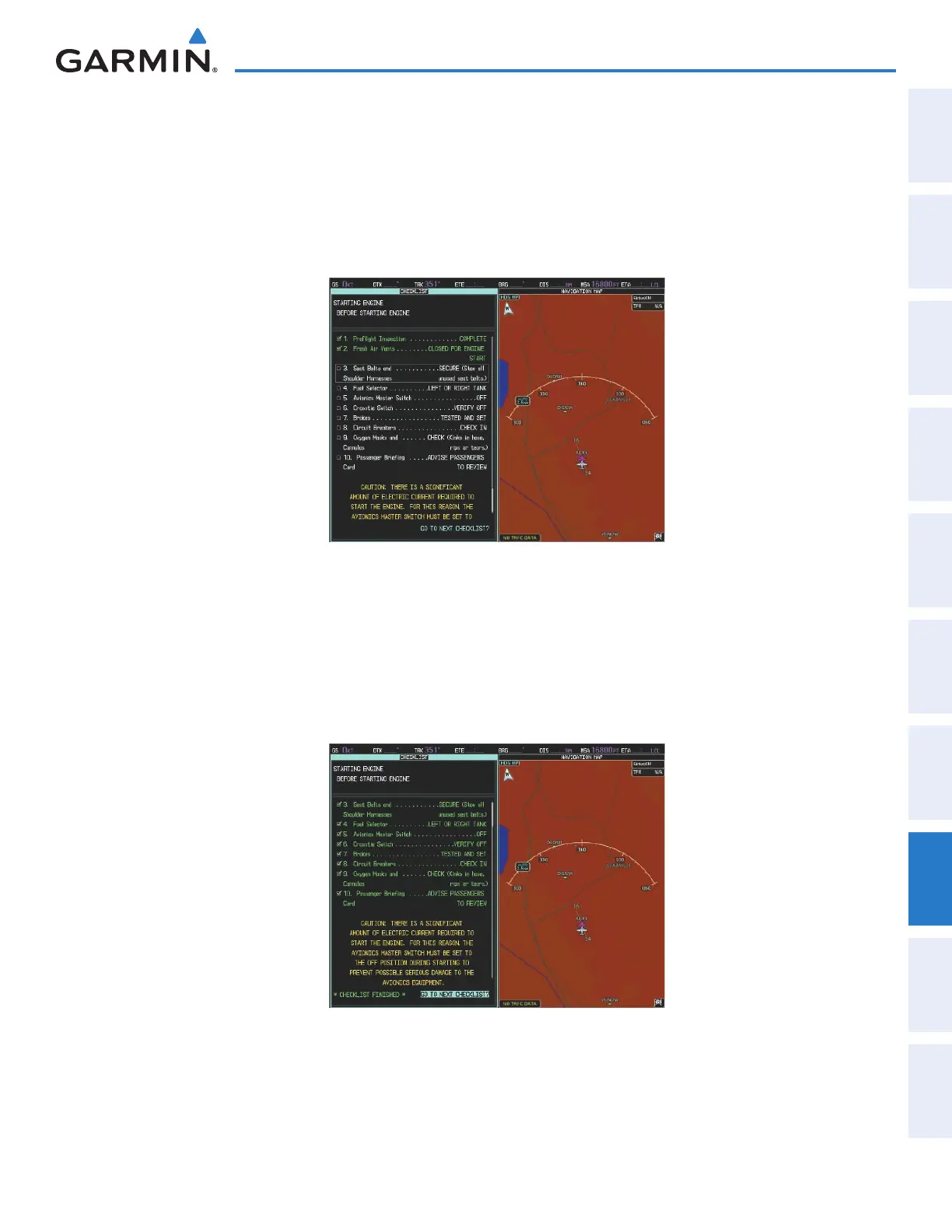
5) Press the small right knob on the Touchscreen Controller to check the selected checklist item. The line item
turns green and a checkmark is placed in the associated box, as seen in Figure 8-124. The next line item is
automatically selected for checking.
Press the small right knob on the Touchscreen Controller again to remove a check mark from an item.
Figure 8-124 Completing Checklist Items
6) When all checklist items have been checked, ‘*Checklist Finished*’ is displayed in green text at the bottom
left of the Checklist Pane. If all items in the checklist have not be checked when sequencing through the last
checklist item, ‘*CHECKLIST NOT FINISHED*’ will be displayed in yellow text.
7) ‘GO TO NEXT CHECKLIST?’ will now be highlighted, as in Figure 8-125.
8) Press the small right knob on the Touchscreen Controller to advance to the next checklist.
Figure 8-125 Completeing Checklist Items
This manual downloaded from http://www.manualowl.com



 To Next Page