190-01263-01 Rev. A
Garmin G2000 Pilot’s Guide for the Cessna T240
43
SyStem Overview
SyStem
Overview
FLiGHt
iNStrUmeNtS
eiS
AUDiO PANeL
& CNS
FLiGHt
mANAGemeNt
HAZArD
AvOiDANCe
AFCS
ADDitiONAL
FeAtUreS
APPeNDiCeS iNDeX
SYSTEM
OVERVIEW
FLIGHT
INSTRUMENTS
EIS AUDIO & CNS
FLIGHT
MANAGEMENT
HAZARD
AVOIDANCE
AFCS
ADDITIONAL
FEATURES
APPENDICES INDEX
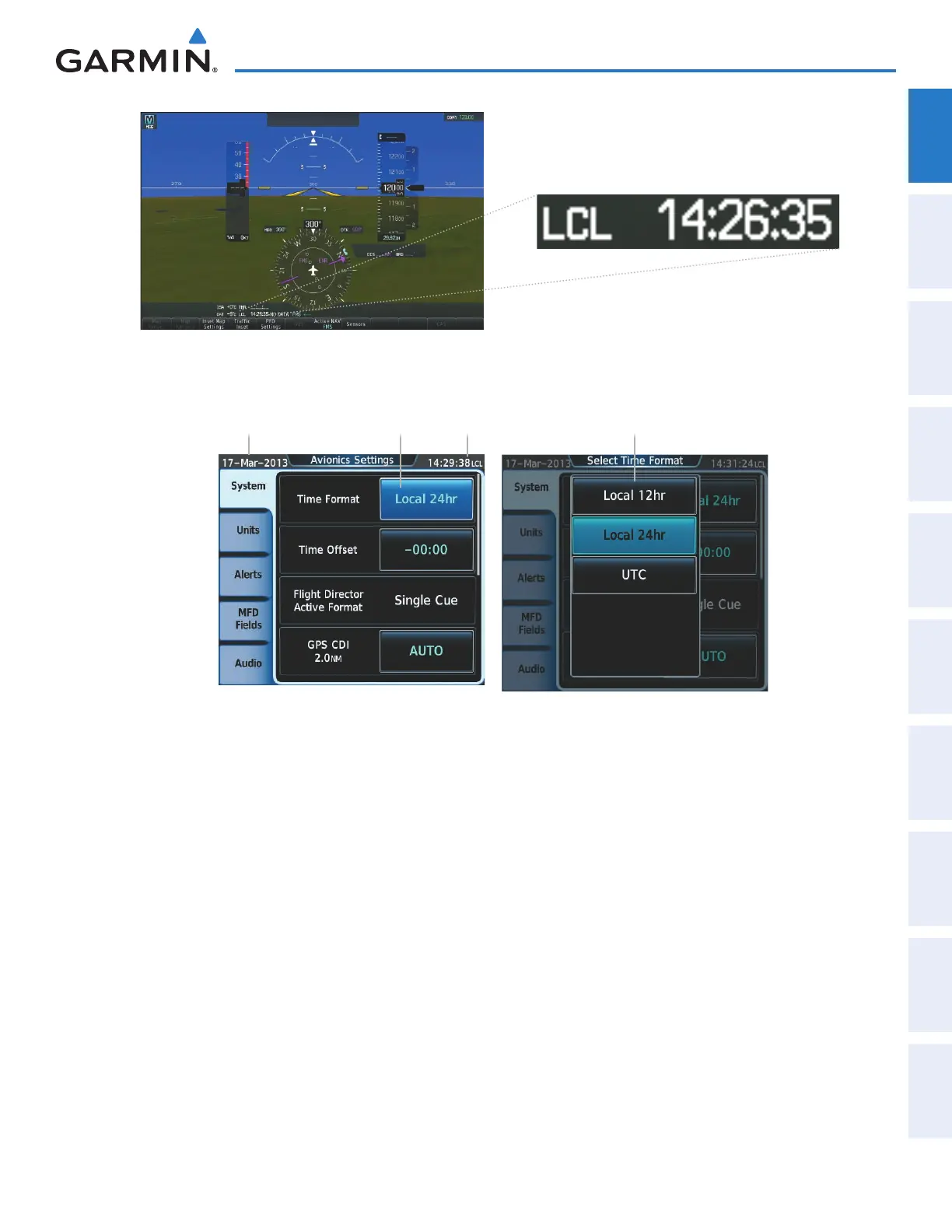
Figure 1-31 System Time (Local 24-hr Format)
Figure 1-32 Time Format Settings
Date Time
‘Time Format’
Datafield
‘Time Format’ Options
gPS cDi range
The GPS CDI setting allows the pilot to define the range for the course deviation indicator (CDI). The
range values represent full range deflection for the CDI to either side. The default setting is ‘AUTO’. At this
setting, leaving the departure airport the CDI range is set to 1.0 nm and gradually ramps up to 2 nm beyond
30 nm from the departure airport. The CDI range is set to 2.0 nautical miles during the en route phase of
flight. Within 30 nm of the destination airport, the CDI range gradually ramps down to 1.0 nm (terminal
area). During approach operations, the CDI range ramps down even further to 0.3 nm. This transition
normally occurs within 2.0 nm of the final approach fix (FAF).
If a lower CDI range setting is selected (i.e., 1.0 or 0.3 nm), the higher range settings are not selected
during any phase of flight. For example, if 1.0 nm is selected, the system uses this for en route and terminal
phases and ramps down to 0.3 nm during an approach. Note that the Receiver Autonomous Integrity
Monitoring (RAIM) protection limits follow the selected CDI range and corresponding flight phases.
Setting the GPS CDI Range:
1) From the Home, touch Utilities > Setup > Avionics Settings.
2) If necessary, touch the System tab.
This manual downloaded from http://www.manualowl.com



 To Next Page