HIWIN MIKROSYSTEM CORP. 5-45
◆ Function
User is allowed to output error statuses.
◆ Description
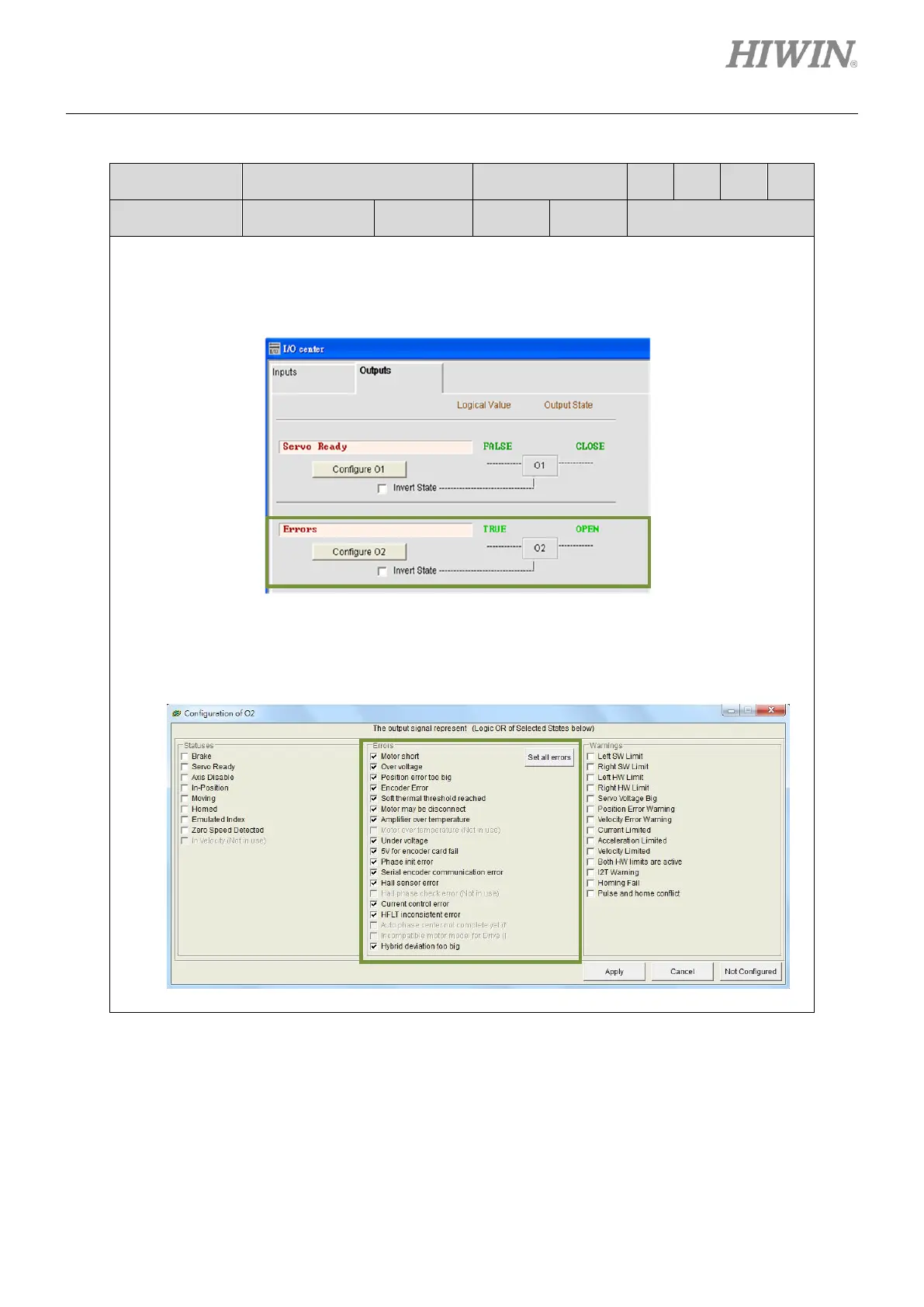
User can select Errors (Default output: O2) for one output in Outputs tab in I/O center.
Click on Configure O2 button to show Configuration of O2 window. Click on Set all errors
button to select all the listed errors. The status field will display “Errors”. If not all the listed
errors are selected, the status field will display “Customized”.



 To Next Page