D1 Servo Drive User Manual Servo Drive Configuration
HIWIN MIKROSYSTEM CORP. 5-51
After homing method is set, click on Home button in Performance center. During homing, Homed
indicator will keep flashing. If homing succeeds, Homed indicator becomes green ( ). If the time
set for time out elapses, it means homing fails. Then Homed indicator becomes red ( ).
◼ Home offset
(1) Motor stops at the position after home offset is applied
Applicable homing method:
Homing by using left side and right side conditions
Homing by using near home sensor or index signal
Homing by using single-turn absolute encoder
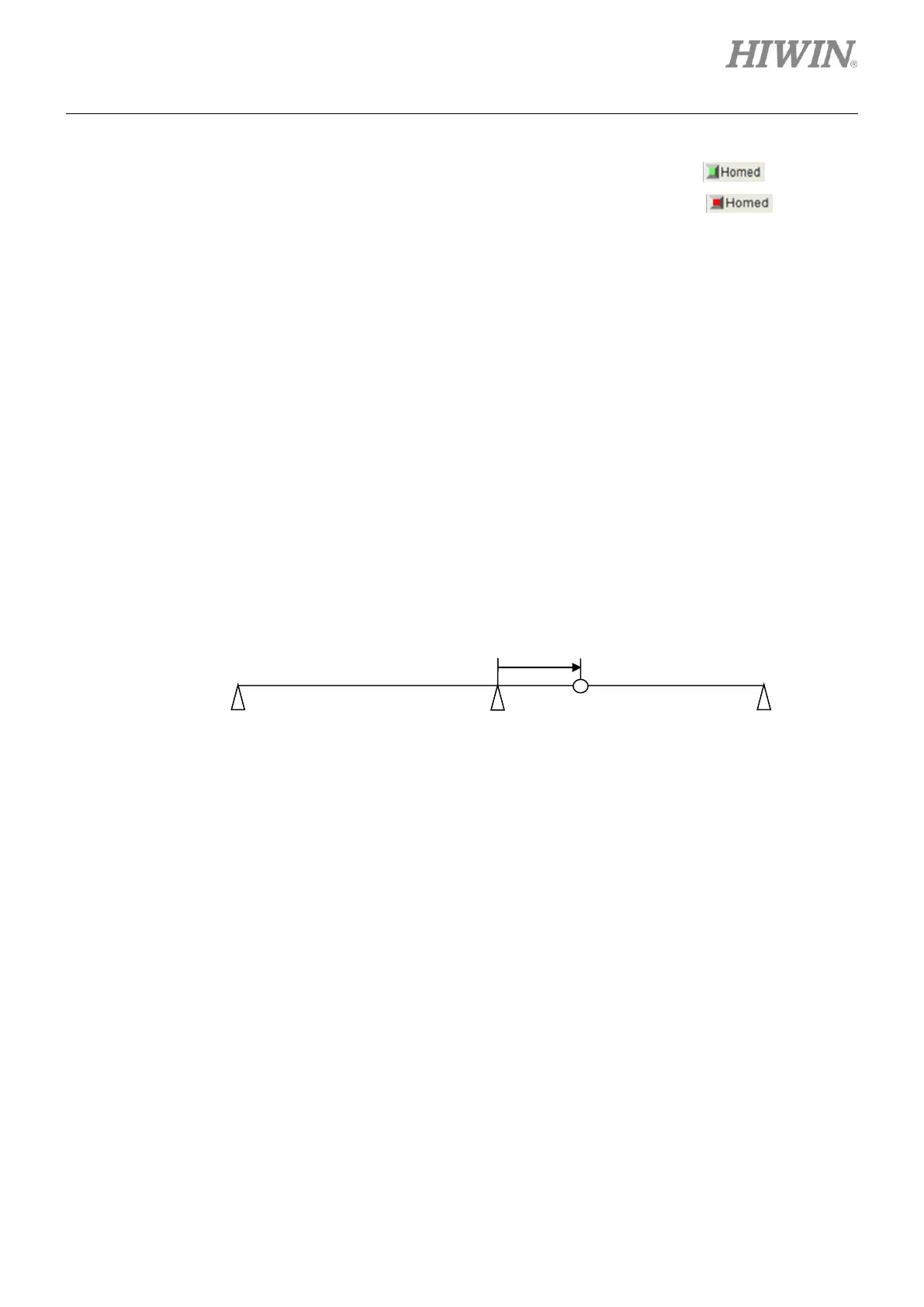
When home offset is not zero, the position found by the selected homing method with home
offset will be regarded as home position. Motor will move to this position. Refer to the figure
below. In this figure, the left side and right side conditions are set. If home offset is positive,
home position will be on the right of the position found by the selected homing method. If home
offset is negative, home position will be on the left of the position found by the selected homing
method.
Figure5.6.3
(2) Motor stops at the position found by the selected homing method
Applicable homing method:
Homing by using CiA 402 standard homing method
When home offset is not zero, the position found by the selected homing method will be set as
the position after home offset is applied. Motor stops at the position found by the selected
homing method. If home offset is positive, home position will be on the left of the position found
by the selected homing method. If home offset is negative, home position will be on the right of
the position found by the selected homing method.
The position found by
the selected homing
method



 To Next Page