Tuning D1 Servo Drive User Manual
6-6 HIWIN MIKROSYSTEM CORP.
①
V max: The maximum value of velocity ripple
V min: The minimum value of velocity ripple
V avg: The average value of velocity ripple
②
Velocity Ripple: Velocity ripple (Refer to section 3.9.)
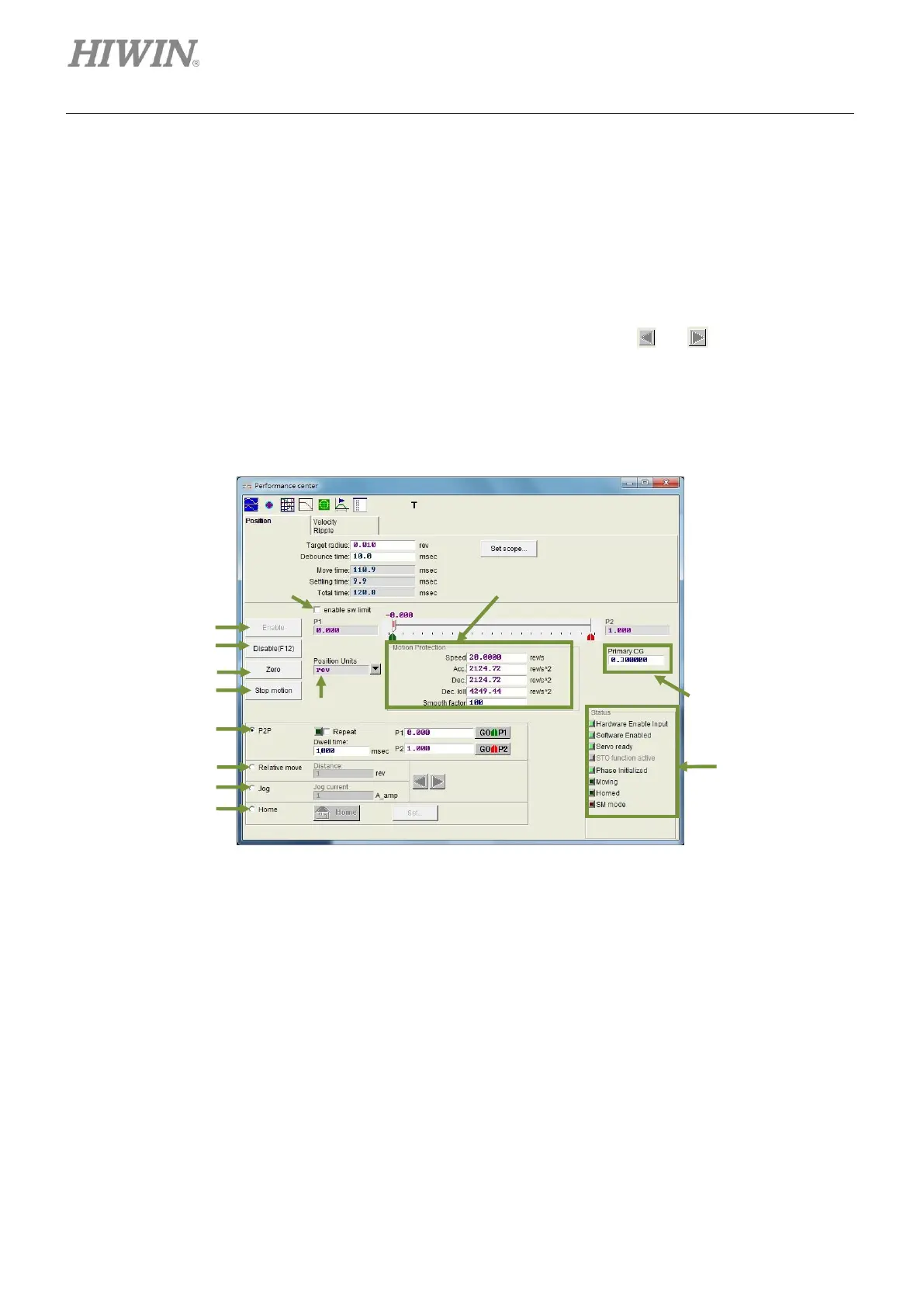
For Relative move, user can set the desired travel distance. For Jog, press or to continuously jog
motor in positive or negative direction. The motion parameters used for test run are also used for motion
protection. After test run, please reset the parameters. Otherwise, motor may not reach the desired speed
or acceleration when motion command is sent from controller.
Figure 6.2.3 Performance center-Position page
③ Enable: Enable motor.
④ Disable: Disable motor.
⑤ Zero: Set current position as zero position.
⑥ Stop motion: Stop motor.
⑦ Position units: User is allowed to set the desired unit. The function is the same as the unit setting in
Quick view.



 To Next Page