L-INX User Manual 266 LOYTEC
Version 4.0 LOYTEC electronics GmbH
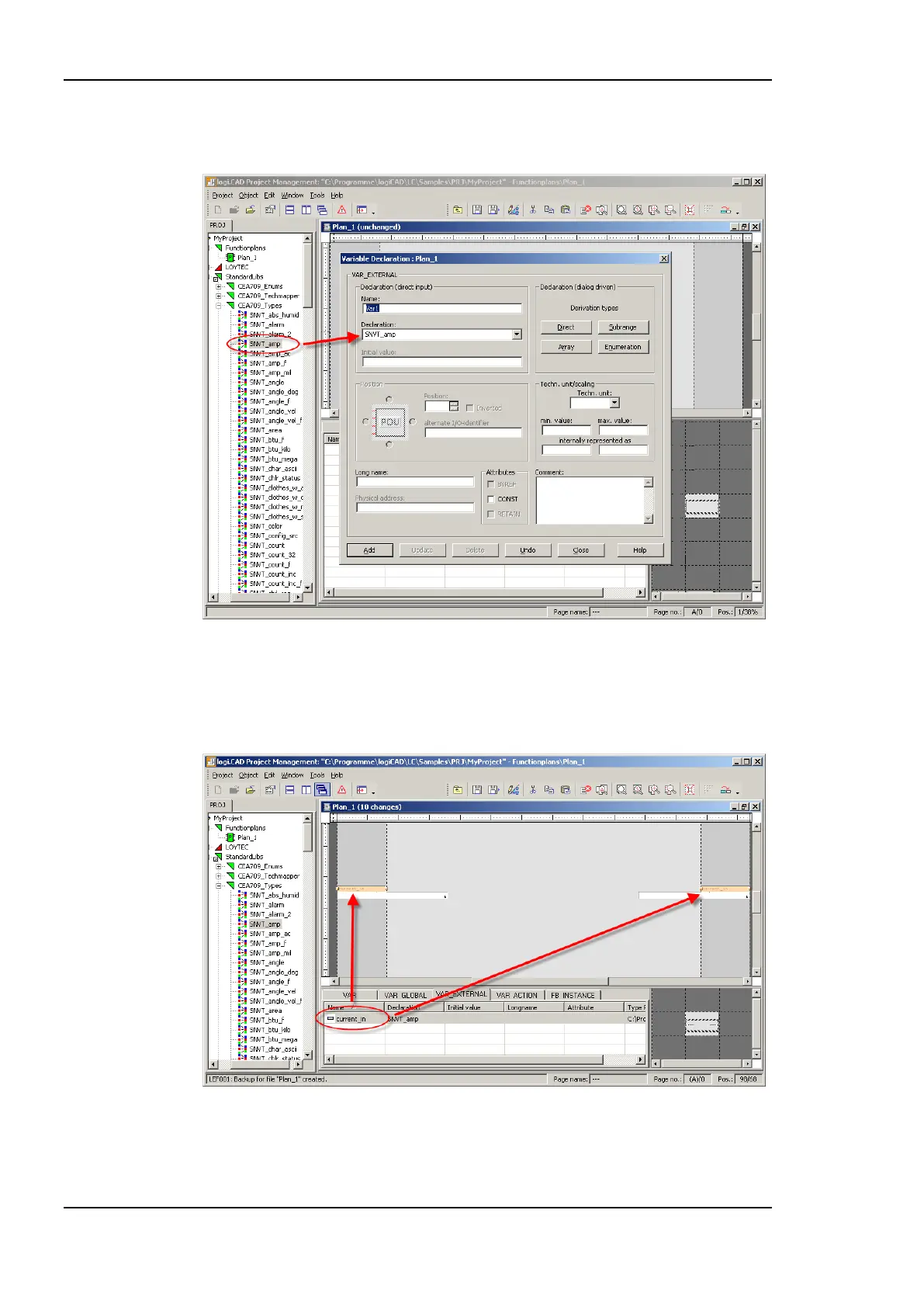
by selecting the type from the pull-down menu or by drag&drop of a specific type from the
project tree, see Figure 214. Finally, the new variable is added by pressing the Add button.
Figure 214: External variable type declaration
The created variable is added to the declaration area and placed to the drawing area by
drag&drop. At this time the direction of the external variable is not defined, it can be used
as input as well as output variable.
Figure 215: Drag&drop external variable to drawing area
Please take care to use an external variable only as input OR output. After adding the
external variables to the drawing area, function blocks to perform the desired actions, see
Figure 216 for a sample configuration.



 To Next Page