L-INX User Manual 267 LOYTEC
Version 4.0 LOYTEC electronics GmbH
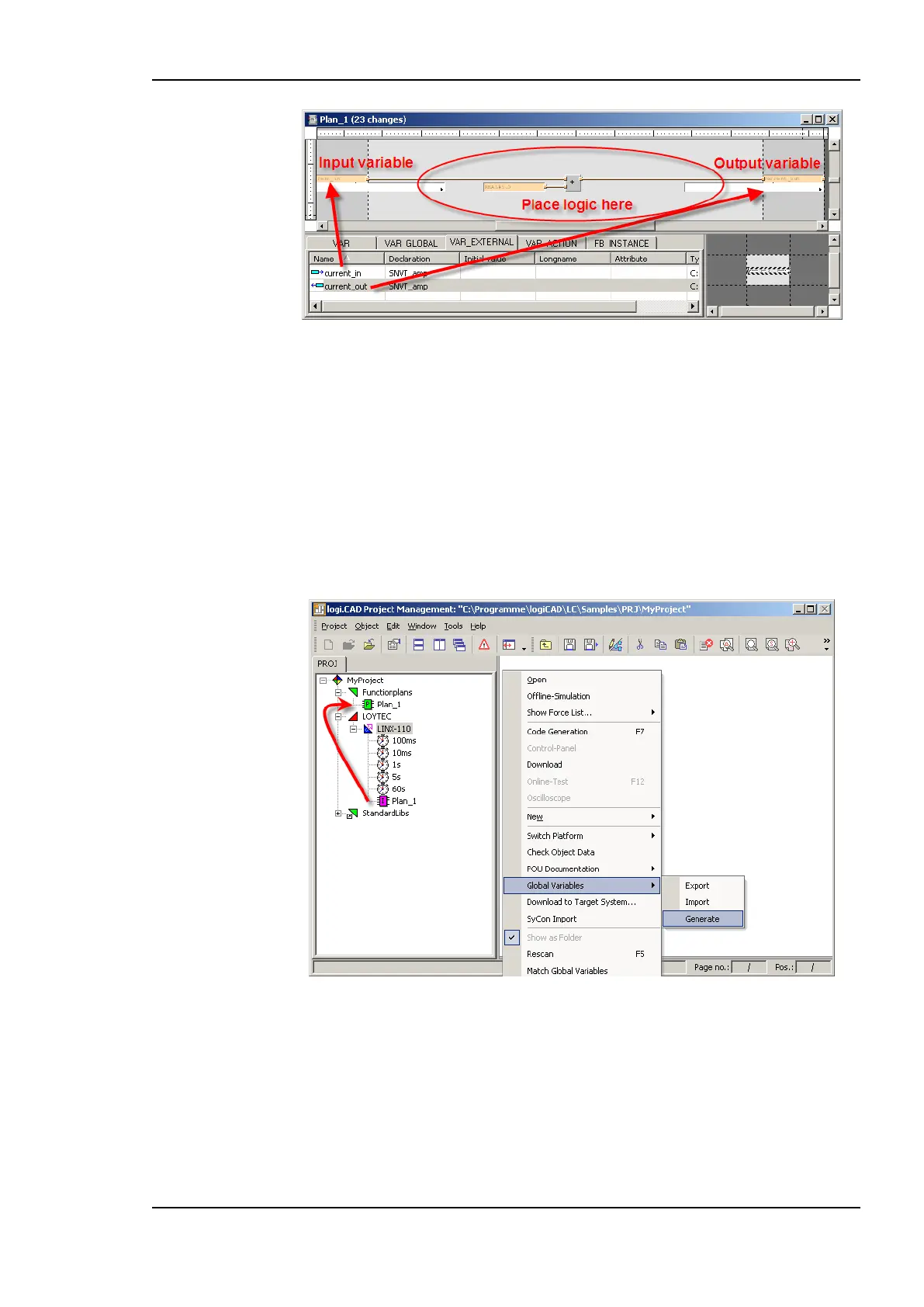
Figure 216: Use external variables
The Functionplan Plan_1 represents now a simple program. It adds a defined value to the
value of the input variable and sends the result to the output variable.
Add all expected functionality to the Plan_1 or use different Functionplans to split up the
expected functionality into smaller pieces. But take care about the name and type
declaration of external variables when using more than one Functionplan. All external
variables with the same name refer to the same global variable.
After adding all functionality, global variables matching the requirements of the defined
external variables, must be generated. A tool automatically performs the process of
generating the global variables object and the required global variables.
Figure 217: Auto-create global variables
To start the creation of global variables, based on external variables, right click the LINX-
110 device and select Global Variables Generate. Then the selected LINX-110 resource
is parsed and every program instance found is checked for external variables. In Figure 217
the type instance Plan_1 refers to the Functionplan Plan_1, as defined in Figure 216. If
there are more Functionplans than the predefined Plan_1 appropriate program instances for
these plans must be added to the resource before creating the global variables. Anyway,
only Functionplans referred from program instances are executed.



 To Next Page