L-INX User Manual 34 LOYTEC
Version 4.0 LOYTEC electronics GmbH
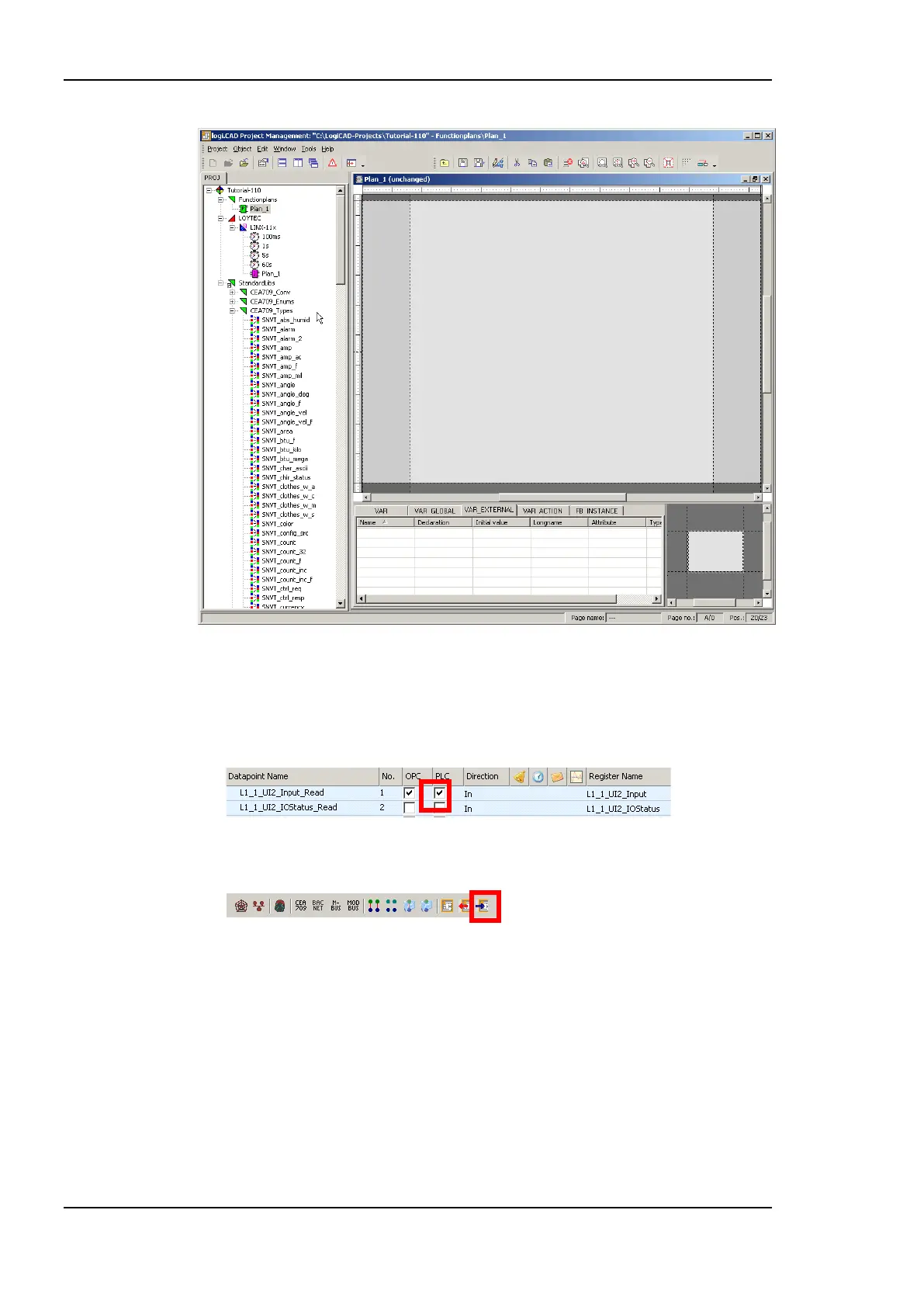
Figure 17: Edit Plan_1
8. In the new LogiCAD project there are no external variables yet. To expose data points
from the L-INX to the logic program, activate the PLC check box of the corresponding
data points in the Configurator, e.g., the L-IOB I/Os of the universal input or any other
data point such as a network variable, user register or BACnet object.
9. When you have completed selecting the PLC data points, click the Export variables to
LogiCAD speed button while LogiCAD is running.
10. The data points now appear as variables in LogiCAD in a folder under the device
folder. The folder is named specific to the technology of the data points, e.g. LIOB for
all L-IOB I/Os that are exposed as a PLC variable. An example is shown in Figure 18.



 To Next Page