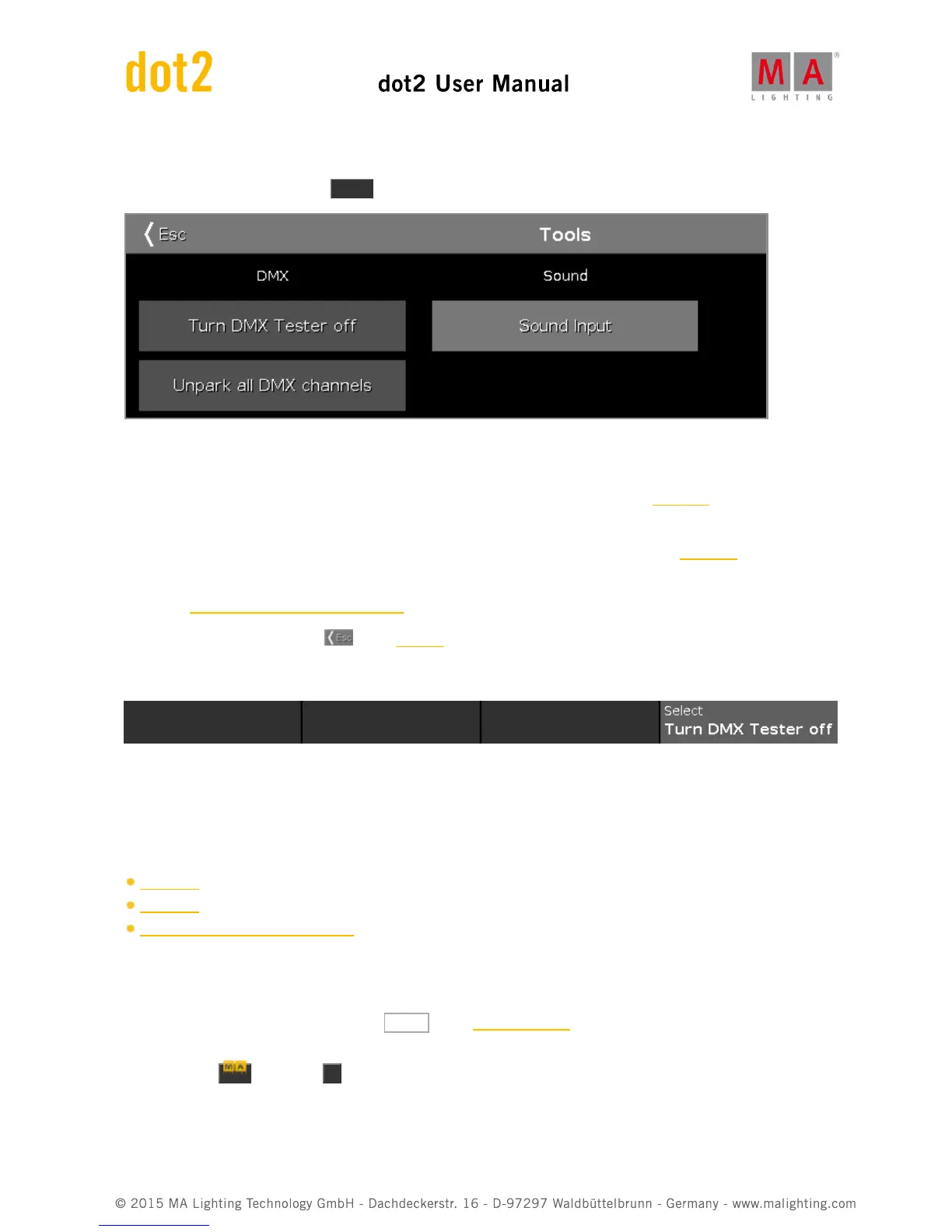
6.75. Tools Window
To open the Tools Window, press Tools on the console.
In this window are three buttons available.
Turn DMX Tester off:
Turns the DMX tester off. DMX tester values are displayed with a red background in the DMX view.
Unpark all DMX channels:
Unparks all DMX channels. Parked DMX values are displayed with a blue background in the DMX view.
Sound Input:
Opens the Sound Input Configuration Window.
To leave the Tools Window. Tap in the title bar.
Encoder Bar Functions
Select:
To select a function, turn the encoder left or right.
To confirm a selected function, press or tap the encoder.
Related Links
Tools Key
DMX View
Sound Input Configuration Window
6.76. Video Preset Type View
To go to the Video Preset Type View, tap Video in the Preset Type Bar.
- or -
Press and hold and press 9 , for preset type 9 (= Video).



 To Next Page