214683 228 Revision A
1. Place header off the ground 15–25 cm (6–10 in.).
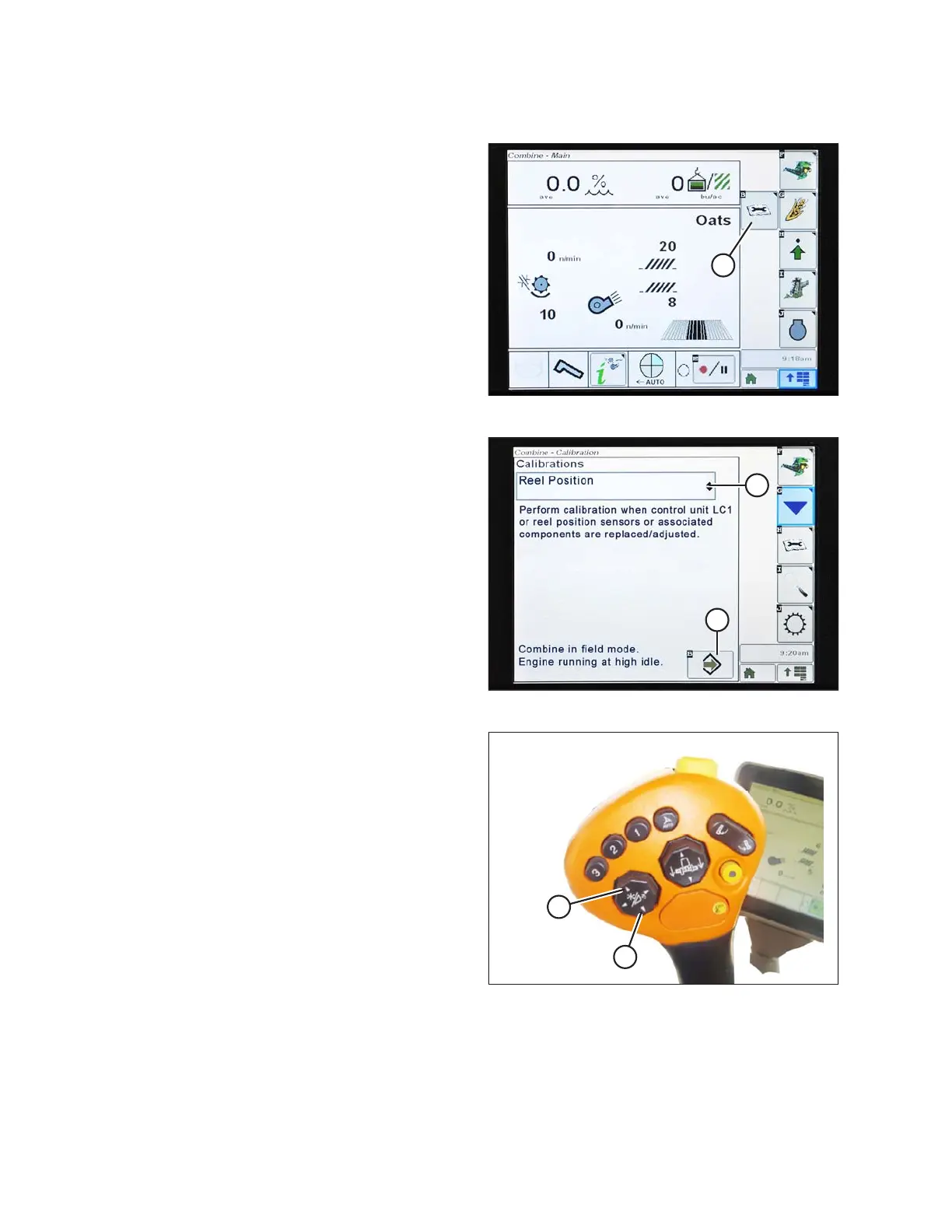
Figure 3.380: John Deere Combine Display
2. Press the DIAGNOSTIC icon (A) on the main screen of
the monitor. The CALIBRATION screen displays.
Figure 3.381: John Deere Combine Display
3. Select the CALIBRATIONS drop-down menu (A) to view
the list of calibration options.
4. Scroll through the list of options and select REEL
POSITION.
5. Press the ENTER icon (B).
Figure 3.382: John Deere Control Handle
6. Follow the instructions that appear on the screen.
As you proceed through the calibration process, the
display will automatically update to show the next step.
This calibration requires you to use the reel raise (A)
and reel lower (B) switches on the control handle.
OPERATION








 To Next Page