Pathway Technical Reference Manual
Proprietary 104 of 190
10. System Configuration
This chapter describes the available system configuration options.
The available system configuration options depend on the user
authorization level (see section 10.1.6)
10.1 Software Settings
The Software Settings menu includes communication setup, user interface and preferences
and user management (authorization levels).
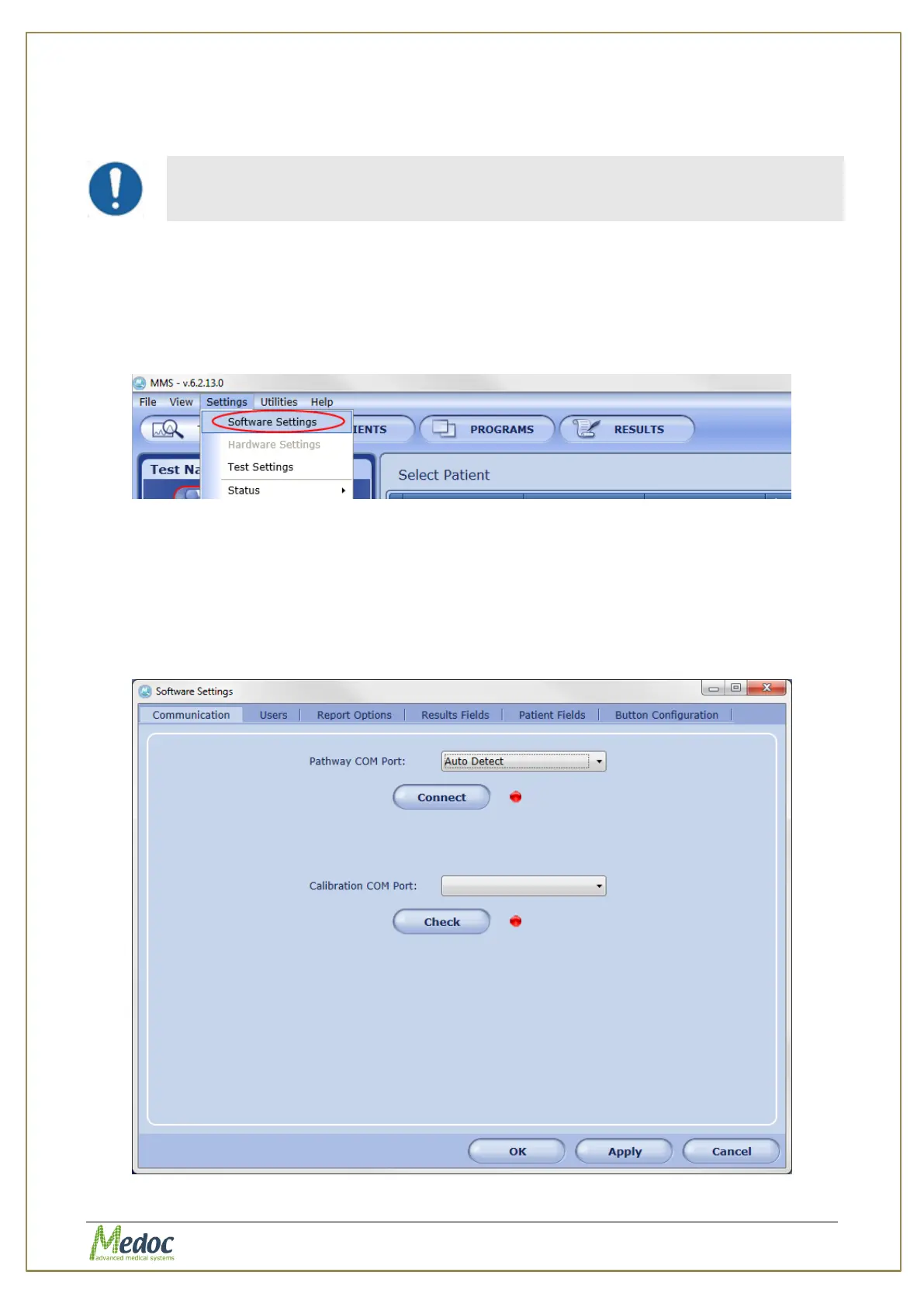
To access the software settings options, from the top menu bar, select Settings and then
Software Settings.
Figure 70: Open Software Settings
10.1.1 Communication
Connect, disconnect, and configure communication settings between the system and software.
To access communication settings: from the top menu bar, select Settings and then
Software Settings. In the Software Settings window that opens, select the Communication
tab. The following window is displayed:
Figure 71: Communication Tab



 To Next Page