Pathway Technical Reference Manual
Proprietary 126 of 190
10.3.4 Body Site Editor
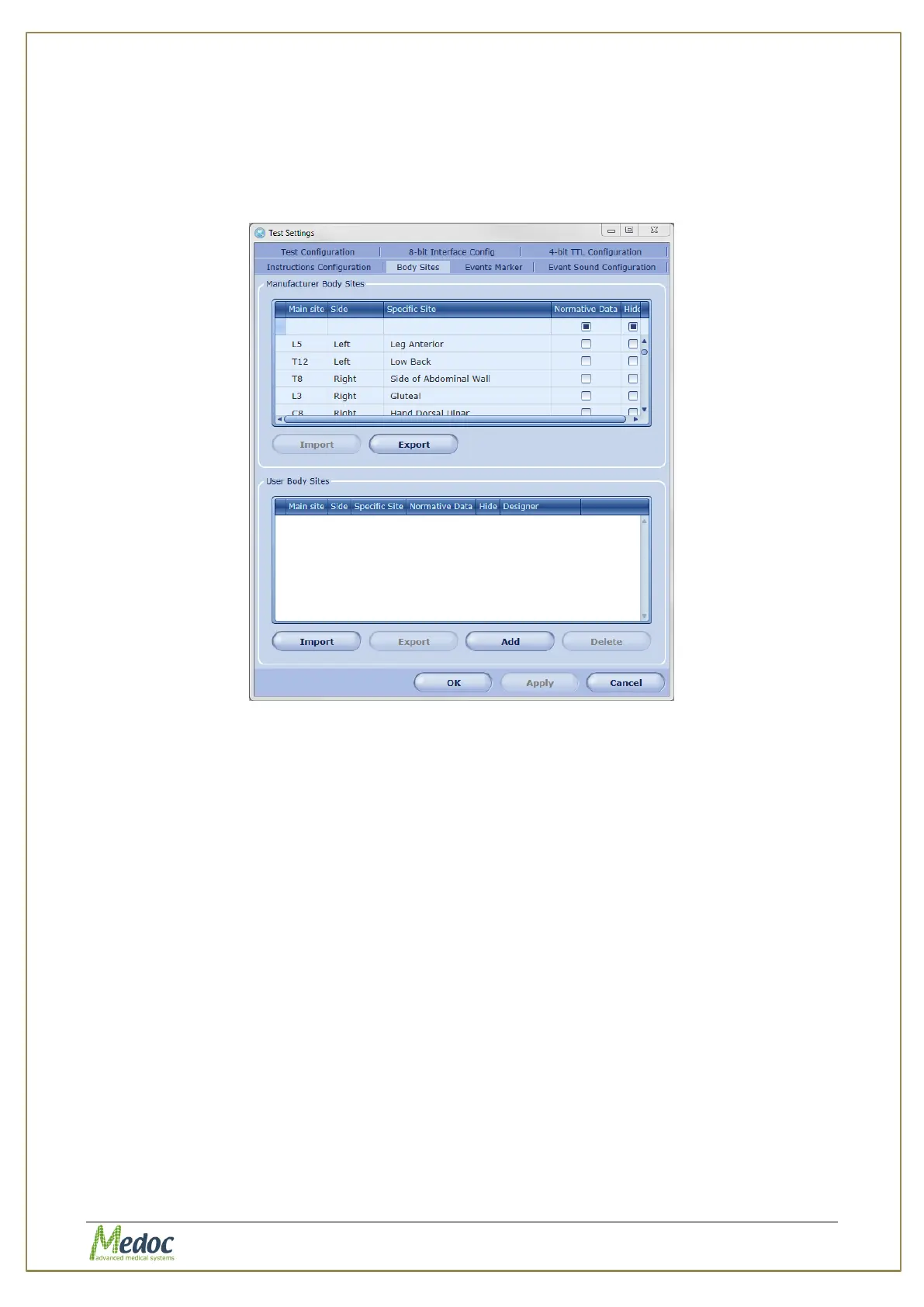
Customize the list body sites to select from when running a test.
To access the Body Sites editor: from the top menu bar, select Settings and then Test
Settings. In the Test Settings window that opens, select the Body Sites tab. The following
window is displayed:
Figure 85: Body Sites Editor
The Manufacturer Body Sites table lists the complete list of body sites (Dermatomic areas)
available by default. The user Body Sites lists all body sites added by the user.
A body site is defined by the following parameters:
Main Site – the dermatome area (C1…C8; T1…T12; L1…L5; S1…S5)
Side – left or right
Secondary Site – detailed description of the site (upper arm medial, leg anterior and etc.)
Normative Data – a ‘read-only’ parameter which specifies whether the specific body site
has normative data assigned to it. The parameter is changed automatically if normative
data exists or is added for the site.
The following operations are available:
Export or import a list of body sites– The list of body sites can be exported or imported
from a excel file. To see the required configuration of the excel file required for import,
export the manufacturer body sites list and use the same format. The user body site list
can also be exported and important as an *.ats file for backup.
Hide body sites from list – a hidden body site will not appear in the list when starting a
test.
Add or remove body sites from the list of User Body Sites – add, edit or remove body
sites as needed to the user body sites list. User body sites will appear together with the
manufacturer body sites for selection before performing a test.



 To Next Page