Pathway Technical Reference Manual
Proprietary 49 of 190
4.10 Product Activation
When starting Medoc Main Station software for the first time, you will be asked to register your
new system and activate the software. Product registration and software activation is simple
and fast and it will enable you to maintain full use of Medoc Main Station software as well as:
Warranty on your newly purchased Medoc systems
Access to Technical Support and Customer Service assistance
Software updates and new product notifications
Product support alerts
Please note that if you don’t activate the software within the designated time, the software will
work in demo mode only.
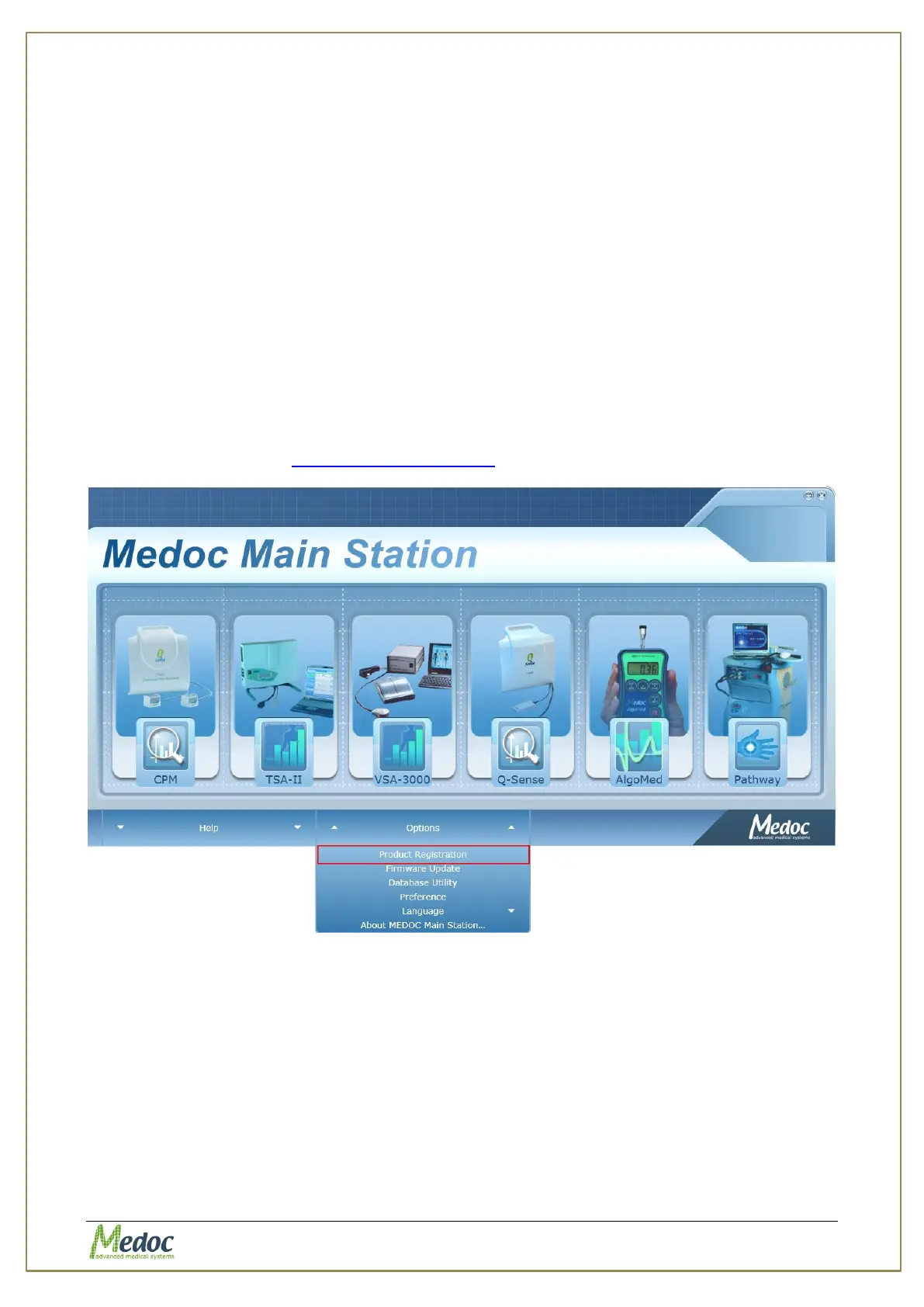
To complete the activation process, simply start Medoc Main Station software and follow the
instructions given in the activation wizard. If the activation wizard is not displayed when you
start Medoc Main station Software, go to the Home screen, select Options and then select
Product Registration. See Figure 17.
If at any point during the product activation process you encounter any difficulties please
contact Medoc support at support@medoc-web.com for assistance.
Figure 17: Home screen product registration link



 To Next Page