Pathway Technical Reference Manual
Proprietary 134 of 190
12.2 Enable Normative Data
Normative Data is automatically enabled if you agreed to the terms and conditions during
Medoc Main Station installation (see section 4.7). However, even if you decided not to enable
Normative Data during installation, you can always enable later.
To enable normative data follow the instructions given below:
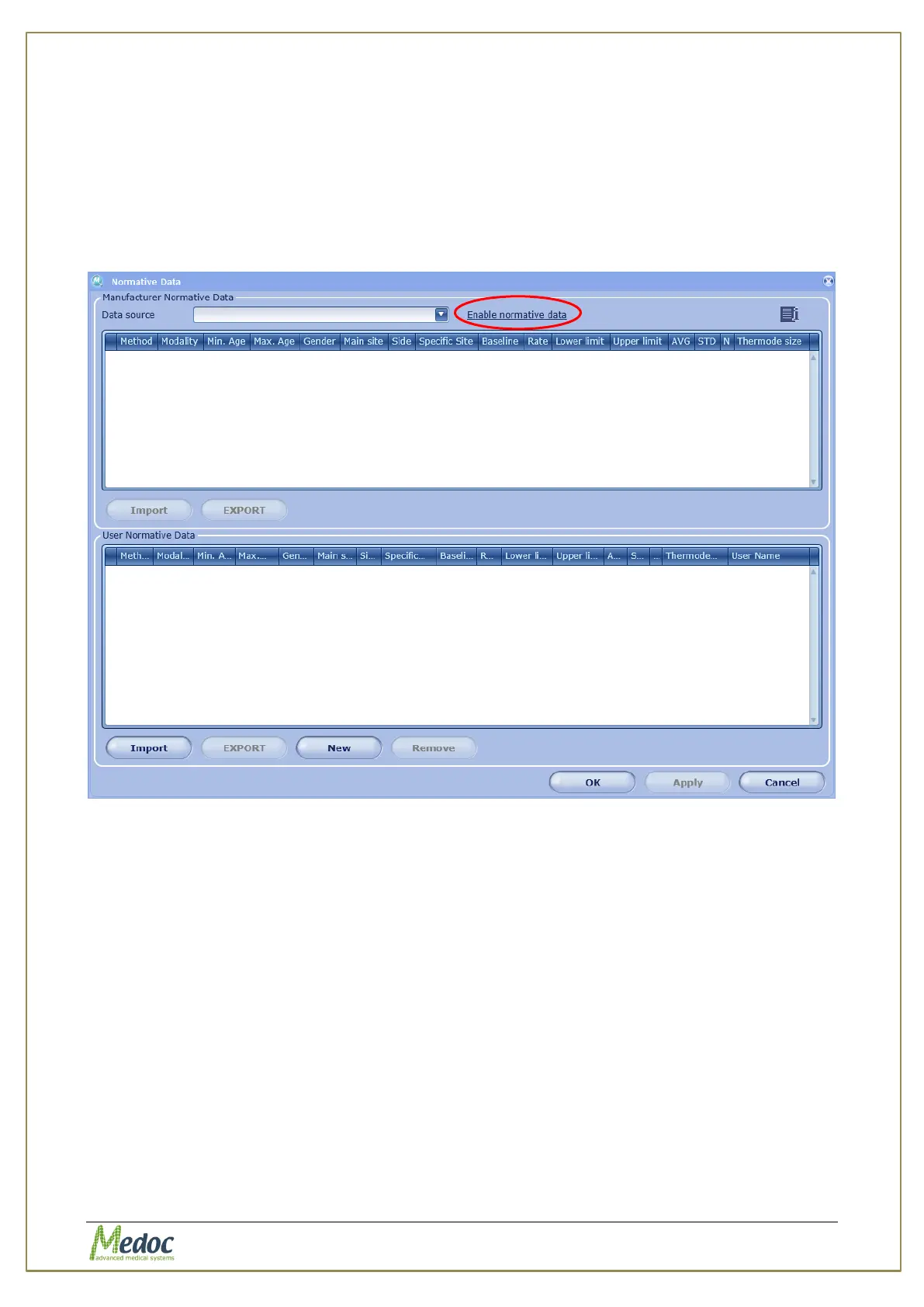
1. To open the Normative Data editor select Utilities from the top menu bar, and then select
Normative Data. The following screen is displayed:
Figure 92: Normative Data Editor - Enable Normative Data
2. If normative data was not enabled during MMS installation, the tables will be blank. To
enable Normative Data, click on Enable normative data (circled above). The following
screen is displayed:



 To Next Page