Pathway Technical Reference Manual
Proprietary 48 of 190
4.9 Powering up the PATHWAY System
Prior to powering up the system, pay extra attention to ensuring that the
Thermode coolant connectors are properly connected.
Make sure that all communication and power cables, accessories and
Thermodes are properly connected to the system!
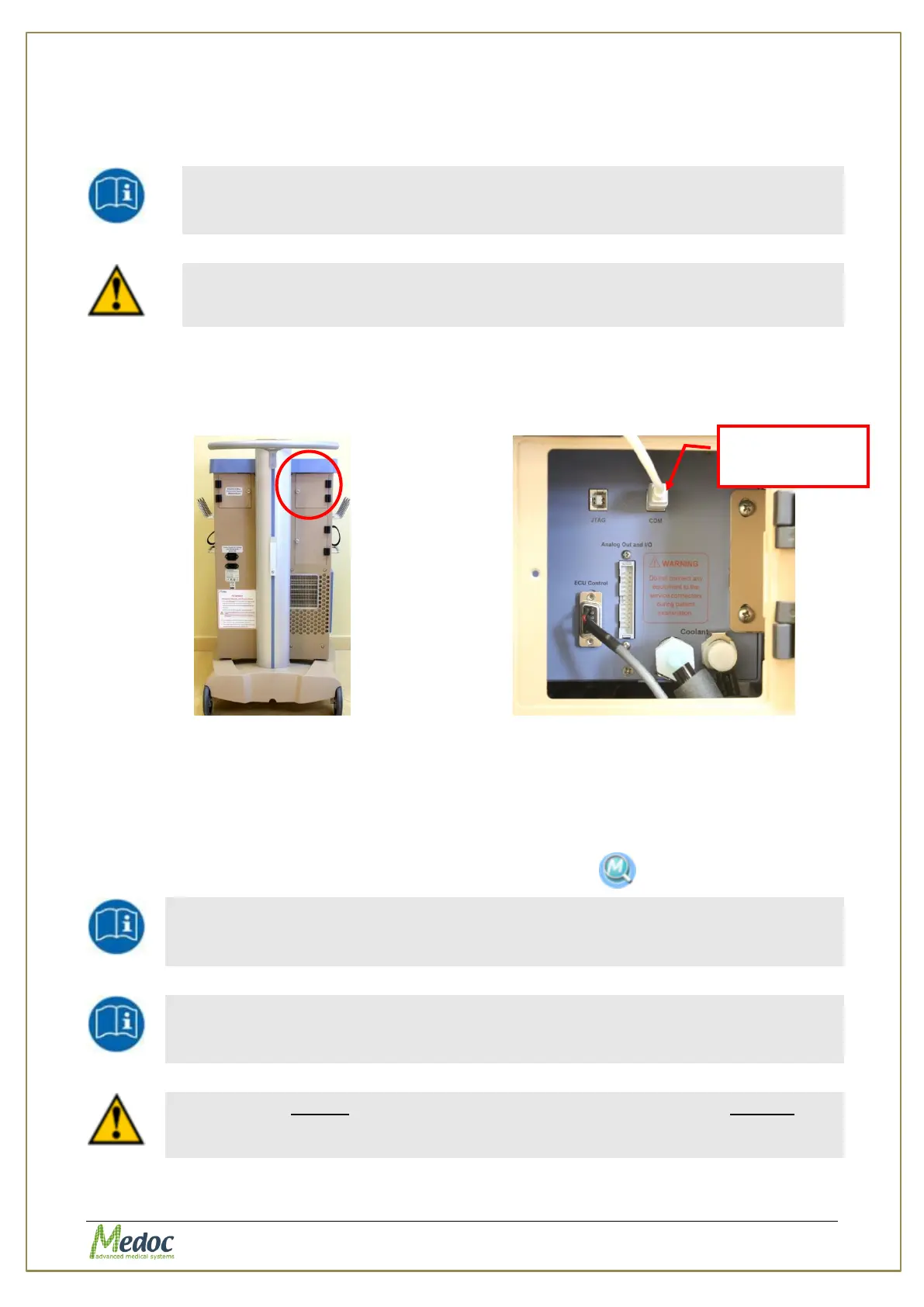
1. Connect the computer to PATHWAY using the USB cable. Connect the USB cable to the
COM connection port locate at the back of the PATHWAY cart inside the right door, see
Figure 15, and Figure 16 below
Figure 15: PATHWAY cart – back doors
Figure 16: Communication port - COM
1. Power up the PATHWAY system by using the main switch on the front of the PATHWAY
trolley. See Figure 9, page 38.
2. Let the system run for about 10 minutes, before starting Medoc Main Station software.
3. Start Medoc Main Station software by double-clicking the icon
Continue to section 4.10, page 49, for detailed instructions on how to
activate your product
Continue to section 5, page 50 for detailed operating instructions
Make sure to enable the connected Thermodes and set them as current
according to Thermode management instructions in the PATHWAY Service
Manual under Thermode Management section.



 To Next Page