Pathway Technical Reference Manual
Proprietary 57 of 190
6. Test Procedure and Management
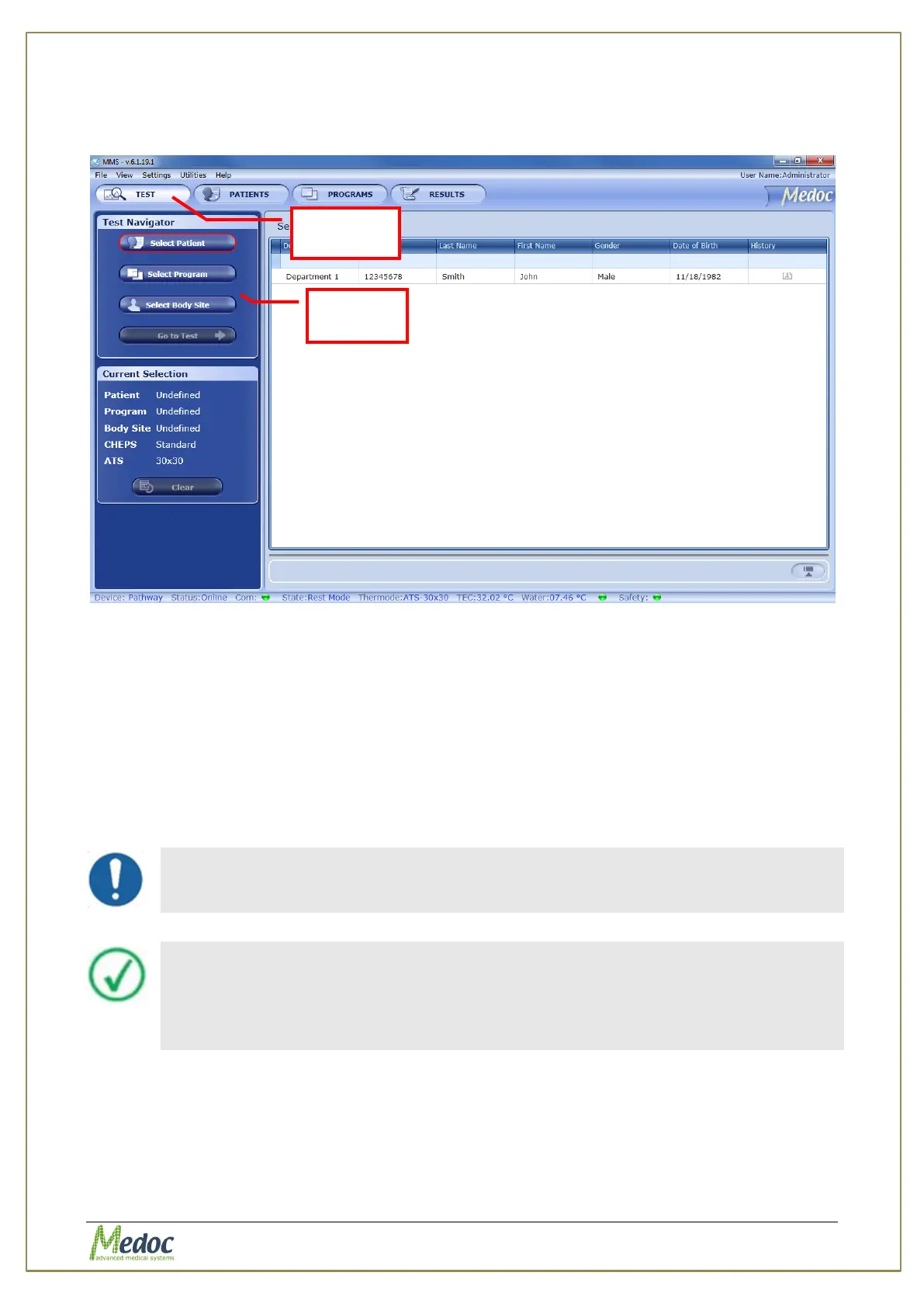
Starting a test procedure is only possible from the Test Navigator screen
Figure 24: Test Management Main Screen
The stimulation procedure (test) consists of the following main steps:
Select Patient– Select the test subject’s file from the database.
Select Program–Select the relevant program to be used for the test.
Select Body Site– Select the body site and its details for the current test. This step
is optional.
Apply Stimuli –Perform the test
Save/Print Test Results –Print test report and/or save test data for future
reference (This step is optional).
Make sure you are familiar with the stimulation method before you start the
test procedure
Inform the subjects how to operate the applicable controls, and request
them to concentrate on the perceived sensations throughout the full
duration of the test.
Inform the subjects that they should use the Panic Button in case they are
feeling anxious, scared, or simply “had enough”.
The stimulation procedure steps are described in detail in the following sections.



 To Next Page