Pathway Technical Reference Manual
Proprietary 91 of 190
8. Patient Management
This chapter explains how to add and edit patient records.
8.1 Patients List
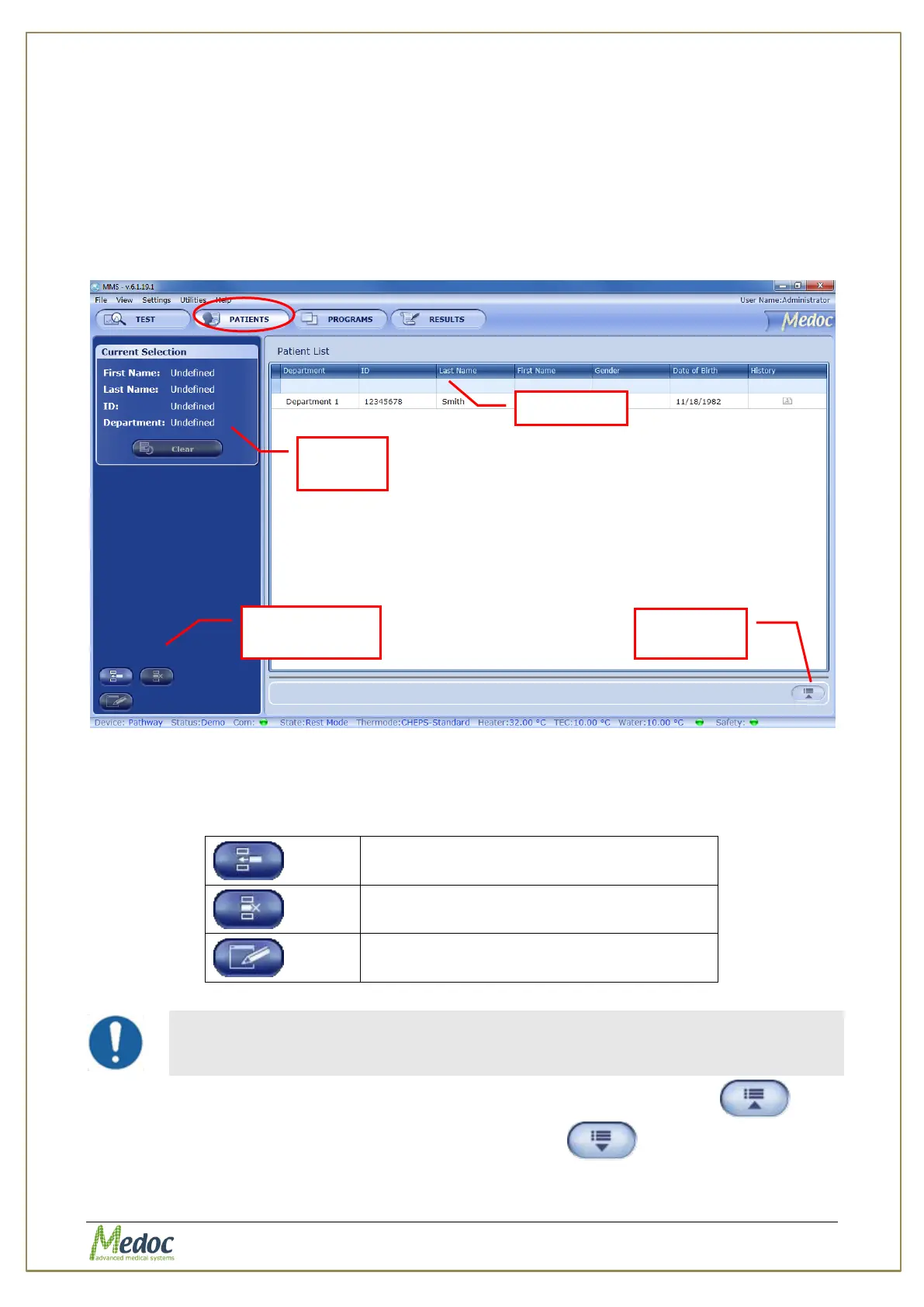
The Patients screen enables you to manage the patient list.
1. To access the patient database, click the Patients button in the toolbar. The following
screen is displayed:
Figure 53: Patients List
2. Use the search row to filter the patient list.
3. The current selection pane shows the details of the currently selected patient.
4. The following options are available in the Patient Management screen:
Delete selected patient details.
Edit selected patient details
Deleting Patient Records also removes all associated test results!
5. To view patient details in more detail (without editing) use the Show Details
button. To return to patient list, click on the Hide Details button.
Create / Edit /
Delete Buttons



 To Next Page