Pathway Technical Reference Manual
Proprietary 93 of 190
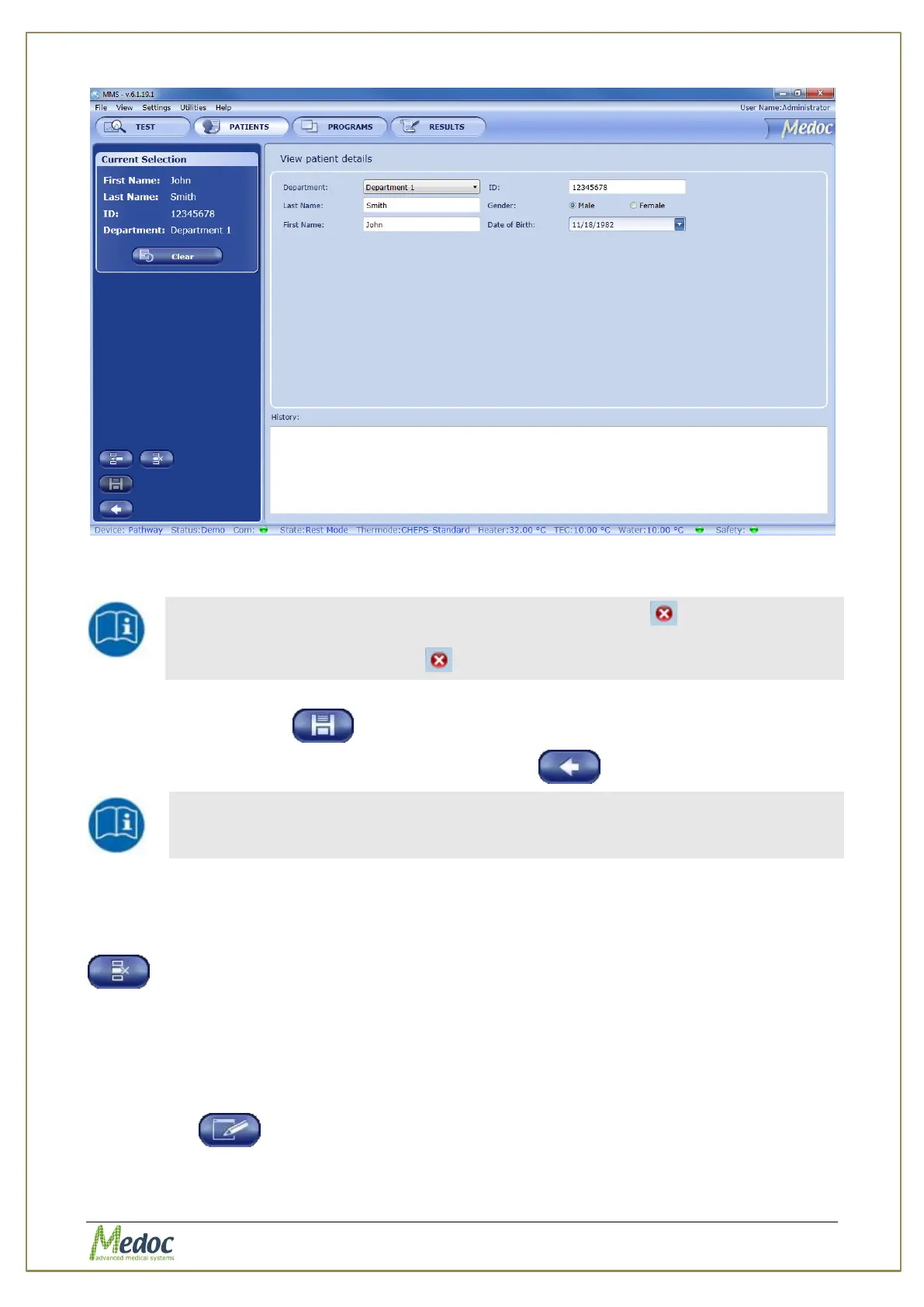
Figure 55: Patients Editor Screen
2. Insert all the relevant patient data.
Missing or incorrect parameters are highlighted by an icon next to the
relevant field. A short description of the problem is displayed when holding
the cursor over the relevant icon.
3. To add or edit the available departments see section 8.3, page 93.
4. Click the Save button
5. To return to the patient list click on the return button
The available patient fields can be customized. For further information,
refer to section 10.1.4.
8.3 Remove a Patient
To remove a patient from the patient list:
From the Patient screen, select the patient to delete and click on the remove patient button
Note that deleting a patient from the list also removes all the corresponding test results!
8.4 Edit Patient Details
To edit a patient from the patient list:
From the Patient screen, select and double click the patient record to edit or click on the edit
patient button



 To Next Page