Pathway Technical Reference Manual
Proprietary 105 of 190
Set up Communication with PATHWAY
1. Select the COM port from the Pathway COM Port list:
1.1. Auto Detect – automatically scan all available ports
1.2. COM “X” – select the specific COM port PATHWAY is connected to. Select this option if
you already know the Port number or the “Auto Detect” option has failed.
1.3. Simulator – Work in Demo Mode. Medoc Main Station will NOT be connected to the
PATHWAY system.
2. Click the connect button to establish communication
Set up communication with Thermometer (for calibration only)
This option only checks which port the thermometer is connected to. Communication is
established only when the calibration procedure is started (see Technical Reference Service
Manual for more information about the calibration procedure).
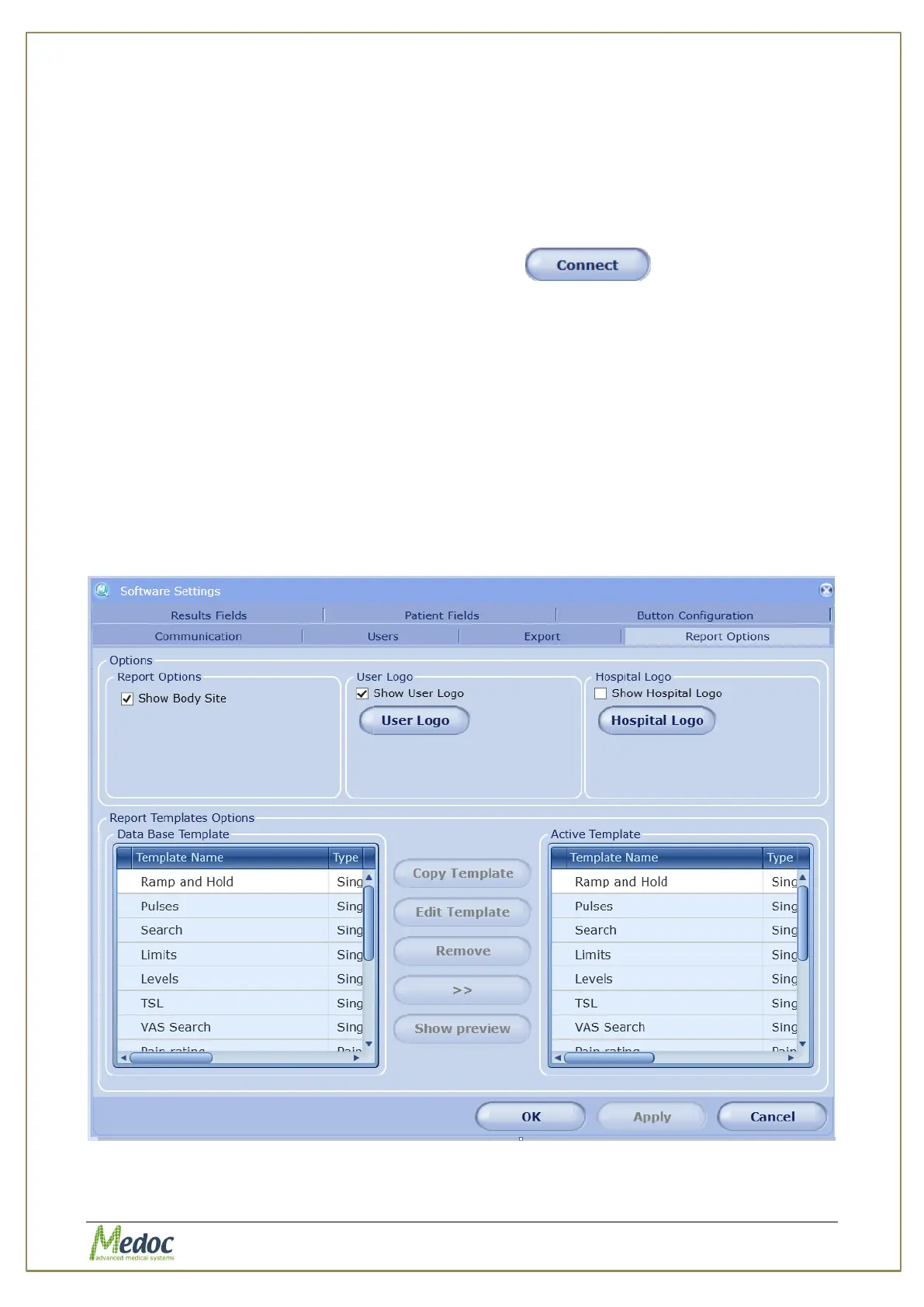
10.1.2 Report Options
Configure the appearance of test reports and customized report templates. See also
section 9.3 on generating test reports.
To access Report Options: from the top menu bar, select Settings and then Software
Settings. In the Software Settings window that opens, select the Report Options tab.
The following screen is displayed:
Figure 72: Report Options Tab



 To Next Page