Pathway Technical Reference Manual
Proprietary 154 of 190
16. Appendix E – FTP Support
Enables to upload test results to FTP location for collaboration, multi-center studies or backup.
There is an option to automatically save and upload test results immediately after test
completion (requires internet connection).
16.1 Export Configuration
Configure the FTP server which will be used when FTP Server is selected during manual export,
or when automatic export option is enabled.
When exporting results to an FTP server the results will be automatically named according to
the following rule: <Site Name>_<Patient Name>_<Test Date & Time>
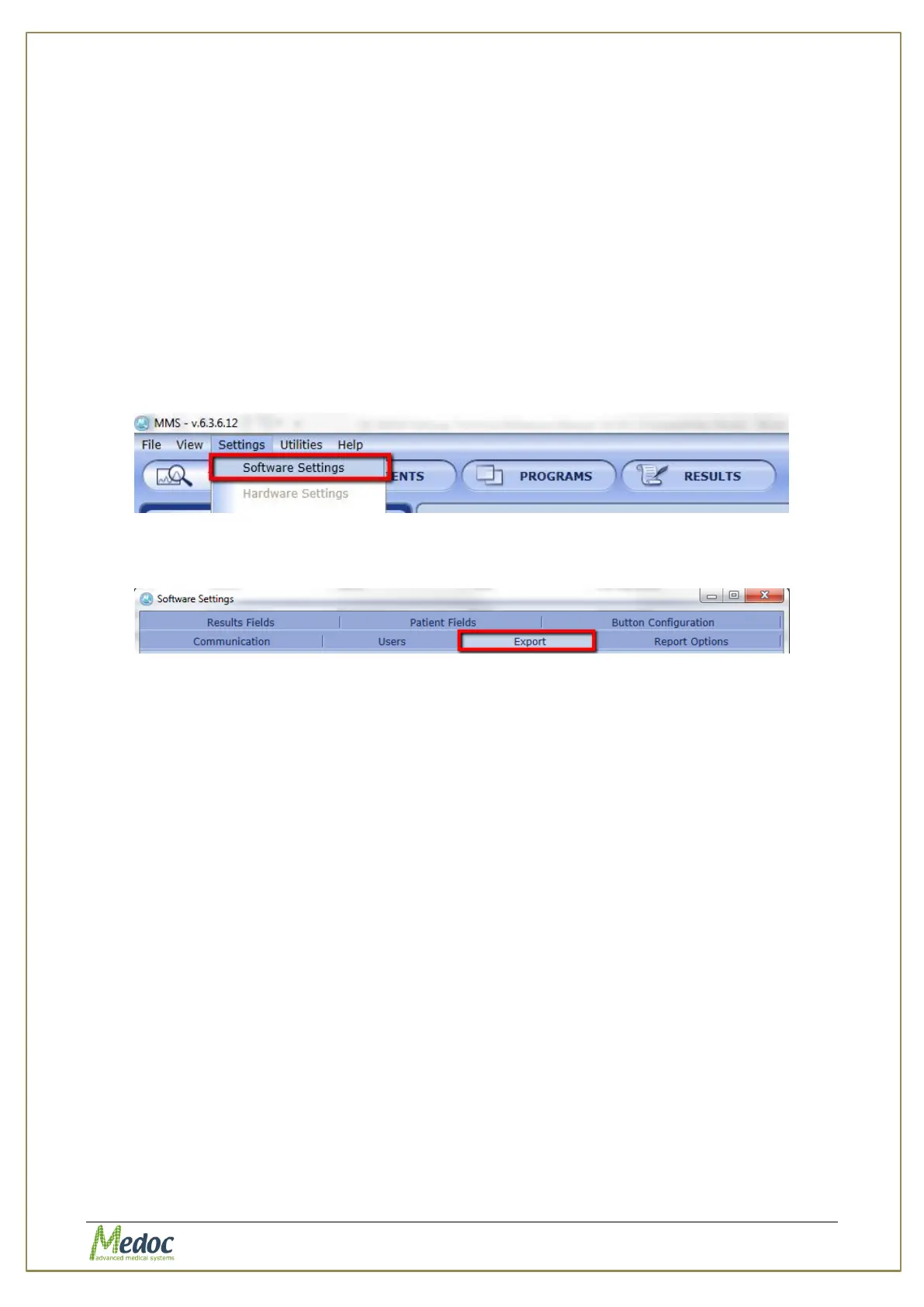
To access the Export Configuration panel: from the top menu bar, select Settings and then
Software Settings.
Figure 108: Open Software Settings
In the Software Settings window that opens, select the Export tab.
Figure 109: Software settings export tab selection
The following window will be displayed:



 To Next Page