Pathway Technical Reference Manual
Proprietary 89 of 190
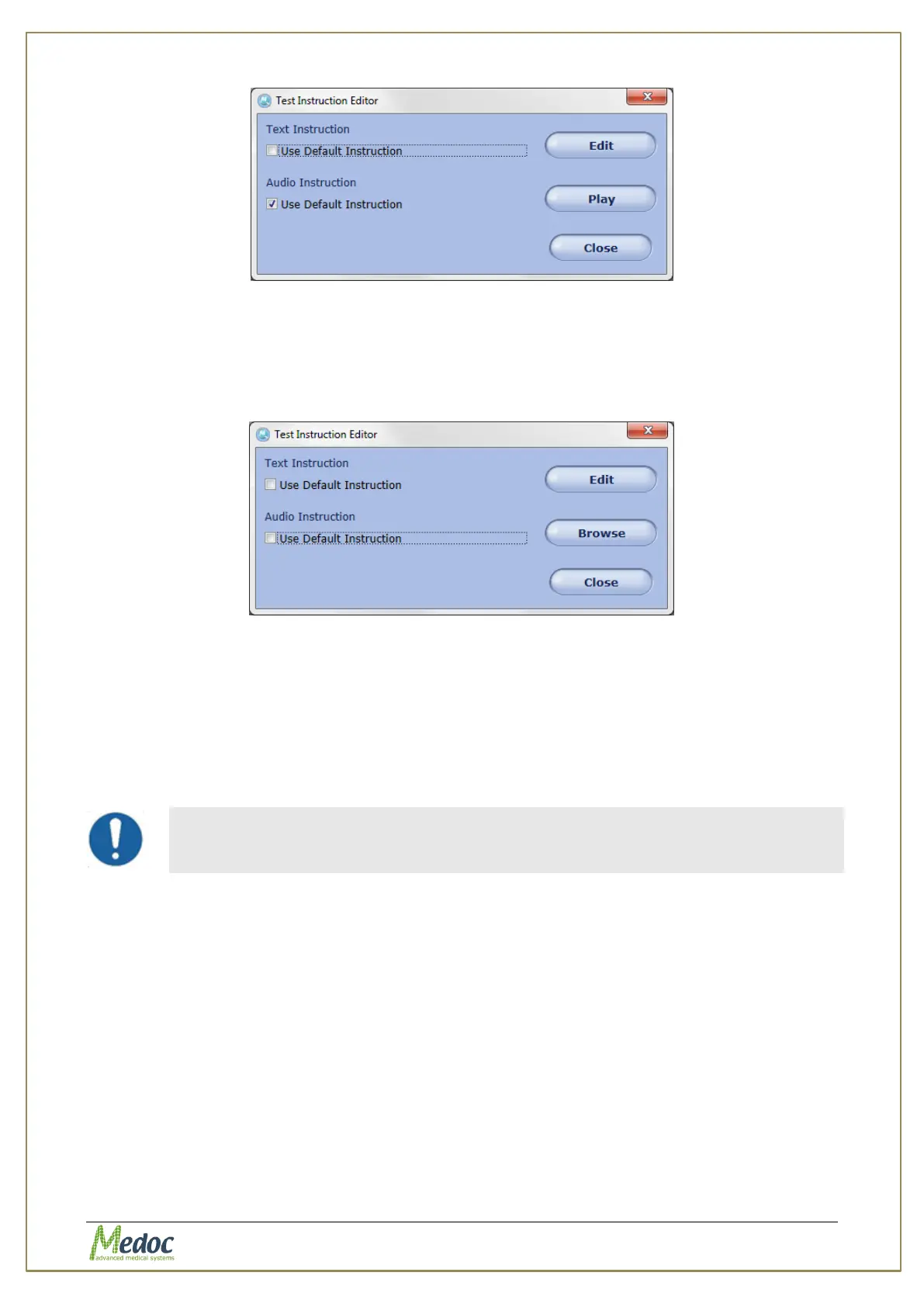
Figure 51: Edit text instructions
3.2. Click on the Edit button to open a rich text editor. Edit the text instructions and save
them (see also section 10.3.6.1)
4. To replace the audio instructions:
4.1. Unselect the relevant Use default instruction checkbox.
Figure 52: Replace audio instructions
4.2. Click on the Browse button and select an audio file to use as the audio instructions
(see also section 10.3.6.2)X
7.11 Import / Export Programs
Programs from the program list can be exported and saved for backup or imported into
another Pathway system. The export format uses a secure and unique format that can be
accessed by Medoc Main Station software only.
Importing and/or exporting program data from different software versions
may result in compatibility errors and loss of data. Check database
compatibility before proceeding.
7.11.1 Export Programs
In order to export programs follow the procedure below:
1. Open the program list in the Programs screen.
2. Select the programs to export. Multiple selection is possible by holding down the Shift or
Ctrl and Shift buttons on the keyboard
3. From the menu bar select File and then Export.
4. Enter a file name for the exported programs and select the save location.
5. Click the Save button.
The selected programs are saved to the selected location under the selected name.



 To Next Page