Pathway Technical Reference Manual
Proprietary 86 of 190
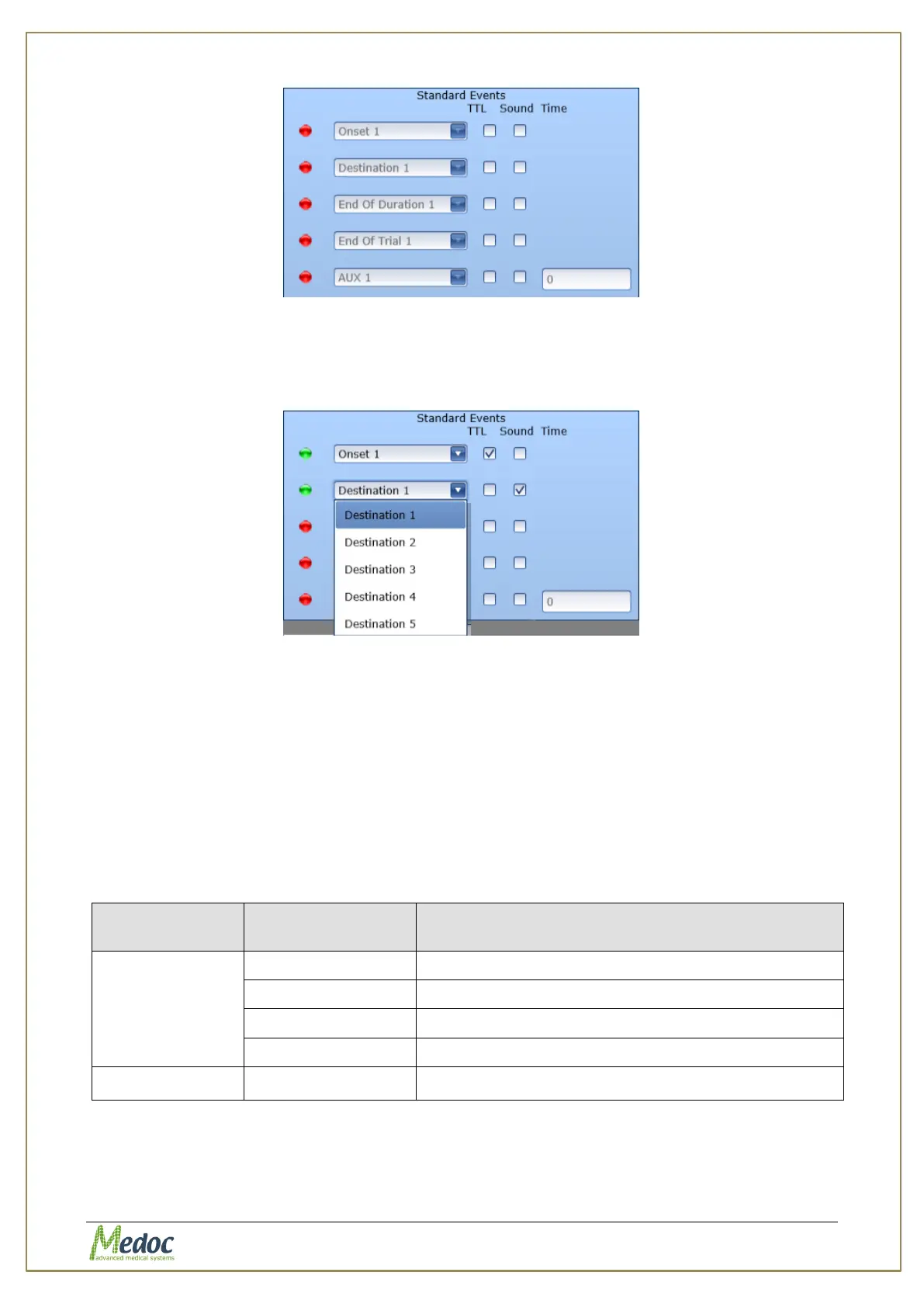
Figure 46: Standard Event Editor
For each event that you want to configure mark the TTL and/or the Sound column to
activate. Once the event is activated, you can use the drop down list to select a different
event type (relevant for 4-bit TTL).
Figure 47: Standard Event Configuration
4. To configure an auxiliary event (time based event) select the last row with event type
‘AUX’. In the time column enter the time when the event should be sent (counted in
seconds from the onset of each trial in the selected sequence)
5. Click anywhere on the screen to close the Standard Events dialog.
6. The available standard events vary according to the test method. For a list of the available
standard events according to the program type continue to the following section.
7.8.3 List of Standard Events according to Program Type
The available standard events according to program type are detailed in the table below:
Table 21: List of standard events according to program type
The start of each trial in the sequence
Thermode temperature reached target temperature
End of duration at target temperature
Time based event timed from the onset
The start of each trial in the sequence



 To Next Page