Pathway Technical Reference Manual
Proprietary 85 of 190
7.8 Standard Events
Standard Events are pre-defined events that occur during the test such as the onset of a
stimulus or reaching the destination temperature. Events can be marked by a TTL and/ or
sound:
1. TTL Trigger – Pathway can send a TTL signal which can be used for synchronization with
external systems.
2. Sound – a sound can be played from the computer (speakers are required) when a certain
event occurs. This can be used as a cue for the subject to perform a certain task.
3. Every event is also marked on the screen during the test by an asterisk (*).
For other event types see:
Temperature Events section 7.9
User Defined Events section 10.3.2
7.8.1 TTL Setup
Pathway can send two types of TTL signals:
1. 1-bit TTL is sent from the front panel TTL Out BNC connector (see Pathway front panel
connection in section 3.3, page 40).
2. 4-bit TTL is sent from the back panel Analog I/O connector (see Pathway back panel
connectors in section 3.4, page 42). The pin-out of the Analog I/O connector is detailed in
the Technical Reference Service Manual. To configure the 4-bit TTL words see section 0,
page 127.
The polarity of the TTL can be configured in Pathway hardware settings. Refer to
section 10.2.1 page 117 for further details.
The technical specifications of the TTL output are detailed in section 1.8 page 25.
7.8.2 Standard Event Configuration
1-bit and 4-bit TTL are sent only if the standard event is configured in the
program
To configure standard events in the required program, follow the steps detailed below:
1. From the Programs screen, select the program you want to configure standard events for
and double click to open the program editor or click on the edit program button
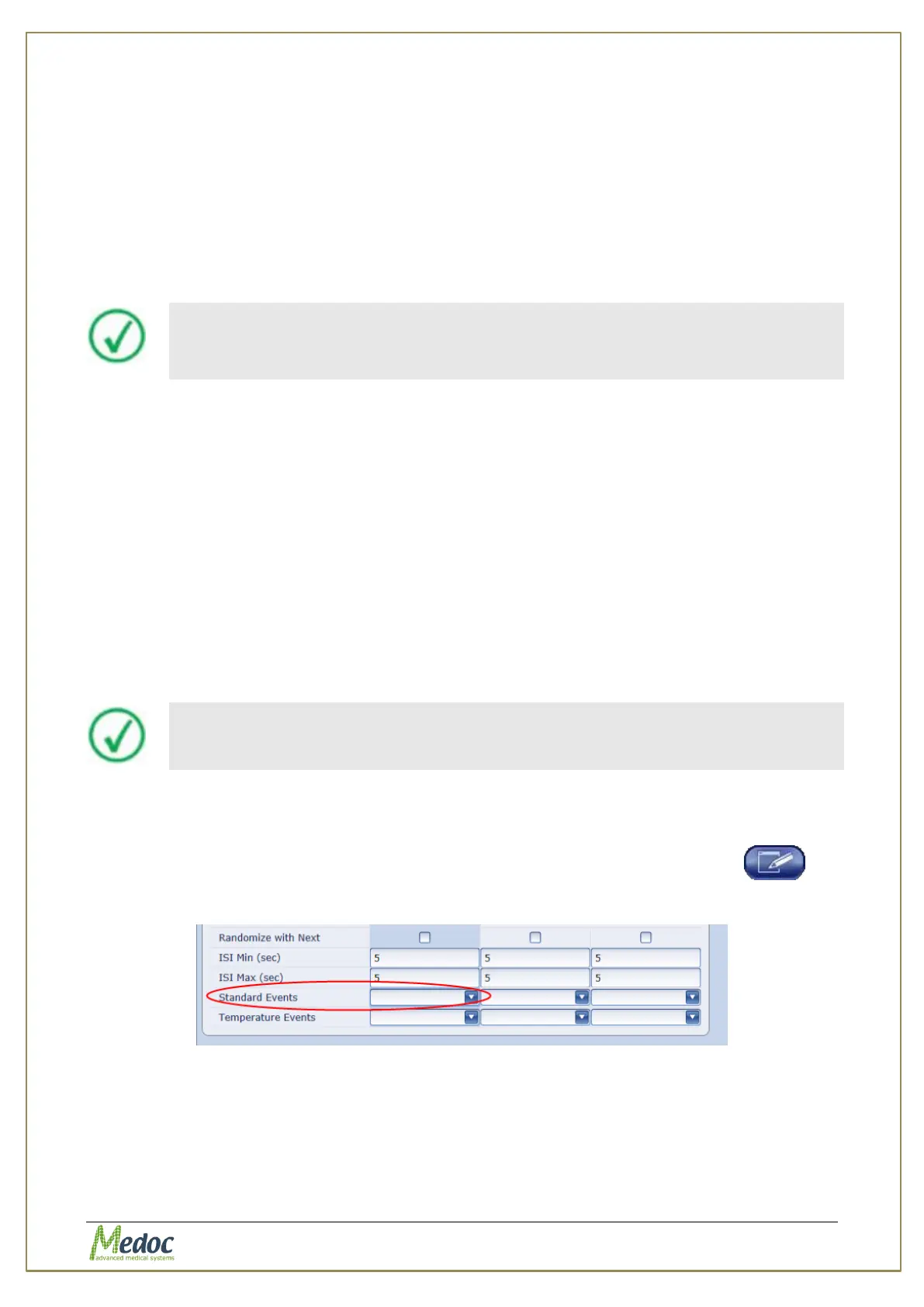
2. From the list of parameters, select the Standard Events option
Figure 45: Standard Events in Program Editor
3. Click the arrow on the left to open the standard event editor.



 To Next Page