Pathway Technical Reference Manual
Proprietary 61 of 190
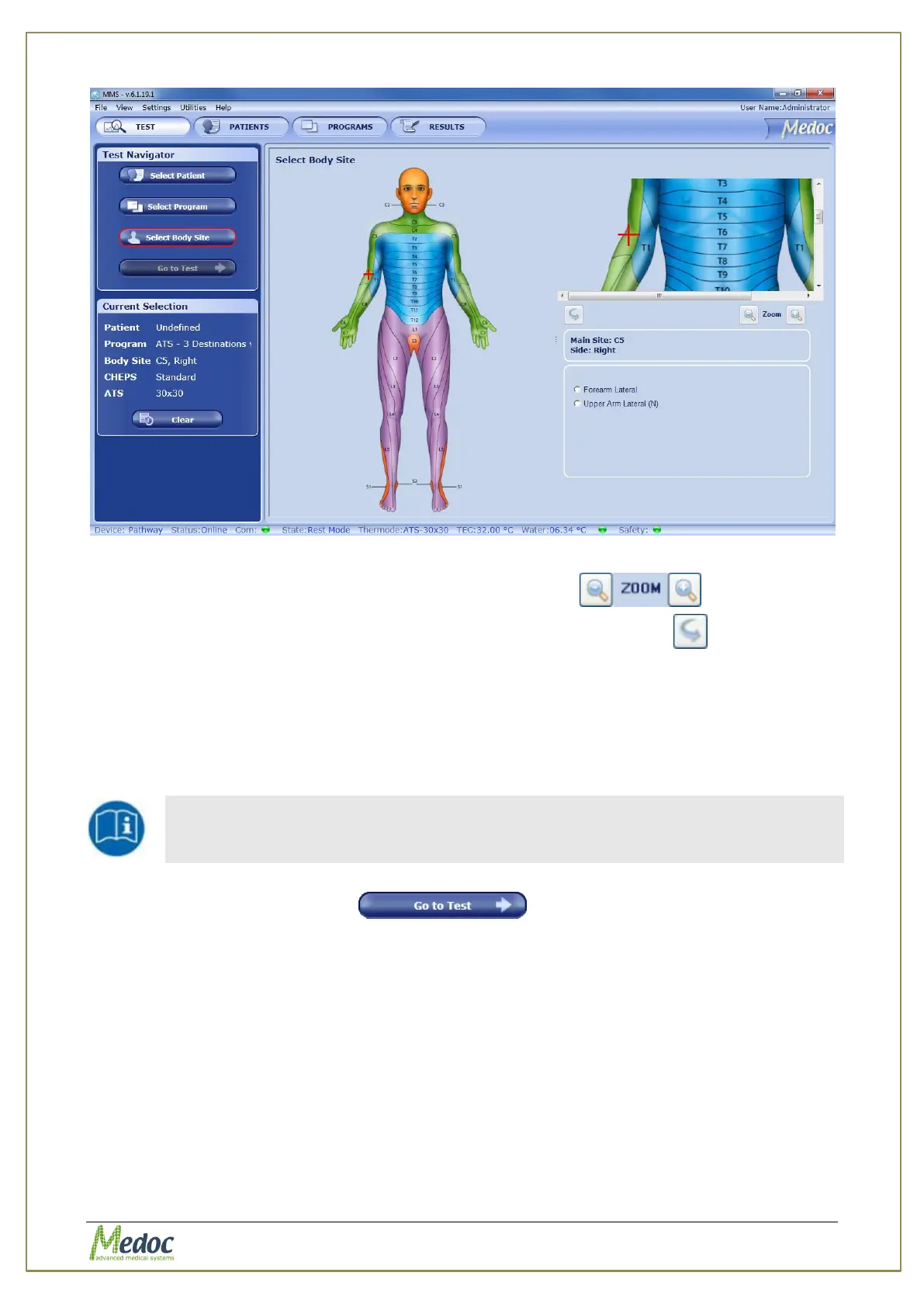
Figure 28: Select Body Site – Specific site selection
3. Use the Zoom In/Out controls for a more precise selection
4. Use the Flip Image control to switch between Anterior / Posterior view
5. Complete the site selection by selecting one of the Specific Sites. The selected site will be
displayed in the current test details in the left side bar.
6. Click the "Go to Test" button to proceed to the test.
6.4 Running the Test
Make sure you have selected both a Patient and a Program before you try
to proceed with an actual test.
1. Click on the Go to Test button
The following screen is displayed:



 To Next Page