Pathway Technical Reference Manual
Proprietary 117 of 190
10.2 Hardware Settings
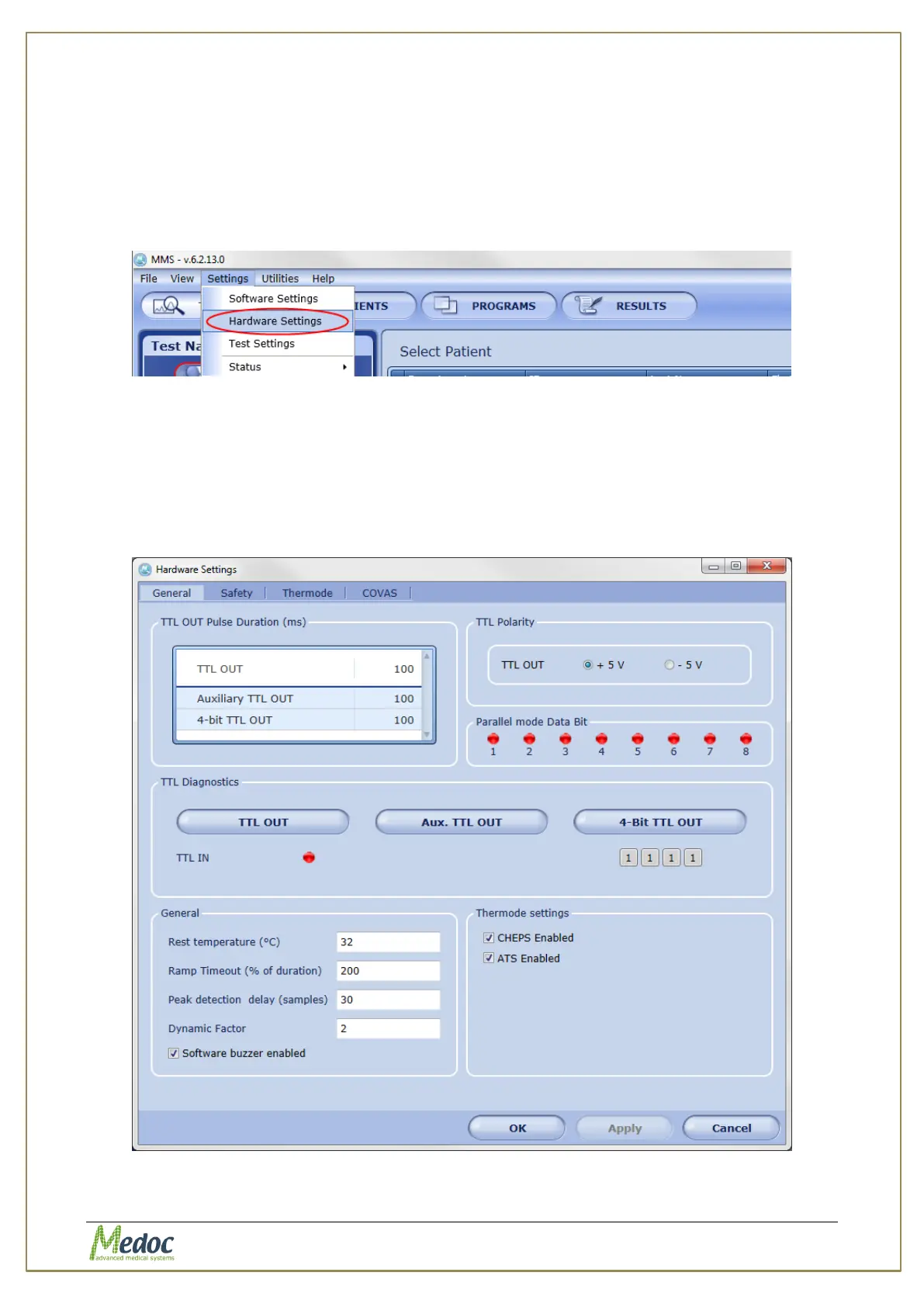
The Hardware Settings menu includes all hardware configurations including TTL IN/OUT
configuration, Thermode Calibration and CoVAS configuration.
To access the hardware settings options, from the top menu bar, select Settings and then
Hardware Settings. The Pathway needs to be ON and connected to the computer in order to
access the hardware settings menu.
Figure 77: Open Hardware Settings
10.2.1 General Hardware Configurations
Configure TTL polarity and duration, Enable Thermodes and other general hardware settings.
To access general hardware settings: from the top menu bar, select Settings and then
Hardware Settings. In the Hardware Settings window that opens, select the General tab.
The following window is displayed:
Figure 78: General Tab



 To Next Page