Pathway Technical Reference Manual
Proprietary 159 of 190
Examples
1. A mask for entering a telephone number: (999)000-00-00. Each ‘0’ Regular Character
requires a number in the corresponding position. No number in these positions can be
omitted. The Regular Character ‘9’ represents an optional area code. Only a number
can be entered in these positions but it is not required. The ‘-‘ and ‘(‘ and ‘)’ characters
in the mask are literal. A telephone number entered could be: (555)222-33-22 or 222-
33-22.
2. A mask for entering a sequence with numbers and letters: \A>LL-00. The ‘\A’
represents a Literal Character which will be entered as ‘A’. The ‘>’ specifies that
following characters will be converted to upper case. The ‘LL’ indicates that two letters
must be entered in this position. The ‘-‘ is a Literal Character. The ‘00’ is a placeholder
for 2 numbers. An entry to this field can be: ASD-88.
18.1.1 Add/Remove Patient Fields
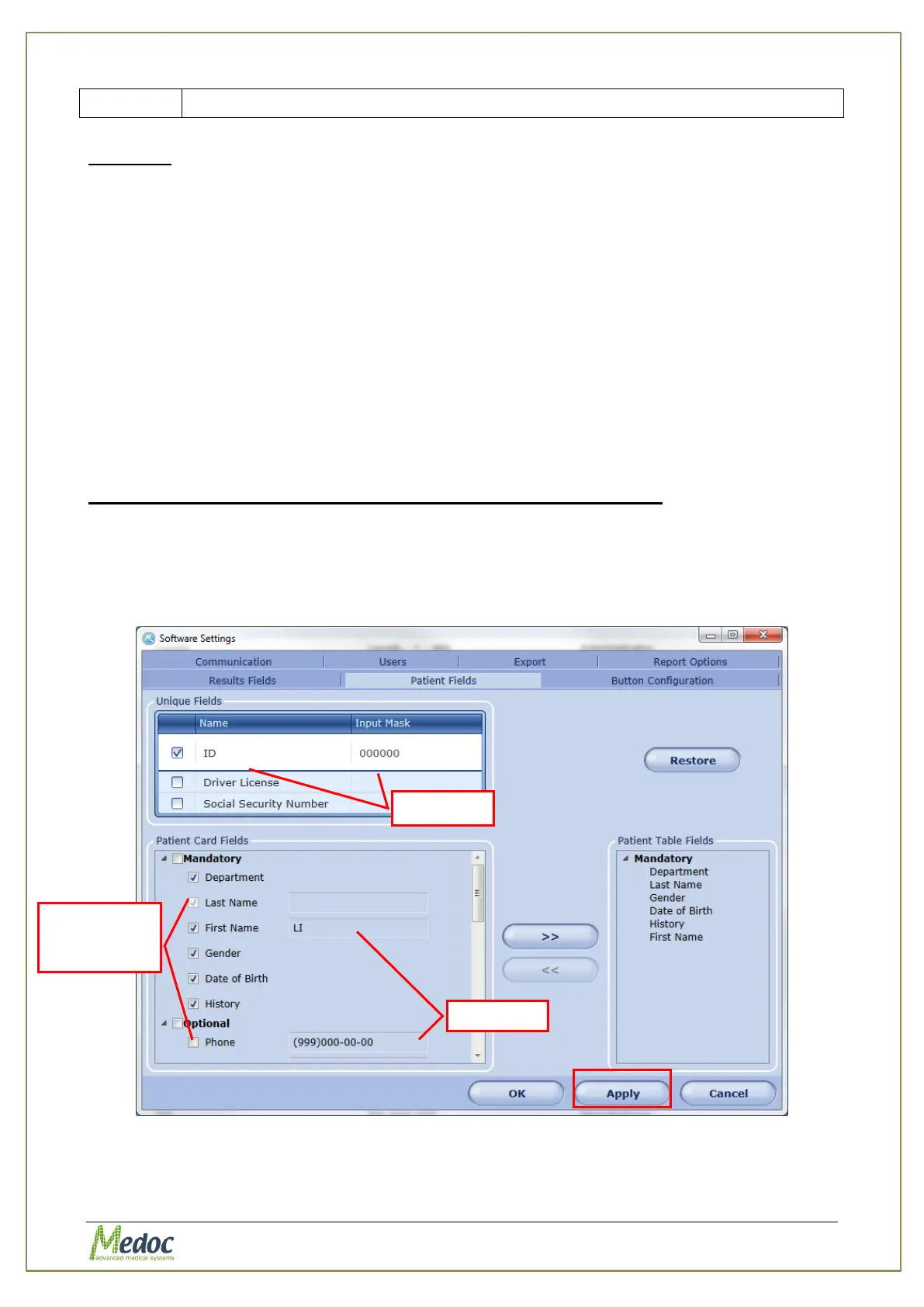
To define and add Patient Card Fields to the Patient Details dialog:
1. From the Patient Card Fields list, select the required fields from the Mandatory or
Optional fields, or add a new field from the user-defined list. Add an input mask if needed.
2. To remove a Patient Field, remove the selection mark from the field
3. Click the Apply button to confirm changes.
Figure 113: Patient Fields with Input Masks
Fields available
for entering
patient data



 To Next Page