Pathway Technical Reference Manual
Proprietary 109 of 190
10.1.3 Results Fields
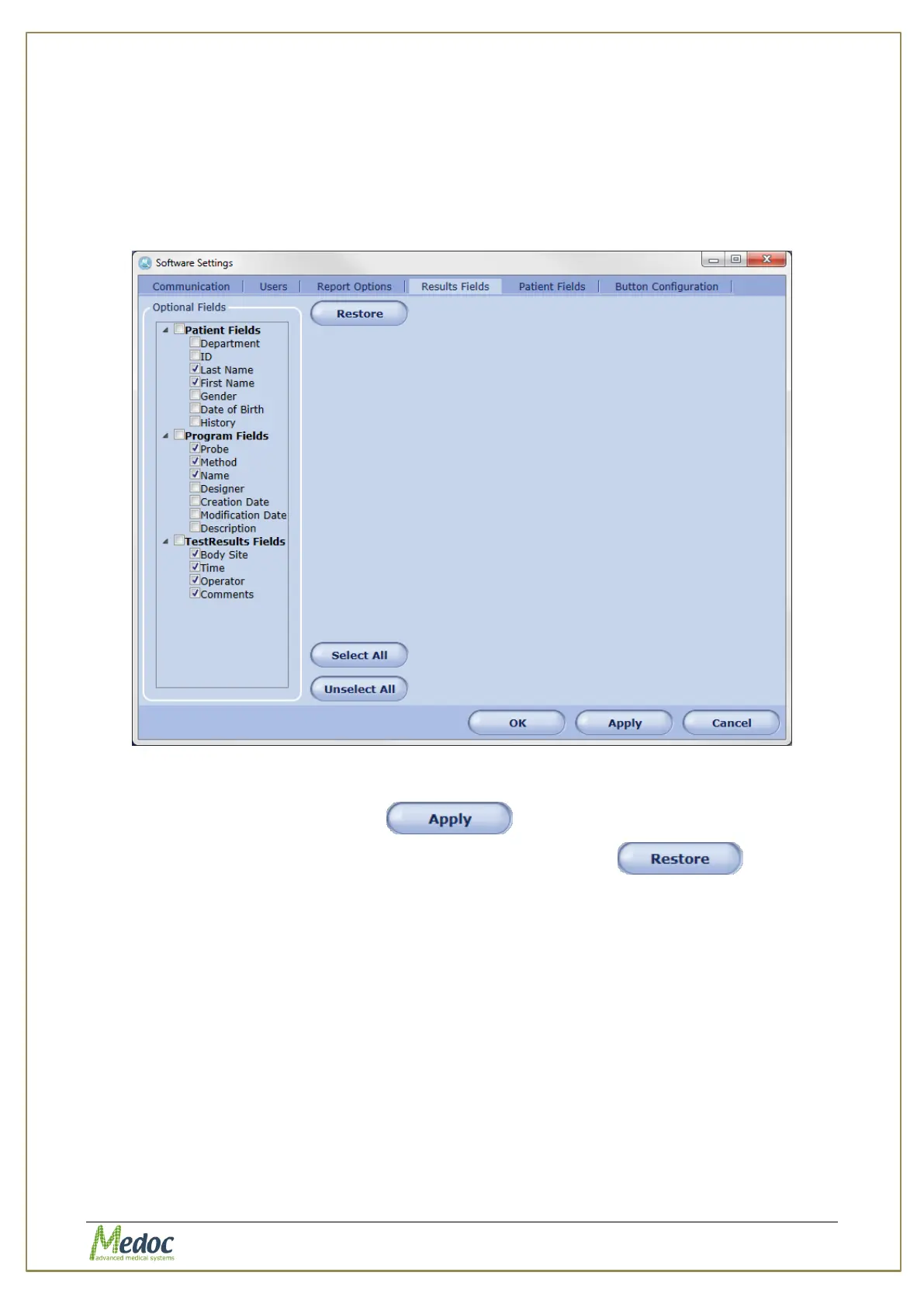
Configure the fields that will be visible in the results table. The available fields include patient
data, program data and test information.
To access Results Field settings: from the top menu bar, select Settings and then Software
Settings. In the Software Settings window that opens, select the Results Fields tab. The
Following screen is displayed:
Figure 73: Results Fields Tab
1. To add fields to the Results Table, select the required fields from the Optional Fields List on
the left and click the Apply button
To restore the default results field settings click the Restore button
10.1.4 Patient Fields
Configure the available fields for patient records and determine which fields will be displayed in
the patient list. The fields can be configured separately per user (see section 10.1.6).
To access Patient Field settings: from the top menu bar, select Settings and then Software
Settings. In the Software Settings window that opens, select the Patient Fields tab. The
following window is displayed:



 To Next Page