Pathway Technical Reference Manual
Proprietary 88 of 190
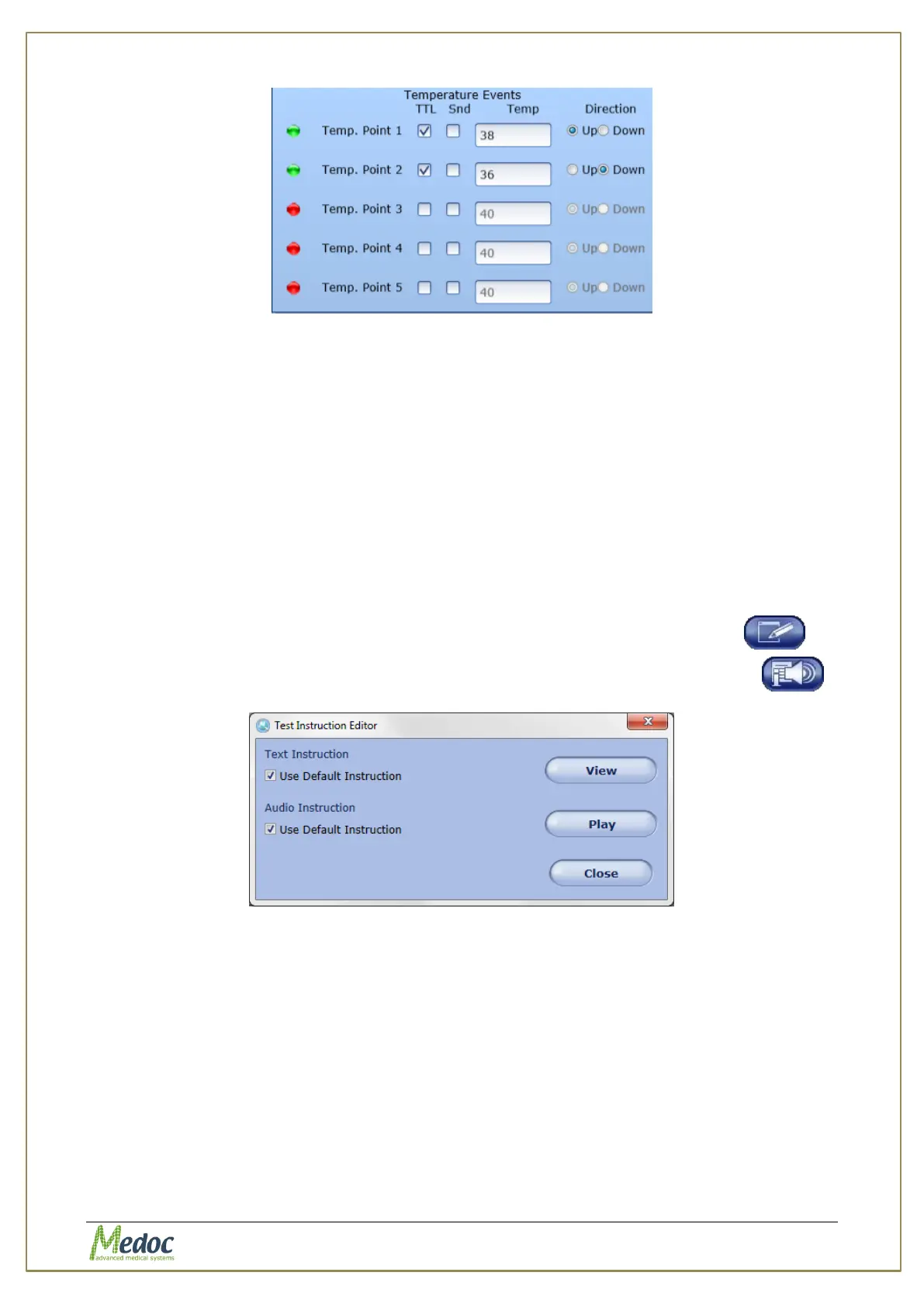
Figure 49: Temperature Event Editor
For each event that you want to configure mark the TTL and/or the Sound column to
activate. Once the event is activated, you can specify the temperature and direction
(temperature increase or decrease) in which the event should occur.
4. Click anywhere on the screen to close the Standard Events dialog.
7.10 Test Instructions
Test instructions can be assigned to any program as a text file (to be read out loud by the
operator) and/or as an audio file which can be played before starting the test. The test
instructions can be edited globally for all programs of the same method (see section 10.3.6),
or separately for each program.
This section describes how to edit the test instruction for a specific program:
1. From the Programs screen, select the program you want to configure standard events for
and double click to open the program editor or click on the edit program button
2. From program editing options on the left, click on the edit test instructions button
Figure 50: Test Instructions Editor
3. To edit the text instructions:
3.1. Unselect the relevant Use Default Instruction checkbox



 To Next Page