Pathway Technical Reference Manual
Proprietary 161 of 190
19. Appendix H – Filling the System Cooling Unit
Reservoir
Important Warnings! Read carefully before proceeding
1. Before connecting the PATHWAY system to the power outlet, make sure
it has been in an upright position for a minimum of 3 hours.
Disregarding the above instruction damages the PATHWAY system
performance and may cause Cooling Unit failure.
2. The cooling unit reservoir must be filled according to the instructions
below before using the PATHWAY for the first time.
3. Use only an approved coolant for PATHWAY cooling unit!
Note to fMRI users:
When connecting and using an fMRI Thermode for the first time, it may be
required to refill the cooling unit reservoir after running the system for 5
minutes. Make sure the system is connected to the software so that there
is coolant flow through the Thermode.
After assembling the PATHWAY system for the first time, the cooling unit reservoir is empty.
Before connecting PATHWAY to the power supply and using it for the first time make sure that
the system has been upright for at least 3 hours, and the coolant reservoir has been filled with
an approved coolant.
19.1 Approved Coolants
The PATHWAY system cooling unit should be filled only with coolants approved by Medoc. The
current approved coolants are:
DOWTHERM SR-1 premixed, manufactured by DOW Chemical Company
CS-4060 manufactured by Global Environmental Solutions Ltd. (GES)
Use only the approved coolants for PATHWAY cooling unit!
19.2 Coolant Filling
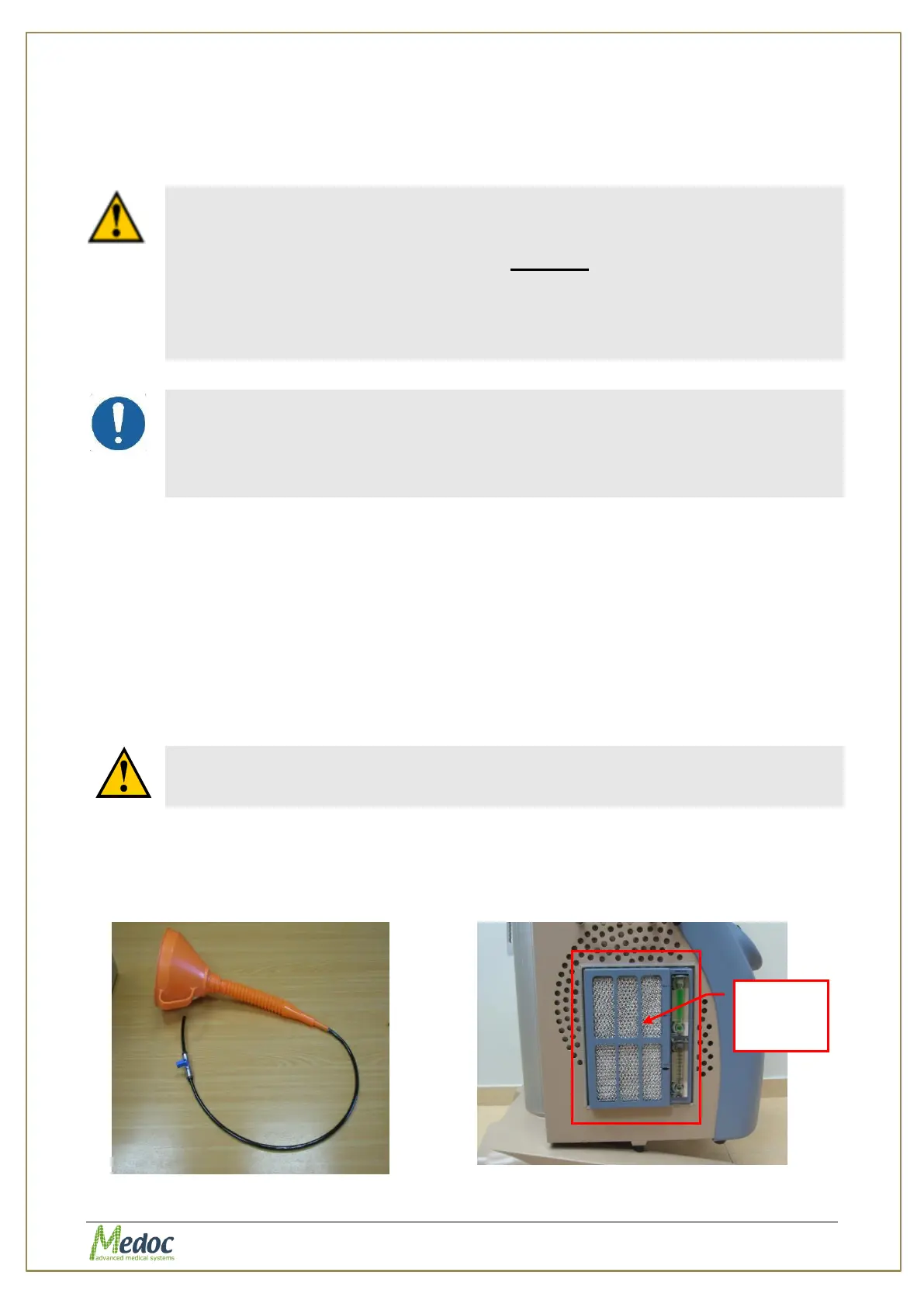
Filling the Cooling Unit (ECU) reservoir is done through the ECU service door that is located on
the PATHWAY cart side, using a hose and a funnel.
Figure 115: Hose and funnel
Figure 116: ECU service door
service



 To Next Page