Pathway Technical Reference Manual
Proprietary 69 of 190
7.6 Program Editor
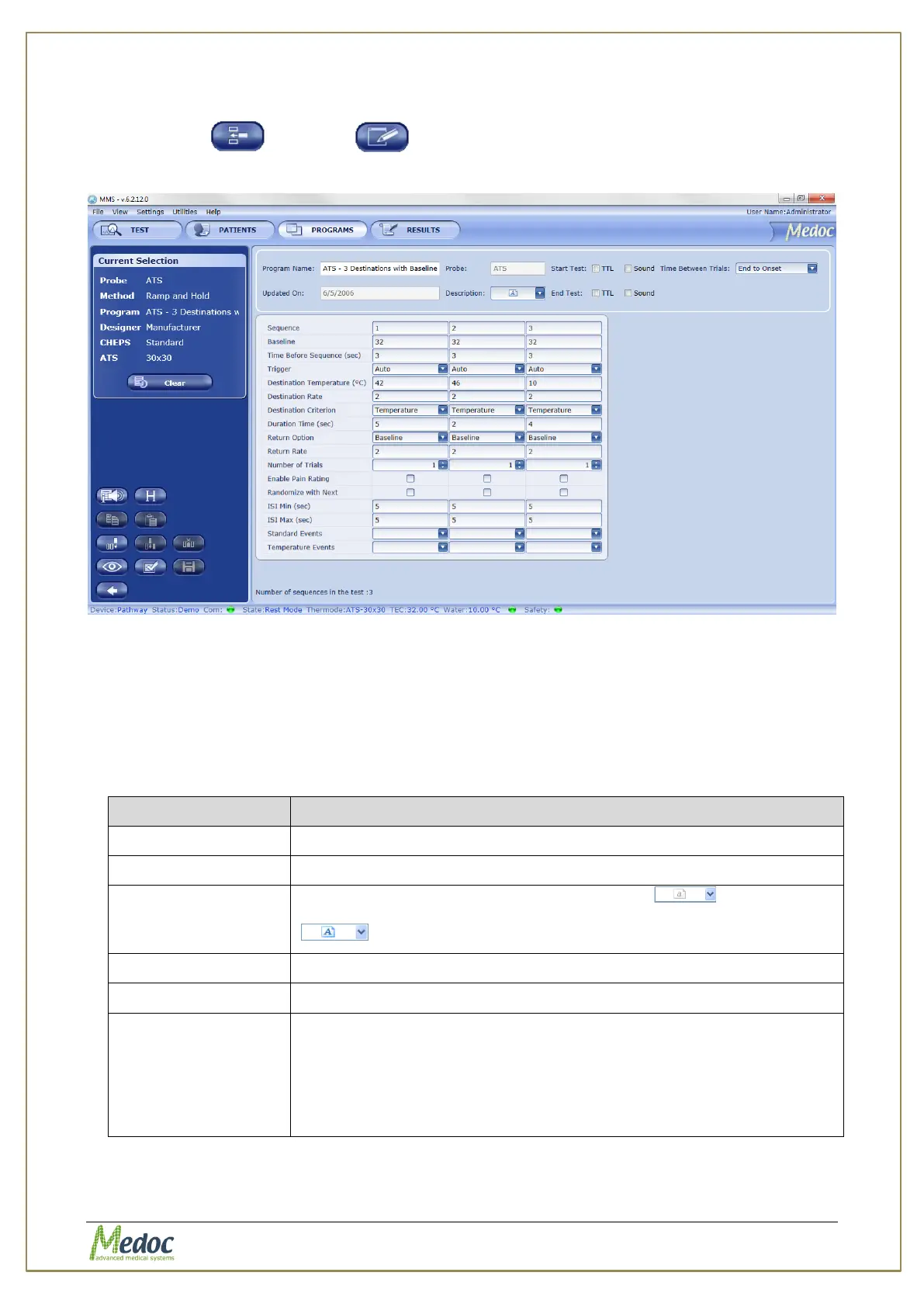
When creating or editing a program, the Program Editor screen opens and
enables you to modify program parameters
Figure 34: Program Editor Screen
The top part of the program editor displays global details which are available for all methods.
The lower part of the program editor displays the specific program parameters according to the
selected method. For detailed information about the program parameters, continue to
section 7.7, page 71
The following program details are available:
Table 13: Program Details
The program name (editable).
The probe type to be used with this program (ATS or CHEPS)
Program description. To edit, click the arrow and type free
text to describe the program. The description will become active
when text is entered.
The date program was last edited on (automatic)
Start / End test events: can be indicated by TTL, sound, or both.
Time between
trials
(Relevant only to
specific Methods)
Definition of how to calculate time between trials:
Onset to Onset: From the onset of the previous to the
onset of the next
End to Onset: From the end of the previous to the onset
of the next (default)
The following options are available from the Program Editor screen:



 To Next Page