Pathway Technical Reference Manual
Proprietary 60 of 190
6. To hide the details, click on the Hide Details button to view the program list only.
7. Click on the Clear button to clear current selection if required.
8. Proceed to the Selecting Body Site section if you want to select a site for the specific
test, or click on the Go to Test button in order to run the test without a specific body site
selection.
It is not possible to run a test before you select the tested subject and
program. The “Go to Test” button will remain disabled as long as test
details are not complete.
6.3 Selecting a Body Site
Selecting a body site for the test is optional. A test can be initiated without selecting a body
site.
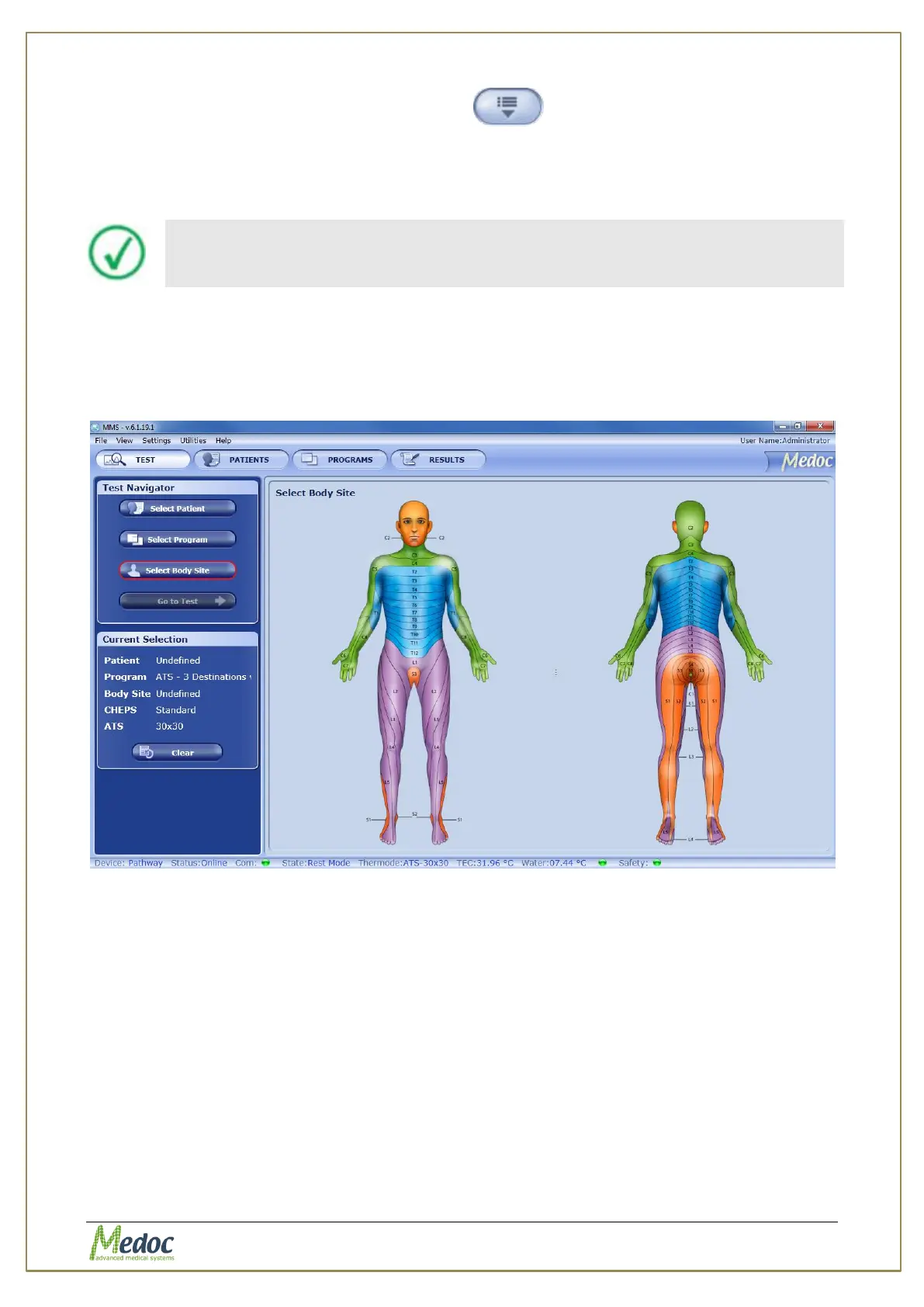
1. Click on the Select Body Site button in the Test Navigator.
Figure 27: Body Site Selection Menu
2. Click on the Dermatome (Dermatomic area) you wish to use in the current test.
An enlarged view of the selected dermatome and a list of specific sites will be displayed on
the right.



 To Next Page