EasyManua.ls Logo

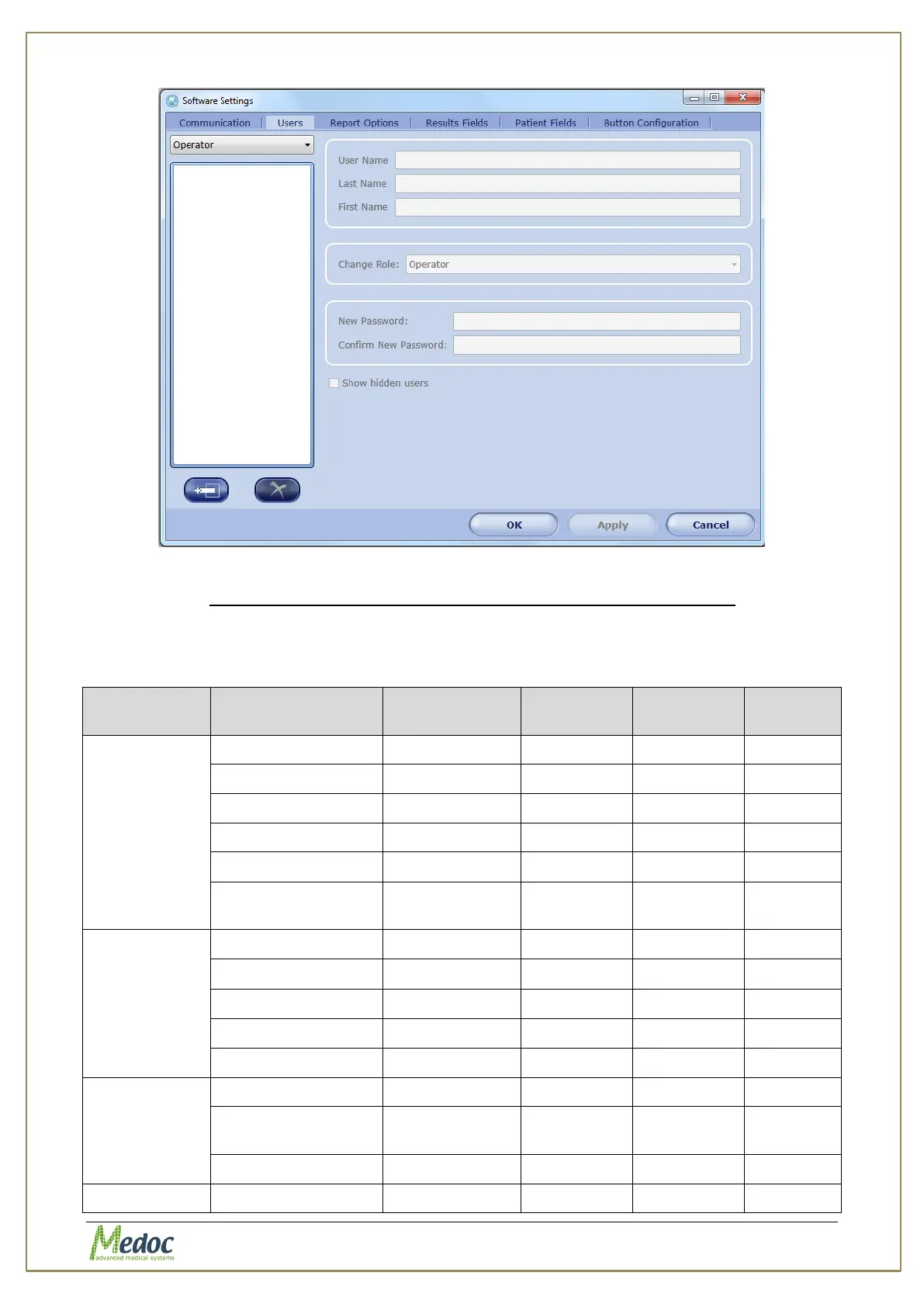
Medoc PATHWAY - Figure 77: User Authorization Software Settings; Table 26: Functions According to Authorization Level

Default Icon
190 pages
Print Icon
To Next Page IconTo Next Page
To Previous Page IconTo Previous Page
Loading...
Pathway Technical Reference Manual
Proprietary 113 of 190
Figure 76: User Authorization Software Settings
10.1.6.2 Allowed functions according to authorization level
The following table lists the main functions and operations available in Medoc Main Station
software and specifies which functions are available for each user authorization level.
Table 26: Functions according to authorization level

Screen
Function
Software
Administrator
Biomedical
Engineer
Medical
Supervisor
Operator
Patient
Add Patient
√
√
√
√
Edit Patient
√
√
√
√
Delete patient
√
X
√
X
Add Department
√
√
√
√
Delete Department
√
X
√
X
Rename
Department
√
X
√
X
Programs
Add Program
√
√
√
X
Edit Program
√
√
√
X
Delete Program
√
√
√
X
Duplicate Program
√
√
√
X
Program Preview
√
√
√
√
Results
View Graph
√
√
√
√
View Program
Details
√
√
√
√
Delete
√
X
√
X
Test
View Patient Details
√
√
√
√

Table of Contents

Related product manuals