Signal Integrity Conditioning
Microsemi Proprietary and Confidential UG0677 User Guide Revision 9.0 116
5.4 SmartDebug Signal Integrity
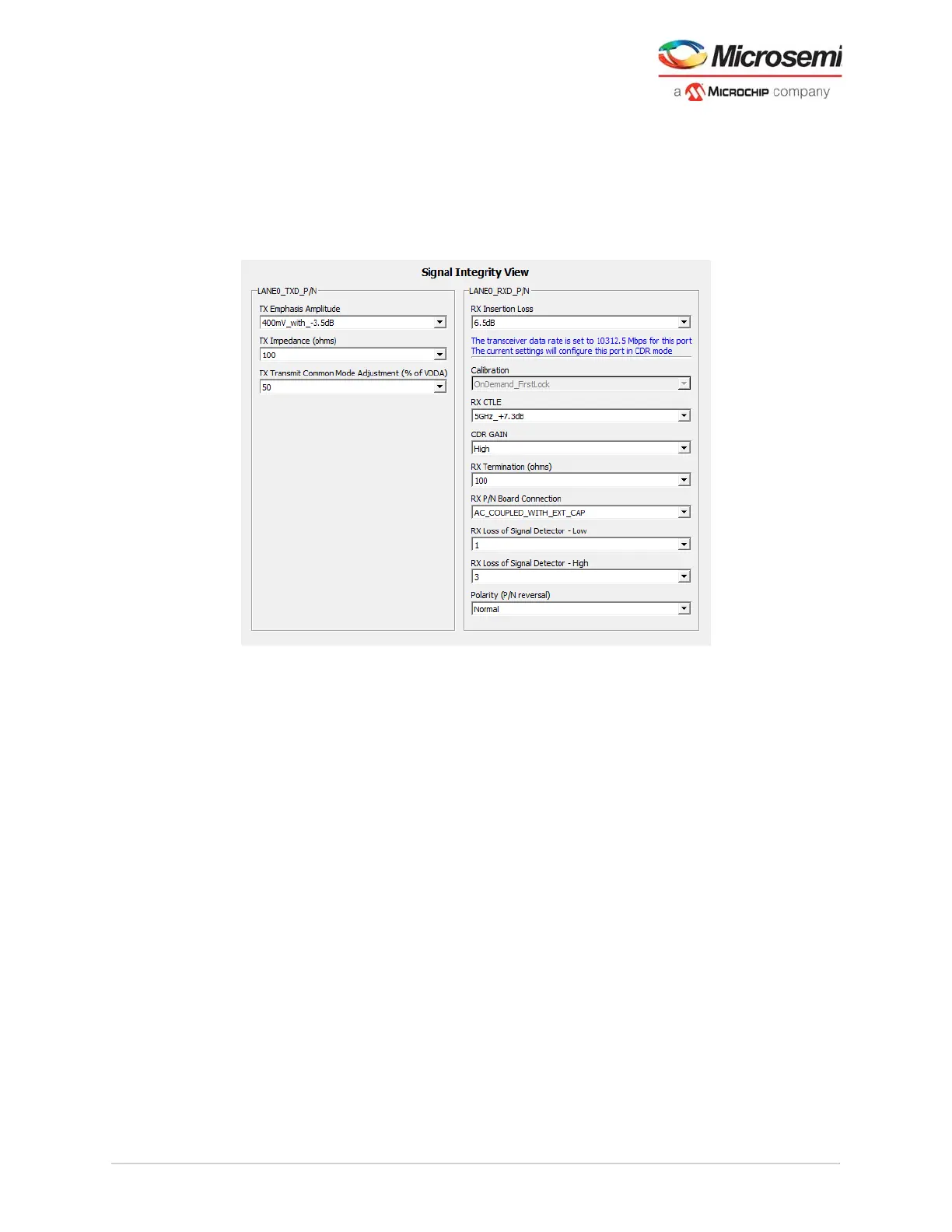
SmartDebug signal integrity is invoked from debug transceiver. SmartDebug Signal Integrity helps to
evaluate the reliability of a high-speed serial link using PolarFire transceivers. The signal integrity GUI
follows the same format as the IO Editor. For more information about software operation,
see UG0773: PolarFire FPGA SmartDebug User Guide. For more information about transceiver signal
tuning, see AC483: PolarFire FPGA Transceiver Signal Integrity Application Note.
Figure 93 • SmartDebug Signal Integrity GUI Panel
The Signal Integrity UI panel can be viewed in SmartBERT, Loopback Modes, Static Pattern Transmit,
and Eye Monitor debug tabs. This allows the user to move between test operations and signal integrity
tuning, hence, allowing the user to interactively test while making adjustments to the signal integrity
settings.
Consistent with debugging techniques of high-speed serial channels, users utilize the SmartDebug GUI
to select integrated test data streams and enable device embedded loop backs. This allows the active
channel to be adjusted to match the users PCB losses and discontinuities. For more information about
test pattern capabilities, see PRBS Generator/Checker, page 122.



 To Next Page