Functional Description
Microsemi Proprietary and Confidential UG0677 User Guide Revision 9.0 64
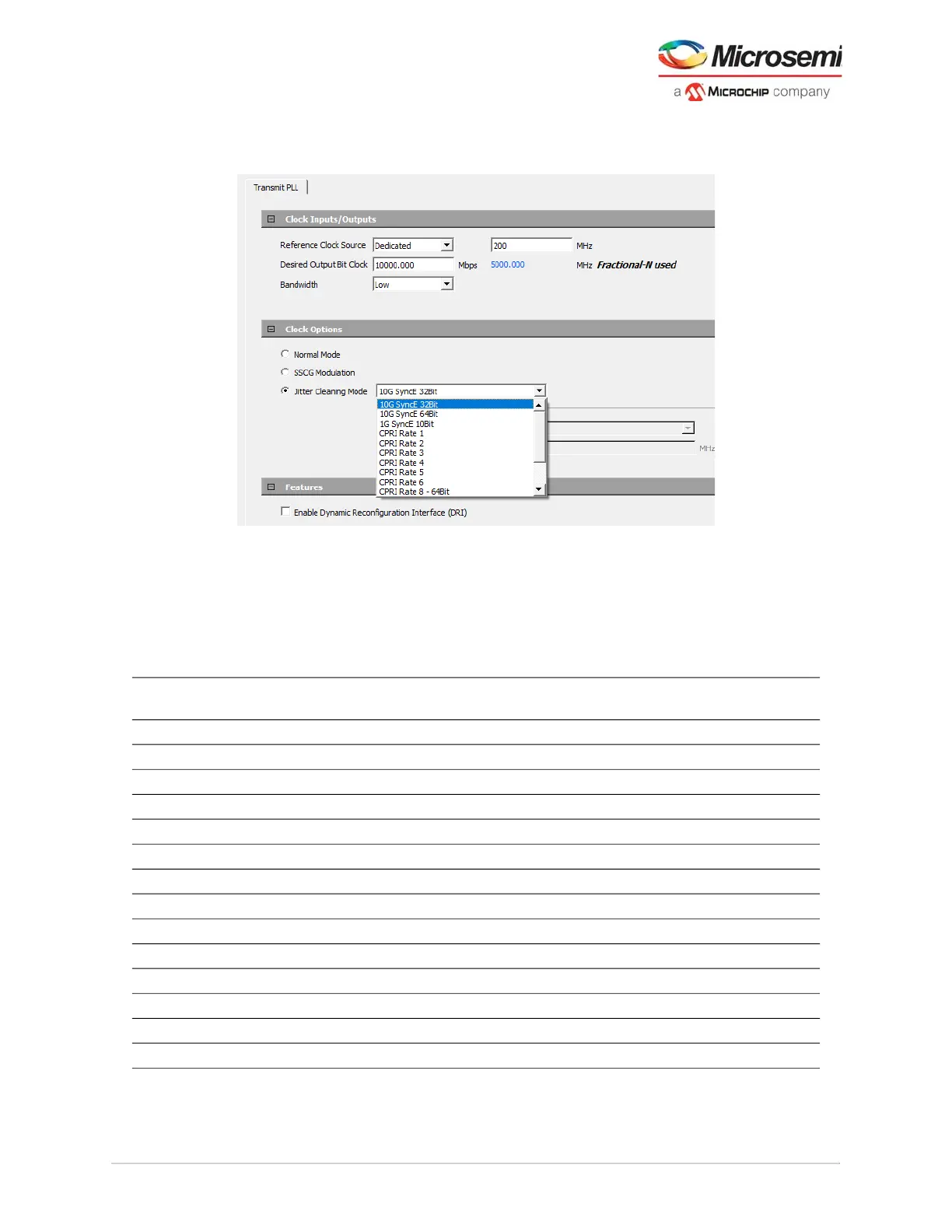
Select Jitter Cleaning Mode under the Clock Options and choose the targeted protocol templates from
the drop-down as shown in the following figure.
Figure 45 • Jitter Attenuation TXPLL
Jitter attenuation PLL presets can be selected with TX PLL configurator (and the enable JA_CLK port in
XCVR configurator). Jitter attenuation presets must follow the predefined requirements for the application
design.
For example, if SDI 3G is selected in the TX PLL configurator, then set the PCS-FABRIC width in XCVR
configurator to 20-bit and use the defined reference clock frequency.
Table 19 • Jitter Attenuation PLL Presets
Jitter Cleaning Mode Selection Data Rate (Mbps)
Reference Clock
Frequency (MHz)
PCS - Fabric bit
Width Mode
10G SyncE 32Bit 10312.5 156.25 32 64b66b
10G SyncE 64Bit 10312.5 156.25 64 64b66b
1G SyncE 10Bit 1250 125 10 PMA
CPRI Rate 1 614.4 122.88 32 8b10b
CPRI Rate 2 1228.8 122.88 32 8b10b
CPRI Rate 3 2457.6 122.88 32 8b10b
CPRI Rate 4 3072 122.88 32 8b10b
CPRI Rate 5 4915.2 122.88 32 8b10b
CPRI Rate 6 6144 122.88 32 8b10b
CPRI Rate 8 64-Bit 10137.6 122.88 64 64b66b
SDI 3G 2970 148.5 20 PMA
SDI HD 1485 148.5 10 PMA
SDI SD 270 148.5 10 PMA
Custom Protocol Settings See the following details



 To Next Page