4. Tension the belt with the idler tensioning screw to 300 N (67 lbf). Measure
the tension in the belt as follows:
NOTE
Use a Sonic tension meter and follow the Span vibration tension method to
measure the belt tension.
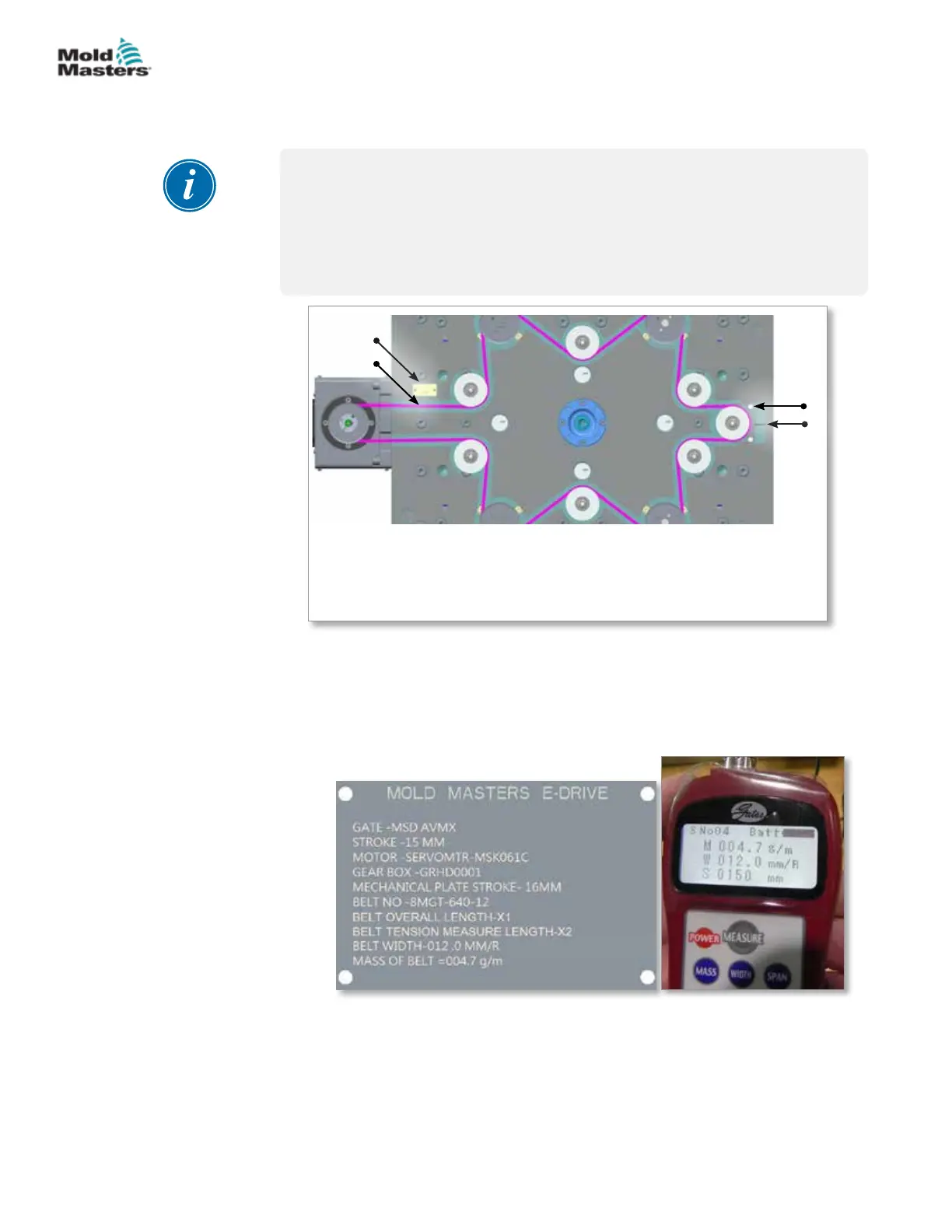
Measure the belt tension in the longest distance between two pulleys. In
your system, the longest distance is the point on the belt that is next to the
name plate.
1. Idler tensioning screw
2. Tensioning idler screws
3. Name plate
4. Belt tension measuring point
1
2
3
4
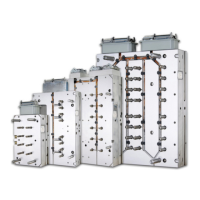
a) Enter the values of belt density, width and span length to the Sonic
tension meter. Refer the name plate for the required information.
Belt density (M) : 004.7 g/m (xed value)
Belt width (W) : 012.0 mm/R (xed value)
Span length (S) : Variable value, see timing belt selection page
b) Tap the longest belt span.
c) Press the “measure” button on the sonic meter and hold the
microphone at 1/4 in. away from the back of the belt.
d) Check the tension and span vibration frequency values in the meter.
If required, adjust the tensioning idler screw and make sure that the
tension in the belt is 300 N (67 lbf).
5. Tighten the tensioning idler screws.
Tension Belt Assembly - continued
13-11E-DRIVE
Hot Runner User Manual
© 2020 Mold-Masters (2007) Limited. All Rights Reserved.


 To Next Page