5.19 Valve Disk Installation for Systems with
MasterSHIELD
WARNING
Make sure the lifting eyebolt, chain and crane can support the weight of the
manifold. Failure to do so may cause serious injury.
IMPORTANT
Valve disks are supplied to nal dimensions. No nal grinding is required.
Some systems with MasterSHIELD require the use of screws as part of
the installation process. Please refer to the General Assembly drawing to
determine if your system requires screws.
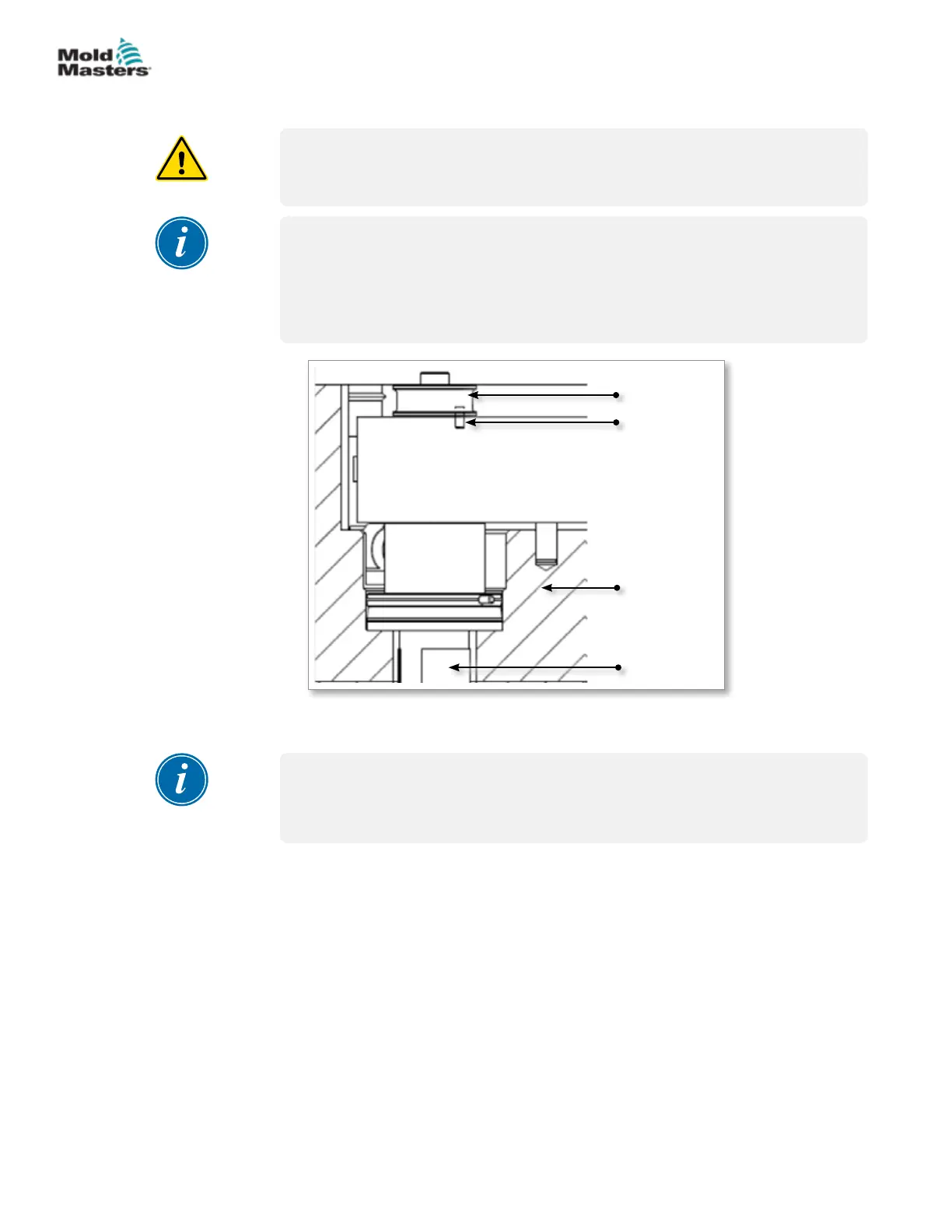
Spring dowel
Valve disk
Manifold
plate
Nozzle
Figure 5-36 MasterSHIELD system with a valve disk
1. Install the manifold into the plate and ensure that it sits on the nozzles.
NOTE
Refer to the General Assembly drawing to determine the type of valve disk
for your system before completing step 2.
2. Install the valve disk.
a) For 1-piece valve disk - Install the valve disk in appropriate
orientation.
b) For 2-piece valve disk - Insert valve stem into the manifold in
appropriate orientation. Slide valve disk ange over the stem.
For removal of valve disk stems, see “15.1 Valve Disk Removal” on page
15-1.
5-43ASSEMBLY
Hot Runner User Manual
© 2020 Mold-Masters (2007) Limited. All Rights Reserved.


 To Next Page