17. Click Finish.
Notification Center displays the new rule on the Event Notifications screen.
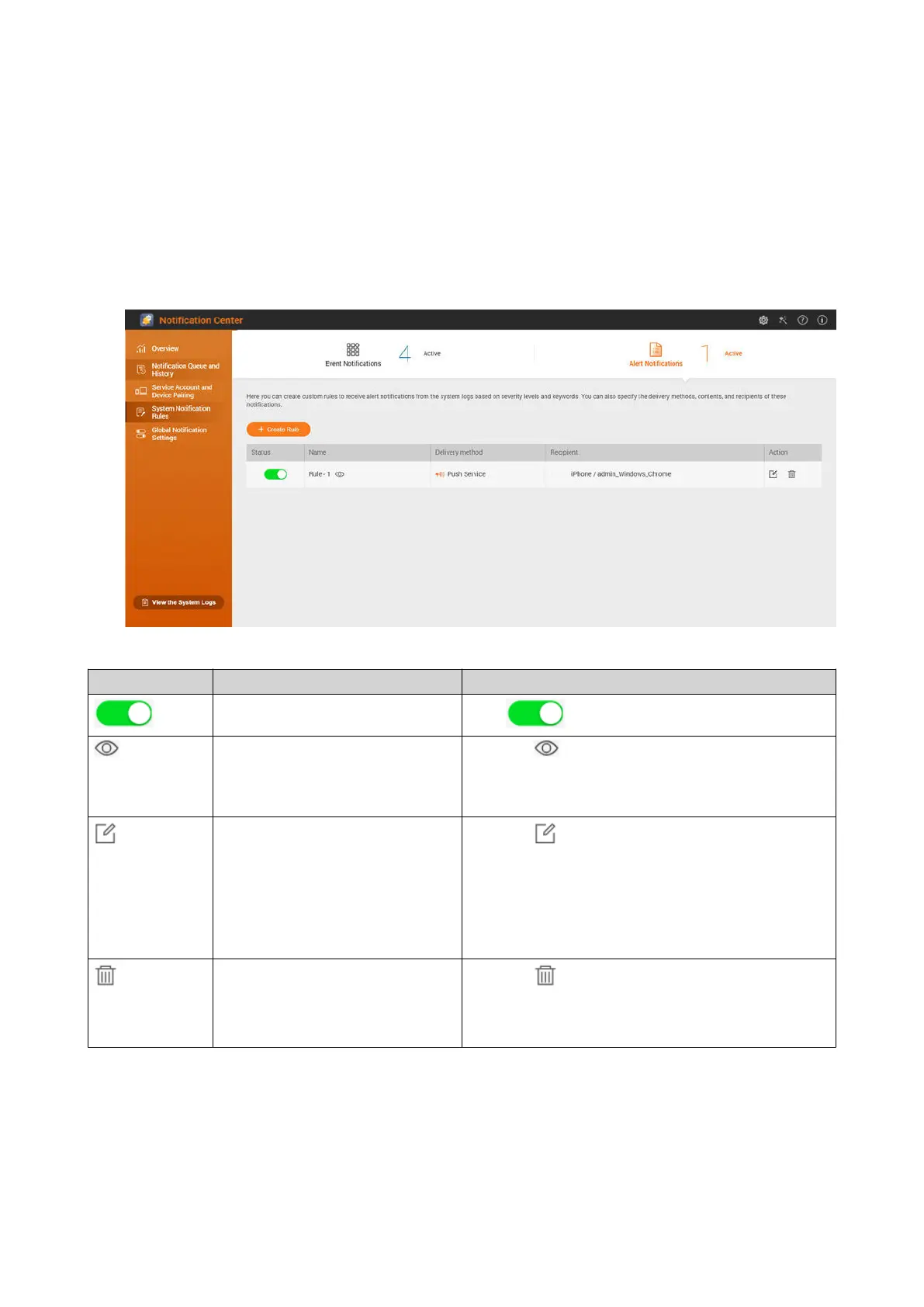
Alert Notifications
You can create custom rules to receive alert notifications from the System Logs based on the notification
type and keywords. You can also specify the delivery methods, contents, and recipients of these
notifications.
Button Task User Action
Enable or disable the rule.
Click .
Preview the rule settings. 1.
Click .
The Alert Notifications window appears.
2. Review the settings, and then click Close.
Edit the rule. 1.
Click .
The Edit Rule for Alert Notifications window
appears.
2. Edit the settings.
3. Click Confirm.
Unpair from and remove the
device or browser.
1.
Click .
A confirmation message appears.
2. Click Confirm.
Creating an Alert Notification Rule
Before creating a notification rule, ensure that your NAS is registered to an active myQNAPcloud account.
1. Go to System Notification Rules > Alert Notifications .
QTS 4.5.x User Guide
Notification Center 552



 To Next Page
 Loading...







