R&S
®
ZVA / R&S
®
ZVB / R&S
®
ZVT GUI Reference
Trace Menu
Operating Manual 1145.1084.12 – 30 176
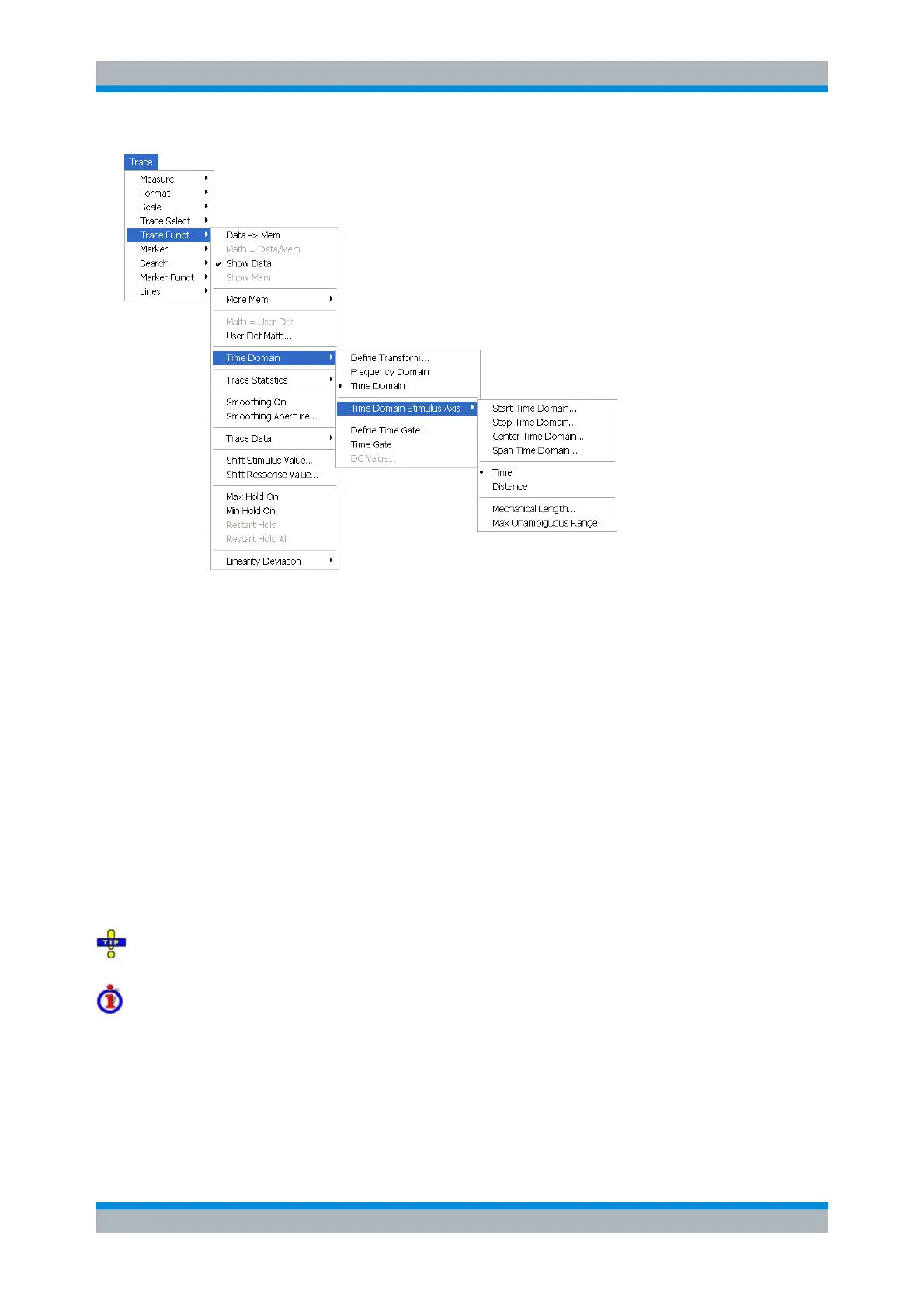
Start Time Domain is the lowest displayed time and corresponds to the left edge of the Cartesian
diagram.
Stop Time Domain is the highest displayed time and corresponds to the right edge of the
Cartesian diagram.
Center Time Domain corresponds to the center of the Cartesian diagram, i.e. (Start + Stop)/2.
Span Time Domain corresponds to the diagram width, i.e. (Stop – Start).
Time and Distance switch over between the x-axis scaling in time units or distance units.
Mechanical Length opens the dialog which defines port-specific offset parameters (mechanical
length, velocity factor, loss); see Mechanical Length. The velocity factor affects the relationship
between distance and time units; see background information below.
Max Unambiguous Range selects a time domain stimulus axis between 0 s and the unambiguous
range Δt = 1/Δf, where Δf is the spacing between two consecutive frequency points. Due to the
properties of the Chirp z-transformation the trace is periodic in time and repeats after the
unambiguous range. To extend the unambiguous range, you can either reduce the sweep span
(Channel – Stimulus) or increase the number of sweep points.
Use the paste marker list for convenient entry of Start and Stop values.
Distance units for transmission and reflection parameters
The interpretation of time and distance depends on the measurement type. For reflection measurements,
the time axis represents the propagation time of a signal from the source to the DUT and back. For
transmission measurement, it represents the propagation time from the source through the device to the
receiver. The Distance calculation is consistent with this interpretation:
For reflection measurements (S-parameters S
ii
or ratios with equal port indices) the distance
between the source and the DUT is half the propagation time multiplied by the velocity of light in



 To Next Page