R&S
®
ZVA / R&S
®
ZVB / R&S
®
ZVT GUI Reference
Trace Menu
Operating Manual 1145.1084.12 – 30 191
and the displayed measurement points to a file.
Both complex and formatted data can be converted into different output formats.
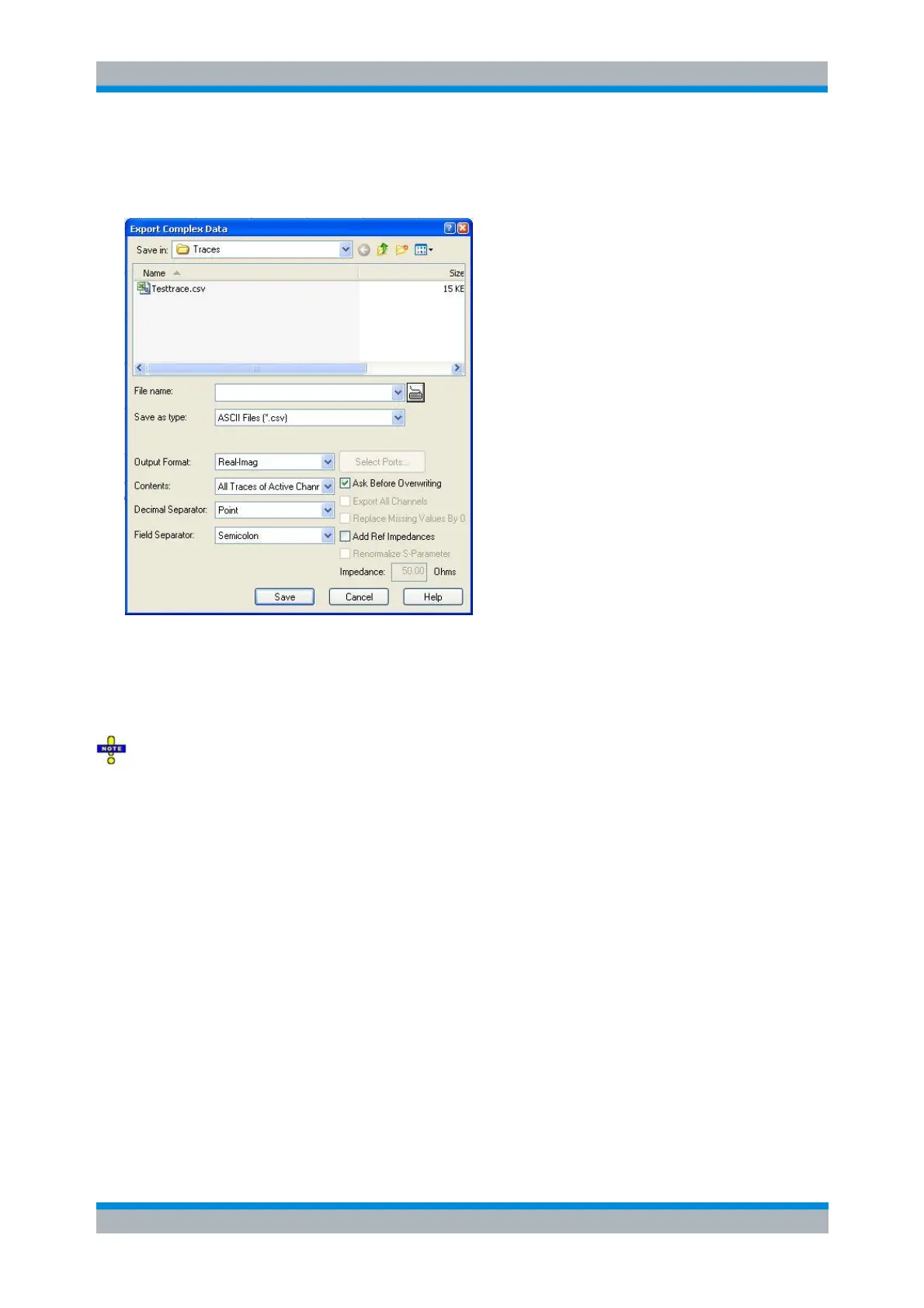
Export Complex Data corresponds to a standard Save As... dialog with an additional panel to specify
various export options. The Dec. Separator export option is not available for Matlab (*.dat) and
Touchstone file export. The Export Complex Data dialog offers the *.s1p Touchstone file format for the
active trace. Use Export S-Matrix to export several traces. Touchstone files use the point as Dec.
Separator; see Trace File Formats.
The file header of the created Touchstone (*.s1p) file always contains the reference impedance of
the associated ports, as defined in the Port Configuration dialog. For one-port and single-mode S-
parameters (e.g. S
11
, S
dd22
...), this reference impedance is unambiguous. For two-port and mixed-mode
parameters, the reference impedance is unambiguous only if it is equal for all associated ports and
modes.
If an S-parameter with ambiguous reference impedances (e.g. S
12
with different reference impedances at
ports 1 and 2) is exported, a warning is displayed, and the reference impedance in the *.s1p file is set to
1 Ω. This also happens if the active trace shows a result other than an S-parameter (e.g. a wave quantity).
The following export settings are available for complex trace data:
Output Format selects the format for the exported trace data. In the Real - Imag format, each
complex measurement value is represented by its real and imaginary part. It is also possible to
store the linear magnitude and phase (lin Mag-Phase) or dB magnitude and phase (dB Mag-
Phase) of each value.
Contents selects only the Active Trace or All Traces of (the) Active Channel (including all data and
memory traces) for data export to an ASCII (*.csv) file.
Dec. Separator selects either the Point or the Comma (if needed to process the exported data
with an external application) as a separator for decimal numbers exported to an ASCII (*.csv) file.
Field Separator , the separator that the analyzer uses to separate different numbers in each line of



 To Next Page