R&S
®
ZVA / R&S
®
ZVB / R&S
®
ZVT GUI Reference
Trace Menu
Operating Manual 1145.1084.12 – 30 234
a maximum of flexibility:
Ranges do not have to be sorted in ascending or descending order (e.g. the Start Stimulus value
of range no. n doesn't have to be smaller than the Start Stimulus value of range no. n+1).
Overlapping ranges are allowed. The limit check in the overlapping area is related to the tighter
limit (the pass test involves a logical AND operation).
Gaps between ranges are allowed and equivalent to switching off an intermediate ripple limit
range.
Ripple limit ranges can be partially or entirely outside the sweep range, however, the limits are
only checked at the measurement points.
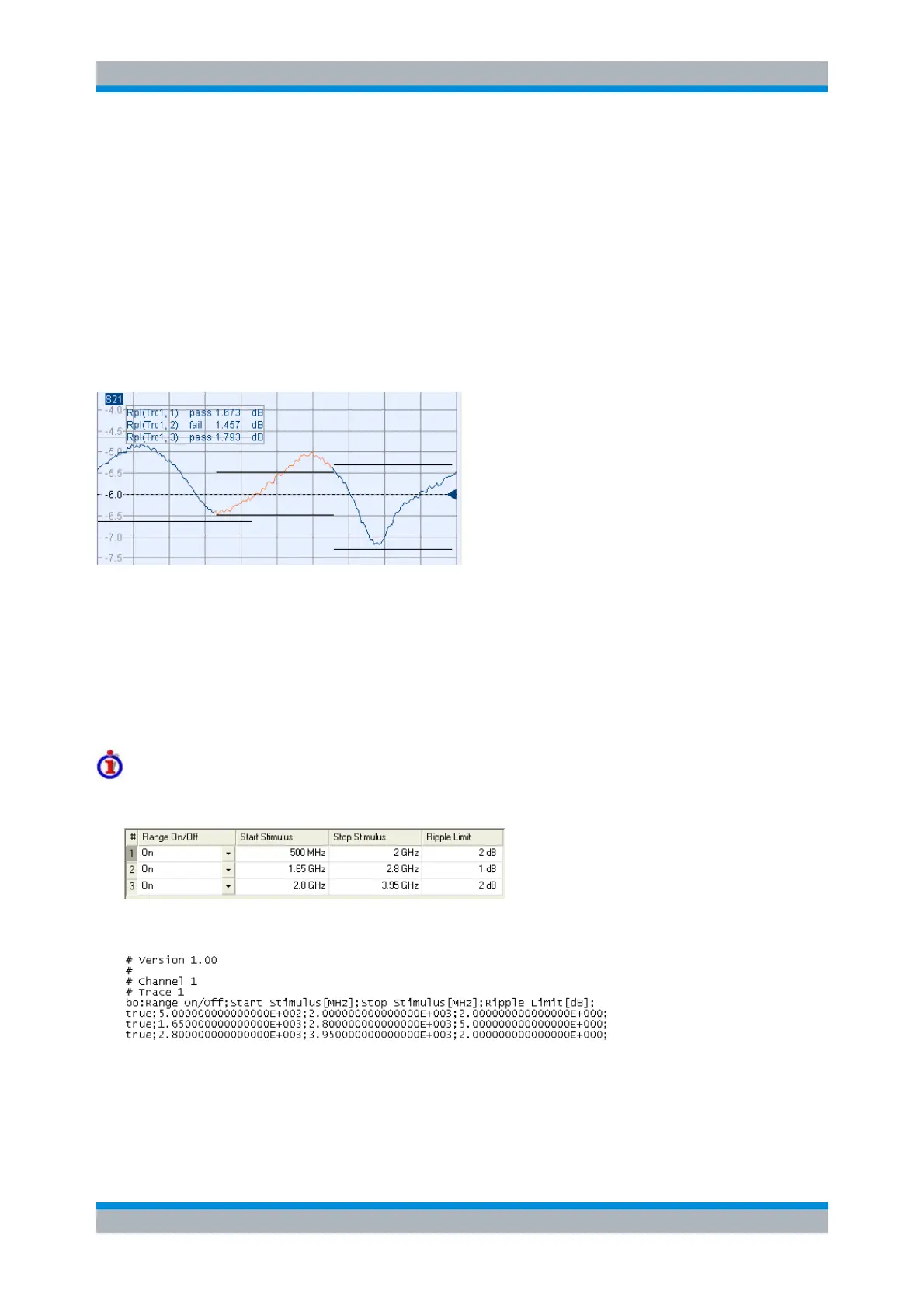
The following figure shows a ripple limit test involving 3 ranges.
As a consequence of the limit line rules, the limit check will always pass a DUT if no limit lines are defined.
File Format for Ripple Limits
The analyzer uses a simple ASCII format to export ripple limit data. By default, the ripple limit file has the
extension *.ripple and is stored in the directory shown in the Save Ripple Limit and Recall Ripple Limit
dialogs. The file starts with a preamble containing the channel and trace name and the header of the
range list. The following lines contain the entries of all editable columns of the list.
Example of a ripple limit file
The ripple limit list:
is described by the ripple limit file:
MMEMory:LOAD:RIPPle "Trc_name","file_name"
MMEMory:STORe:RIPPle "Trc_name","file_name"



 To Next Page