R&S
®
ZVA / R&S
®
ZVB / R&S
®
ZVT GUI Reference
Trace Menu
Operating Manual 1145.1084.12 – 30 231
ripple of a filter is within acceptable limits, irrespective of the actual transmitted power in the passband.
See also background information for Limit Lines.
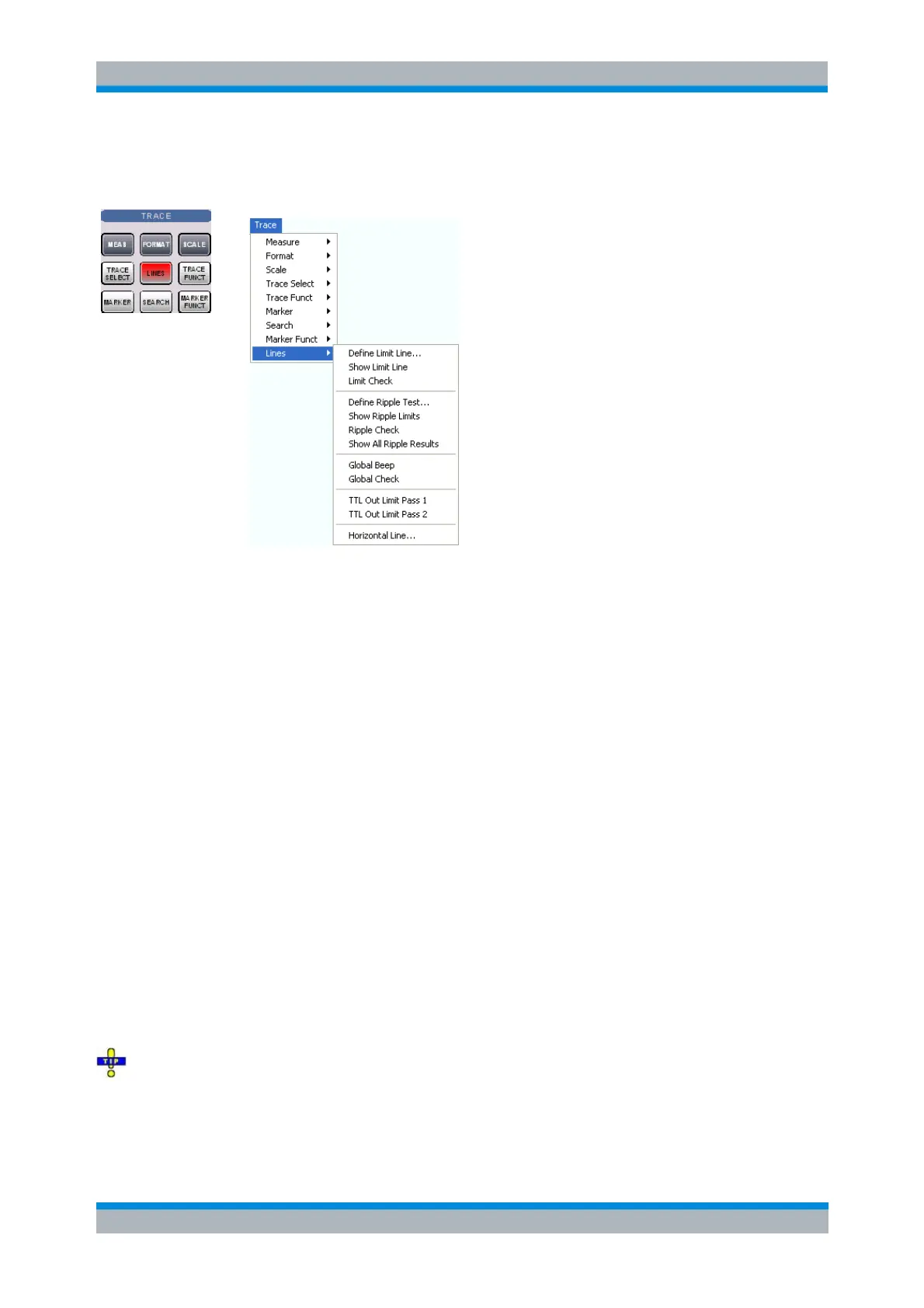
Define Ripple Test... opens a dialog to define, save or recall ripple limits.
Show Ripple Limits displays or hides the ripple limit line associated to the active trace.
Ripple Check activates or deactivates the ripple limit check.
Show All Ripple Results shows or hides the info field for all traces in the active setup, irrespective
of the active trace.
Global Beep activates or deactivates the acoustic signal indicating a limit or ripple limit excess.
Global Check activates a global (composite) limit and ripple limit check on all traces in the active
setup.
TTL Out Pass 1/2 activates or deactivates a TTL output signal at the USER CONTROL connector
indicating whether the trace was passed or failed.
Horizontal Line... displays or hides the horizontal line of the active trace and changes its position.
Ripple limit lines are available for all Cartesian diagram types (Trace – Format). For polar diagrams, the
functions of the ripple check (except the Global Check) are grayed. The limit lines are hidden and the
ripple limit check (except the global check) is disabled when a Cartesian trace format is replaced by a
polar diagram.
Define Ripple Test...
Opens a dialog to define the ripple limits for the active trace on a range-by-range basis. A separate ripple
limit can be assigned to each range.
Defining ripple limits with minimum effort
Choose one of the following methods to efficiently create and handle ripple limit ranges:
To configure a limit test with only a few ranges, use Add Range and edit each range in the table



 To Next Page