R&S
®
ZVA / R&S
®
ZVB / R&S
®
ZVT GUI Reference
Trace Menu
Operating Manual 1145.1084.12 – 30 233
Start Stimulus is the smallest stimulus (x-axis) value of the range.
Stop Stimulus is the largest stimulus (x-axis) value of the range.
Ripple Limit is the maximum allowed difference between the largest and the smallest trace value
in the range.
The ripple limit range is displayed as two parallel, horizontal lines in the diagram. Stop Stimulus – Start
Stimulus is the length of both lines; Ripple Limit is their distance; see Rules for Limit Line Definition.
CALCulate<Chn>:RIPPle:CONTrol:DOMain
CALCulate<Chn>:RIPPle:DATA
CALCulate<Chn>:RIPPle:SEGment<Seg>...
CALCulate<Chn>:RIPPle:DELete:ALL
MMEMory:STORe:RIPPle
MMEMory:LOAD:RIPPle
Multi-Selection of Ripple Limit Ranges
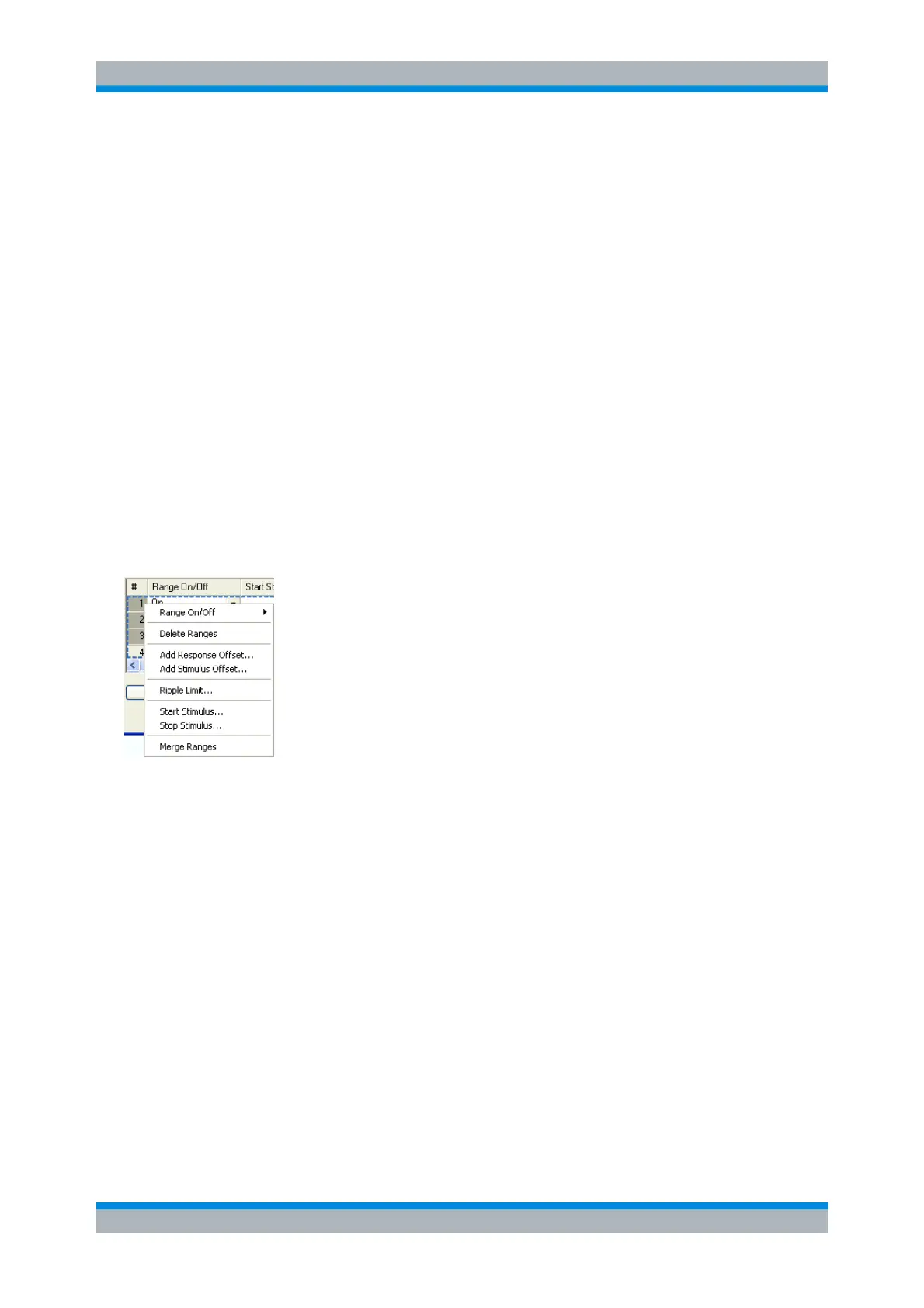
In the Define Ripple Limit dialog it is possible to edit several limit ripple ranges at the same time. Selection
of one or more ranges (use the left mouse key and the Shift key of an external keyboard) and a right-click
on the dark grey Seg. area opens a context menu:
The context menu provides the following functions:
Modification of all entries in the range table: Range On/Off, stimulus start and stop values, ripple
limit.
Definition of an offset for response and stimulus values in analogy to the Properties of Imported
Ranges dialog.
Delete the selected ranges.
Merge the selected ranges to a single new range. The start and stop values of the new range are
given by the start values of the first selected range and the stop value of the last selected range.
The first range also provides the ripple limit and the information whether the merged range is on
or off. The new, merged range replaces the selected ranges.
CALCulate<Chn>:RIPPle:SEGMent<Seg>...
Rules for Ripple Limit Definition
The analyzer places very few restrictions on the definition of ripple limit ranges. The following rules ensure



 To Next Page