R&S
®
ZVA / R&S
®
ZVB / R&S
®
ZVT GUI Reference
Channel Menu
Operating Manual 1145.1084.12 – 30 269
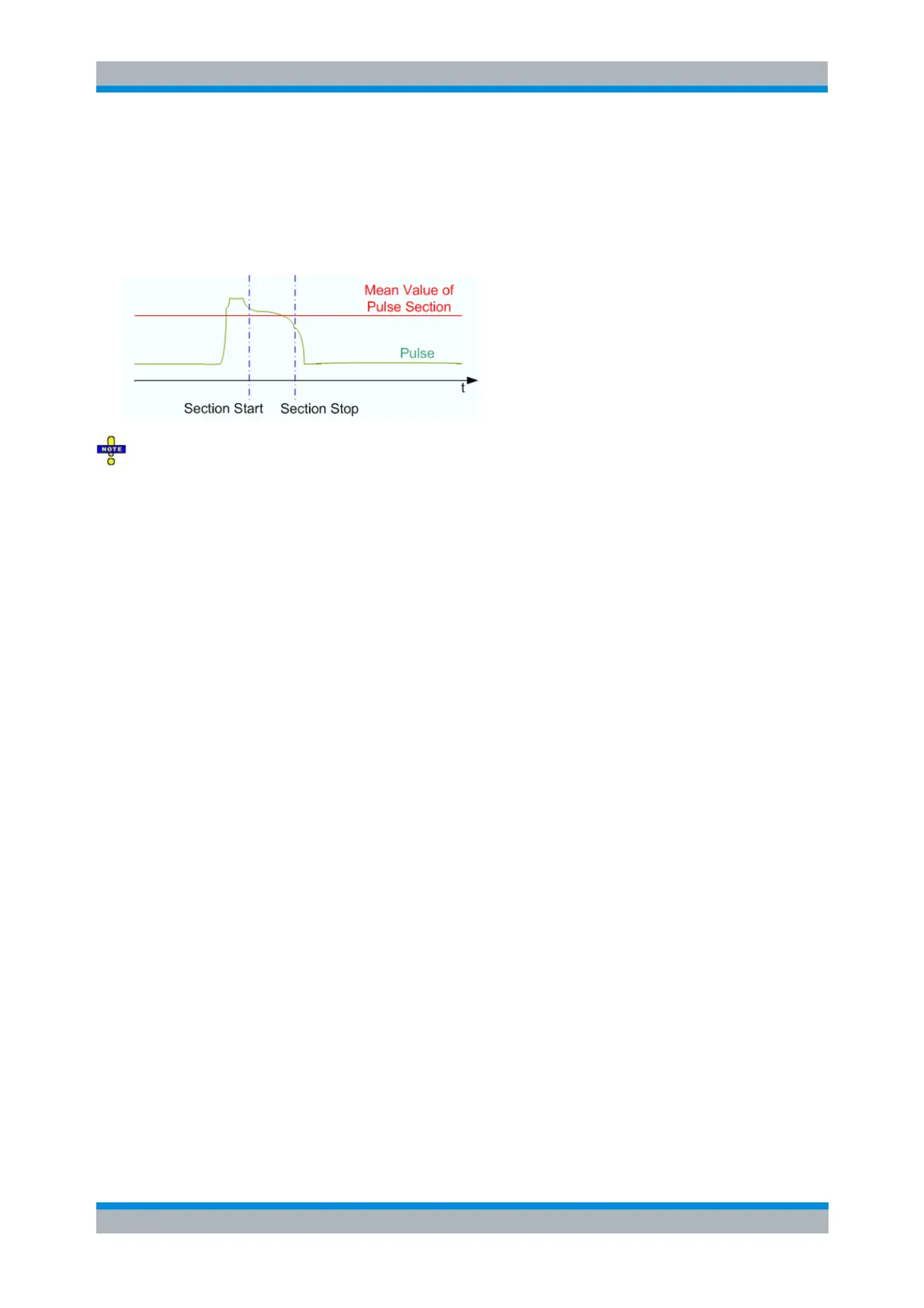
Mean Value of Pulse Section has the following effect:
The trace for the wave quantity assigned to the active receiver is replaced by a constant trace.
All quantities depending on the wave quantity are based on the averaged values.
The displayed Recording Time is extended to cover the specified pulse section.
Section Start and Section Stop can be negative and even outside the displayed time range, however,
Section Start must be smaller than Section Stop. A stimulus shift also shifts the Section Start and Section
Stop values.
The remaining settings in the dialog are general; they do not depend on the selected receiver and source
port.
Section Limit Lines On places two vertical lines into the diagram(s), indicating the selected
Section Start and Section Stop. The section limits can be modified using drag-and-drop.
Coupled Section Limit Lines On couples the section limits (and the section limit lines) for all
receivers and source ports and in all channels. The evaluation mode and the Shift Stimulus values
are still independent. As a typical application, it is possible to create two channels, display the
same wave quantity with different evaluation modes (pulse shape and average), vary the section
limits in normal evaluation mode (pulse shape) and monitor the effect on the average trace.
Recording Time indicates the width of the display range, possibly modified if Shift Stimulus or
Coupled Section Limit Lines On is active; see background information above. An error message is
displayed if the calculated recording time exceeds the maximum buffer recording time of 3 ms.
Reset All Receiver Settings the parameters in the dialog for all receivers and source ports.
[SENSe<Ch>:]PULSe:COUPled[:STATe]
[SENSe<Ch>:]PULSe:RECeiver...
Show Pulse Profile Settings
Gives an overview of the current time and stimulus settings for pulsed measurements. The info screen
also display softkeys to Print the contents, save them to a file (Print to File) or Close the screen.



 To Next Page